

.webp)
A business contacted us with a problem: Their cloud migration ended up costing more per month than their previous data center setup, but nobody knew why. The medium-sized logistics firm simply went with the most affordable quote without performing any discovery process.
Effective cloud migration services include planning, choosing an appropriate approach, proceeding in stages, and optimizing costs later on. According to Flexera's State of the Cloud report for 2026, which surveyed 753 cloud decision-makers, wasted spend on cloud infrastructure and platform services is 29%, the first increase in five years. This guide helps you spot cost risks and downtime before signing.
What Is Cloud Migration?
Cloud migration means shifting your software, information, and day-to-day systems out of a company-run data center, or from one cloud to another, so they run in the cloud instead. Cloud migration involves renting cloud services instead of purchasing and managing hardware, based on usage. There are three main issues that explain this further.
- What is migrated: Your applications, the databases and files behind them, and every workload that depends on them.
- Where is it going: Public cloud, private cloud, or hybrid cloud deployed using cloud platforms such as Amazon Web Services (AWS), Microsoft Azure, or Google Cloud.
- What will change: The provider manages the cloud infrastructure, while your team manages the applications.
What Cloud Migration Services Include
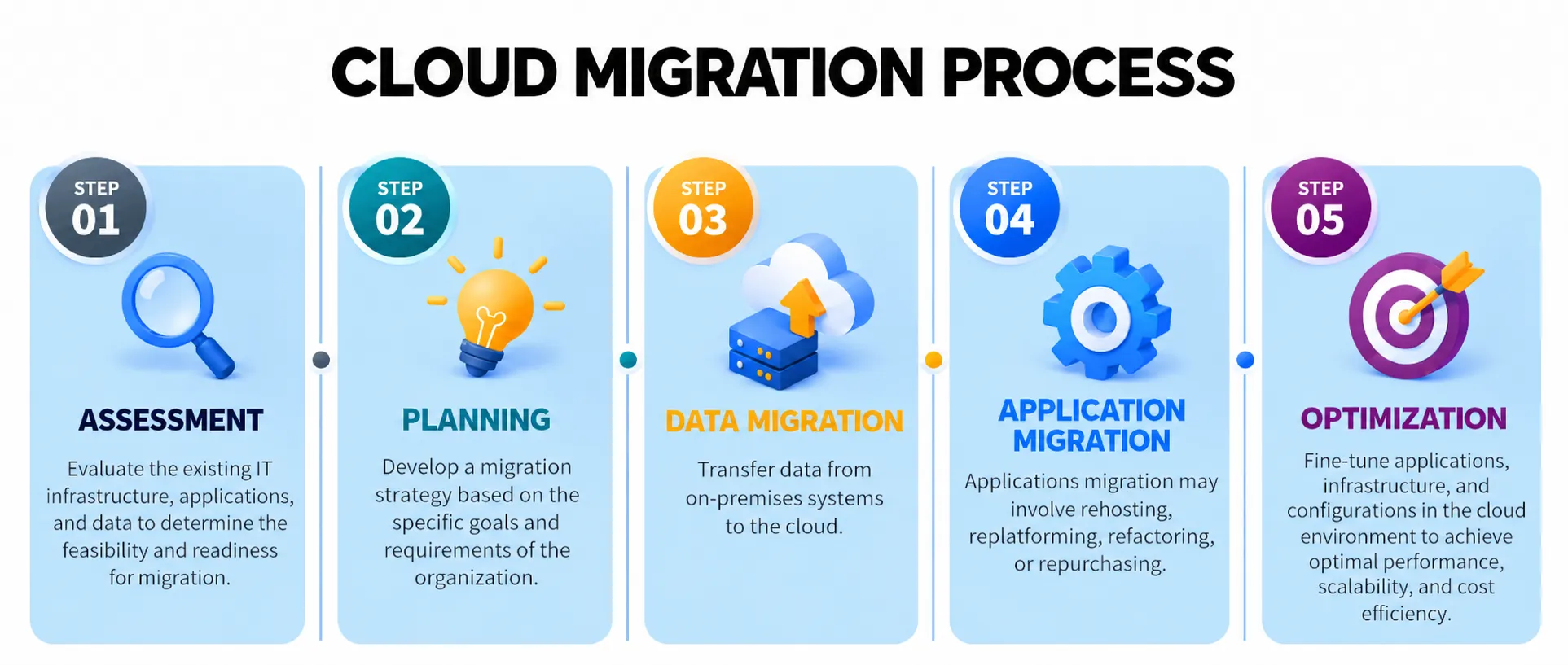
Providers sell cloud migration services in one of two ways: A consulting-only plan that your team carries out, or full delivery where the provider does the move, and data migration services come in either form. Either way, the cloud migration process runs through four stages.
- Assessment and Planning: Cloud migration assessment of your existing application environment, application dependencies, and cost per workload.
- Migration: Migration of servers, databases, and file systems in phases and not all at once.
- Testing and Cutover: Migration testing, validation of data, and testing the rollback procedure.
- Optimization: Rightsizing after go-live, monitoring, and cost analysis.
Benefits of Cloud Migration
Benefits of cloud migration are tangible but occur in different areas, and which one becomes important is contingent upon the person’s job title. Finance is the first to notice lower IT costs, engineers will notice lower operational overhead, and the business is concerned with acceleration. Teams that migrate to the cloud typically gain five tangible benefits:
- Lower IT costs: Lower expenses on computers, networking equipment, and power consumption.
- Lower operational overhead: Decreased need to change disks for IT personnel, who can now concentrate on product development.
- Scaling and disaster recovery: Scaling can be configured as required, and DR does not require another data center anymore.
- Quick updates: New features are released faster and are available to users sooner, improving customer experience.
- Cost transparency: Costs are visible in tags on invoices.
Cloud Migration Strategies
The cloud migration strategy determines the cloud migration cost and risk before any server migration takes place. The types of cloud migration include the following seven Rs: Rehosting, relocating, replatforming, refactoring, repurchasing, retiring, and retaining. Select migration approaches that match your overall cloud strategy and cloud architecture, using only one migration framework. The table at the end compares all seven.
.webp)
Lift and Shift (Rehosting)
In a lift and shift or rehosting migration scenario, servers are replicated into the cloud with minor adjustments, meaning that apps continue functioning as they were previously. This is the quickest and cheapest method for exiting the data center. However, there’s a catch, in that all inefficiencies from the past accompany you, such as oversized servers.
Relocating
Relocating moves a virtualised estate to the cloud version of the same platform without touching the applications. Nothing changes at the application level, so risk and rework stay low, and your team keeps its existing tools and skills. It suits quick hardware exits.
Replatforming
Re-platforming makes a few targeted changes so an application runs better in the cloud, without redesigning it. Typical moves are shifting a self-hosted database to Managed Services or swapping in cloud-native services. You gain less maintenance, though small tweaks can grow into a rewrite.
Refactoring
Refactoring involves redesigning the application into a cloud-native application using cloud-native architecture, usually involving Serverless computing and CI/CD pipelines to facilitate faster deployment. This approach consumes the most time and money, and hence should only be used when there is a clear business justification, and after the initial migration, such as during legacy application modernization.
Repurchasing
Repurchasing replaces a self-managed application with a ready-made SaaS product instead of moving it. You swap custom code and maintenance for a subscription. Check data export options, per-user licensing costs, and whether the product fits your processes, because switching later is harder than choosing well now.
Retiring
Retiring is about stopping applications that do not need to be there anymore, and hence you do not spend any money on migrating or running them. There tend to be many more applications like this than people realize, and hence retiring becomes the most cost-effective method of them all.
Retaining
Retention keeps the system in its current state because it is not yet ready, or because it is linked to local hardware, or simply because it is about to be turned off shortly. It is a conscious choice, and migrating an application that is going to be retired next year might be more expensive, so let legacy software modernization wait.
Cloud Migration Strategies Compared
Cloud Migration Tools
There are four tasks performed by cloud migration tools, and the native ones from cloud providers such as AWS, Microsoft Azure, Google Cloud, and Oracle take care of all of them. However, many of the older tutorials direct you towards Migration Hub, which no longer accepts any new users and now directs all new projects to AWS Transform.
- Servers: AWS Application Migration Service, Azure Migrate, or Google Cloud Migrate to Virtual Machines.
- Databases: AWS Database Migration Service.
- Discovery: Dependency mapping before anything moves.
- Cost: Cloud cost management and cost transparency from week one.
The tool transfers data; humans determine the sequence. In case of a small estate with familiar systems, the indigenous tools might suffice. As soon as there is a doubt about the dependencies, the partner receives his pay for the rehearsal cutover and rollback because the tool can duplicate the server but not the payment system.
How to Reduce Cloud Migration Risks
Consider a situation where a retailer does a switch of its order database on Friday evening without rehearsing. The cutover takes four hours, an unknown payment integration process fails, and the rollback plan is available only in a slide format. This is not bad luck; it’s the lack of preparation, and the majority of them have easy solutions.
- Downtime: Pilot one low-risk workload, then proceed by waves. The use of continuous replication and a proven rollback plan makes zero-downtime migration feasible.
- Rework: Set up the landing zone with Infrastructure as Code so that environments do not drift.
- Budget overrun: Licensing, data migration, and the cost of duplicate running inflates the bill. Leverage existing licenses via Azure Hybrid Benefit and ensure the hybrid cloud transition is kept to a minimum.
- Security risks: Agree on security requirements, security controls, security protocols, and security infrastructure before migration, not after the first audit.
- Compliance gaps: Determine the regulatory requirements and data residency, and map SOC 2, HIPAA, or PCI DSS responsibilities.
Cloud computing security and cloud security compliance are cheaper when designed in. Choose cloud security solutions early, use your provider's cloud security services, and add specialist cloud computing security services if skills are thin. Cloud-based security runs on shared responsibility, so read our cloud security best practices and NIST SP 800-144.
How BuildNexTech Helps With Cloud Migration Services
The cloud migration services of BuildNexTech cover moving, modernizing, and optimizing environments across AWS, GCP, and Azure. We solve the challenges that sink migrations, including unclear quotes, hidden costs, downtime, and compliance gaps. Your data stays safe through encryption and checksum validation, and your live application keeps running because changes replicate continuously and the cutover is rehearsed with a tested rollback plan.
One team owns the strategy, pilot, migration, and cost assessment, and cloud migration consulting can stop at the roadmap if that is all you need. Larger players like Accenture serve enterprise-scale programs through the Accenture AWS Business Group, and Mission Cloud specializes in AWS, while we suit middle-sized organizations that want senior engineers close to the work.
What a BuildNexTech Cloud Migration Looks Like
BuildNexTech’s cloud migration project will take around three to four weeks to get to the first production wave. This is what happens during these weeks.
- Weeks 1-2: Discovery, inventory, and dependency mapping.
- Weeks 3-4: Cost model, workload strategies, and landing zone design.
- Weeks 5-6: Proof of concept with one workload, and rehearsal cutover.
- Weeks 7-10: Phased migration in waves, followed by rightsizing and cost review.
Conclusion
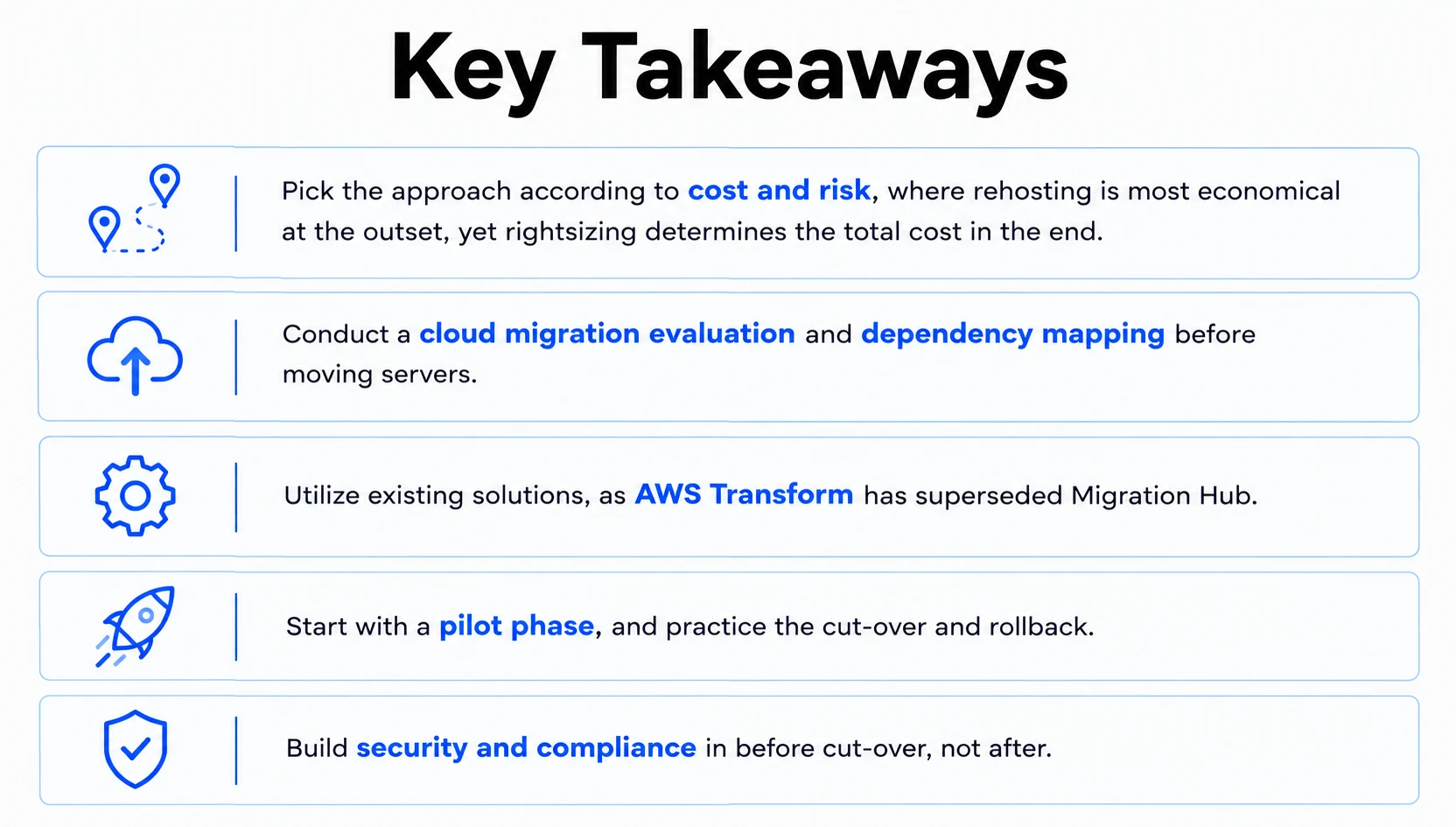
Cloud migration services are paid for in terms of decisions and not data transfers. Choose the right process in terms of both cost and risk, migrate step by step using existing tools, and think about optimising and securing from the very first day. And that will help the bill stay under control, regardless of the chosen platform.
The question most teams dodge is which applications aren't worth moving at all. Some never repay the effort, and no tool will tell you so, which makes that review the cheapest and most valuable work in the project.
People Also Ask

What is cloud security, and how is it different from traditional security?
Cloud security ensures that your data, applications, and access remain safe in the cloud. It differs from traditional security, where you rely on the provider entirely and have to configure controls in software rather than hardware.
What is a cloud access security broker (CASB)?
CASB is a technology platform placed between your users and the cloud services. It imposes policies like access policies, data loss prevention, and auditing across approved and unapproved applications.
What does cloud security posture management do?
It continuously scans your cloud configurations for misconfiguration, violation of policy, and inappropriate permissions. It works best when you are using multiple accounts and platforms.
What are cloud managed services, and do we require them post-migration?
This means that the provider manages your cloud environment on a monthly basis. It works best for organizations without 24-hour cloud skills. Otherwise, managing everything internally will save some money.
Should we consider cloud consultants pre-migration?
Cloud consultants are worth hiring for complex estates because they analyze dependencies, costs, and compliance before migration and help avoid strategy mistakes. A handful of servers can be managed in-house.


.webp)
.webp)
.webp)

.webp)
.webp)



