

Why No:Code Is No Longer Just a Workaround
Three years ago, building a product on no:code tools drew quiet skepticism - the kind reserved for founders running operations on spreadsheets. Some were.
That has changed - not because of rebranding, but because the platforms themselves became significantly more capable.
Mid:sized companies use Bubble to run internal tools that would previously have required custom development. Some funded startups have shipped customer:facing apps with no dedicated engineering staff.Workflows that previously required a small development team can, in many cases, be handled by a single non:technical founder using the right tools.
The platforms matured. Bubble added serious structured database logic, conditional workflows , backend logic and REST API support. Webflow moved beyond pure visual design Zapier went from simple two:step triggers to conditional, multi:step flows that cover most of what people used to write custom scripts for - with little fanfare and no major product announcements.
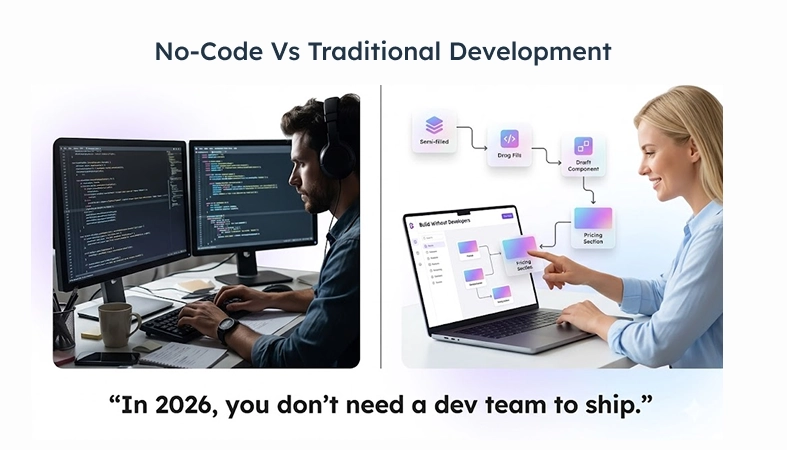
For an early:stage startup, it comes down to this: hiring a developer to build an MVP typically runs $50K–$150K depending on scope and market, with timelines of three to six months or longer.
If the idea doesn't work out - and statistically, a lot of ideas don't which failure is cheaper to recover from?
What Should a No:Code Tool Actually Do for Your Startup?
Most founders pick a no:code tool because someone in their network mentioned it, or it came up in a YouTube video. That's how you end up spending three weeks building on Bubble when all you needed was Webflow and a Typeform embed. It is worth clarifying the category of problem before selecting a platform.
There are roughly four things no:code tools get used for: building actual apps (user accounts, databases, logic), automating workflows (connecting tools, killing repetitive tasks), building websites and managing content, and building internal tools like dashboards and admin panels. Most startups end up needing two or three of these at once. Attempting to cover all four categories with a single platform tends to create significant friction within the first few months.
Best No:Code Tools for Building Web Applications
Bubble - Full:Stack Web Apps Without Writing Code
Bubble is built for web applications that require user accounts, a structured database, and conditional logic - not landing pages or static content. Few no:code tools handle all of that natively without requiring additional service integrations.
Fair warning: Bubble's learning curve is real. The documentation is inconsistent in depth and coverage, the forum is helpful if you know what to search, and the first two weeks will probably feel slow. Founders without prior exposure to database:driven tools sometimes abandon it before working through the initial learning curve.
The ones who push through can ship products that genuinely compete - Stripe billing, role:based permissions, and proper user authentication. A number of early: stage SaaS products, including some that have raised institutional funding, have been built and launched entirely on Bubble.
The platform distinction is not visible to end users.One consideration that deserves attention before committing: Bubble owns the infrastructure. Your app lives on their servers and you never see the source code. That's fine for most startups, right up until you want to hand the product to an engineering team and they ask for the codebase.If an engineering handoff is part of the product roadmap, that constraint should factor into the platform decision early.
Pricing: Free plan available. Verify current production plan pricing on Bubble's website before committing, as rates have changed across plan tiers.
FlutterFlow - Cross:Platform Visual Development That Ships to App Stores
IMAGE IDEA: Screenshot of FlutterFlow's canvas showing a mobile app being built with drag:and:drop components.
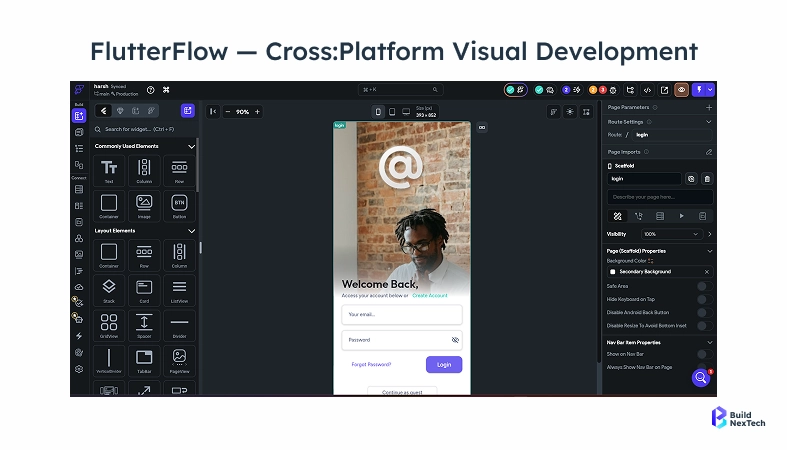
FlutterFlow is for a narrower situation: you need mobile and web, and at some point you want actual engineers to take over.
It's built on Flutter. You build visually, but you can export the actual code .and unlike export features that produce difficult:to:maintain output, FlutterFlow generates structured Flutter code that engineers can take over and extend.
It ships to Android and iOS, connects to Supabase and Firebase,and is not well:suited for teams with no technical background.. Teams with no technical experience at all are likely to encounter significant friction.. But if one person has any kind of design or dev background, even from years ago, the learning curve flattens out faster than you'd expect.
Adalo and Thunkable - Simpler Mobile Apps for Specific Use Cases
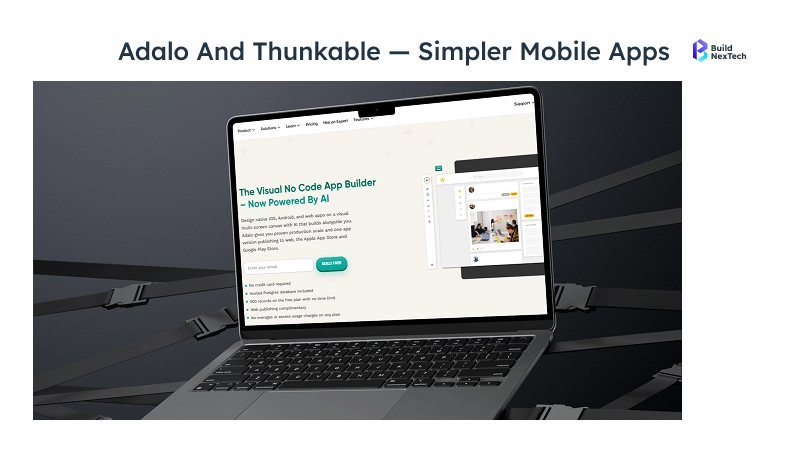
Adalo and Thunkable live in a different tier. Adalo and Thunkable serve a different use case - simpler mobile apps with a clearly defined and limited scope.
These include community apps, internal team dashboards, and straightforward customer:facing tools.
Adalo is easier to get started with for pure mobile layouts the drag:and:drop interface is intuitive for anyone with prior experience in visual design tools.
Thunkable has better visual logic handling, which matters if your app needs to do something conditional without you wanting to touch a database config.
Neither is suited for a SaaS product with complex data relationships or multi:role authentication But for a focused mobile app where you know exactly what it needs to do, both are faster to get running than FlutterFlow.
No:Code Tools for Workflow Automation and Operations
Zapier - The Default for Startup Workflow Automation
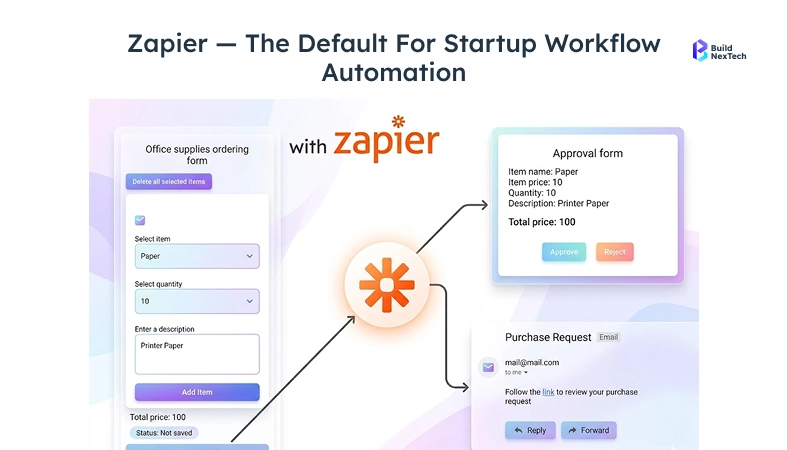
Zapier is typically the first automation tool founders reach for, and for good reason.. It integrates with over 6,000 applications ,the setup process requires no technical background, and it's gotten more capable over the years multi:step flows, conditional logic , OpenAI integration for AI:driven steps.
The use cases that actually save you time are unglamorous. A lead submits a form → the record routes to the CRM → a Slack notification triggers → the tracking spreadsheet updates automatically. That sequence takes a few hours to configure and then runs without manual intervention. Manual updates are eliminated because the workflow handles them automatically.
The pricing model is task:based, which is fine until you're running hundreds of autoAt that point, Make becomes worth evaluating - it handles multi:step, conditional workflows at a lower per:task cost and is better suited for high:volume automation, though it has a steeper learning curve than Zapier. That's usually when Make comes up.
Typeform - Forms That Actually Get Completed
Most founders underestimate how much bad form costs them. If you're sending someone to a 10:question Google Form to qualify for a call, you're losing a chunk of them before they finish. Typeform's format - one question at a time, logic that skips irrelevant fields - keeps people moving through it.
For B2B outbound, specifically, presentation matters. A prospect filling out a Typeform versus a raw Google Form - it's not a giant thing, but it signals that someone thought about their experience. In competitive deal cycles, those details accumulate.
It connects directly to Zapier, Slack, Google Sheets, and most CRMs, so responses route to the right place and follow:up sequences trigger automatically. Nobody manually checks the submissions.
No:Code Website and CMS Tools
Webflow - The Serious Choice for SaaS Websites
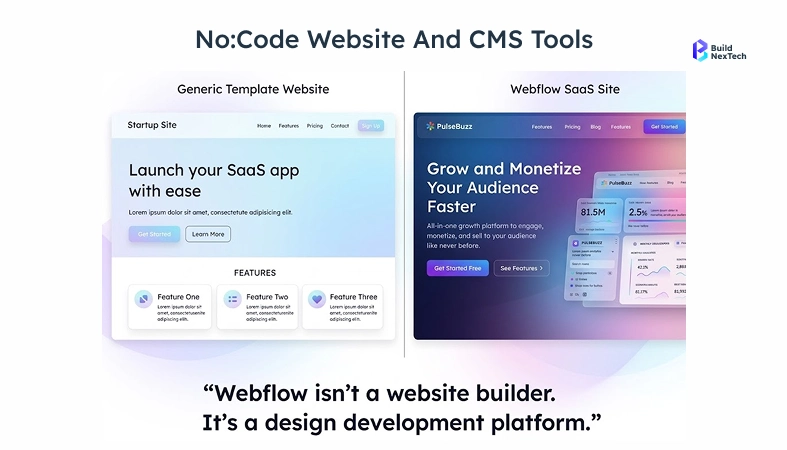
Webflow is the right choice for teams that need full design control over a marketing site without relying on a developer for every update. It outputs clean, standards:compliant HTML and CSS – production:ready code, not auto:generated markup that requires cleanup. You control everything at the page level: responsive design, meta tags, Open Graph, canonical tags, and schema markup.
The CMS is well suited for content:heavy sites. If you're publishing blogs regularly or building out programmatic pages at scale, you don't need a developer every time you want to push something. The editors can do it themselves.
To be clear about what Webflow isn't: it doesn't build apps. Webflow does not support user accounts or database logic. If that's what you need, that's Bubble. The distinction becomes clear when someone tries to add user authentication or dynamic database logic functions. Webflow was not built for.
Shopify - For Startups with an E Commerce Component
If you're selling physical or digital products, Shopify handles everything that would otherwise take months to build: inventory, checkout, payment processing, shipping integrations, and the shopfront itself. The Shopify app marketplace is mature enough that most stores can find what they need without touching a custom code.
Where it creates friction is when your business model doesn't fit Shopify's assumptions. Complex subscriptions, custom checkout experiences, and multi vendor marketplaces-these all require either a developer or a specialised third party app, and sometimes both.
Budibase and ToolJet - Open Source Internal Tool Builders
At some point the spreadsheets stop working. Too many people editing, too much logic crammed into cells, and nobody sure which version is current. Budibase and ToolJet exist for that moment. Both build real internal tools-dashboards, approval workflows, client portals, and data tables-and both can be self hosted if your data can't live on someone else's servers.
Budibase is easier to get into - the interface is cleaner and the defaults are sensible. ToolJet is better if you have someone technical who wants to drop in custom JavaScript for specific components. Both connect to the databases you're probably already using: PostgreSQL, MySQL, REST APIs, and Google Sheets.
Most teams do not start with either platform. The typical starting point is Airtable and Notion, and that's usually fine for longer than people expect.
Airtable is a relational database with a spreadsheet interface. It works well for CRMs, content calendars, and operational tracking. Notion covers the documentation and wiki side. While neither of these tools can replace a true internal dashboard as the team expands, a small company of five utilising Airtable, Notion, and a few Zapier automations can achieve remarkable progress before encountering limitations. That wall is usually access controls or data complexity, not anything catastrophic.
AppSheet and Power Apps - When You're Already in the Google or Microsoft Ecosystem
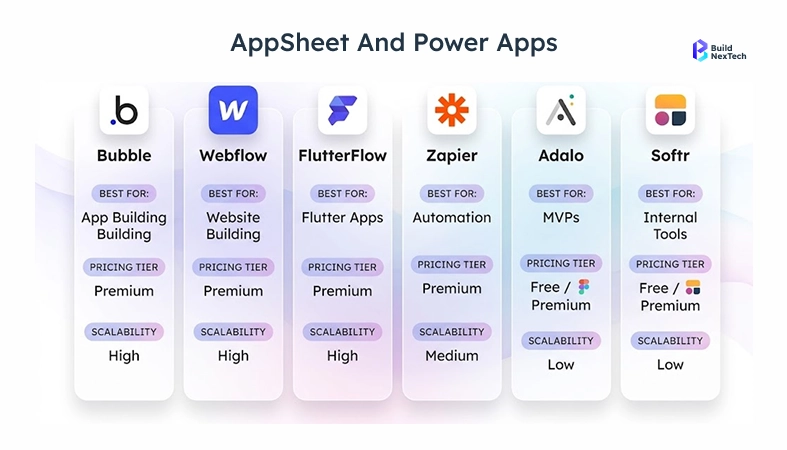
Both tools are designed primarily for teams already embedded in a specific platform ecosystem. If your company already runs on Google Workspace, AppSheet lets you build mobile and web apps directly from Sheets with minimal setup. If you're in Microsoft 365, Power Apps connects to everything Azure. Outside those environments, the integrations that drive their value are largely unavailable, which limits their usefulness significantly.
How Do You Actually Choose the Right No:Code Stack?
Matching Tools to Your Stage and Business Needs
A common error costs founders significant time they pick the tool with the most impressive demo, not the one that fits what they're actually building. Bubble gets chosen for threepage marketing sites all the time. It's powerful, but it's the wrong tool for that job. Webflow and Typeform get you there faster and for a fraction of the cost.
A rough framework by stage:
- Pre:launch, validating:
Webflow + Typeform + Zapier. Fast, cheap, easy to throw away if the idea doesn't work. - Building an MVP web app:
Bubble for complex apps. FlutterFlow if you need mobile too. - Ops without engineering support:
Budibase or ToolJet for internal tooling, Zapier for automation. - Already inside Google or Microsoft:
AppSheet or Power Apps.
Scalability - What Happens When You Actually Grow?
The scalability question comes up constantly, often raised by those who have not stress-tested these platforms in a production context.
Bubble has supported products with substantial user bases - but how you structure your database in the first few weeks matters enormously. Poor data architecture early on typically surfaces as a rebuild requirement rather than an incremental fix.Webflow's scaling characteristics are largely determined by its CDN delivery model;
it serves through a CDN and handles traffic spikes the same way any static site would. FlutterFlow's code export is the long:term insurance policy - you're not permanently locked to the platform if things grow beyond it.
There is a real ceiling: extreme data volume, sub-100ms latency requirements, and complex algorithms built from scratch. No-code platforms are not the right fit for those requirements, and the selection process should account for that ceiling But most startups never need to go there. The ones that do usually have enough traction by then to justify bringing in engineers - and handing them a working product is a much better starting point than handing them a half:finished custom codebase.
Choosing the Right No:Code Stack in 2026.
The no:code shift isn't about removing developers from the picture. It's about giving founders, operators, and product people the ability to test ideas, ship workflows, and build real products without waiting on engineering resources that may never arrive.
Bubble, FlutterFlow, Webflow, Zapier, Budibase, Typeform - these tools are mature. The question in 2026 isn't whether they work. It's which combination fits what you're building right now.
The decision is less about finding the perfect tool and more about matching the right platform to the current stage - then moving.
People Also Ask

What's the fastest way to launch without hiring developers?
Use Webflow for your marketing site, Bubble or FlutterFlow based on mobile needs, and Zapier for integrations this stack covers most early-stage requirements. Don’t overthink tools; focus on getting your first 100 users, then optimize your stack later.
Bubble or FlutterFlow?
Bubble is best for long:term no:code web apps where owning the codebase isn’t required, while FlutterFlow suits teams needing mobile + web or planning a future code transition.
Will I hit a wall as the startup grows?
It is possible, at a significant scale Bubble has run products with serious user numbers. Webflow doesn't really have a traffic problem. The tools reach their limits at extreme data volume and custom algorithm complexity the time you outgrow no-code, it's usually a good problem to have.
What does it actually cost to run a startup on no code?
A Webflow–Bubble–Zapier stack typically costs $70–$120/month, covering a live site, web app, and automation about two years’ worth for the cost of one mid-level developer’s monthly salary.
Can Bubble actually run a real SaaS product?
Bubble now supports full production SaaS apps with features like billing, roles, and authentication, far beyond just prototyping. However, it doesn’t provide source code access, so consider that if long:term code ownership matters.


.webp)
.webp)
.webp)

.webp)
.webp)



