

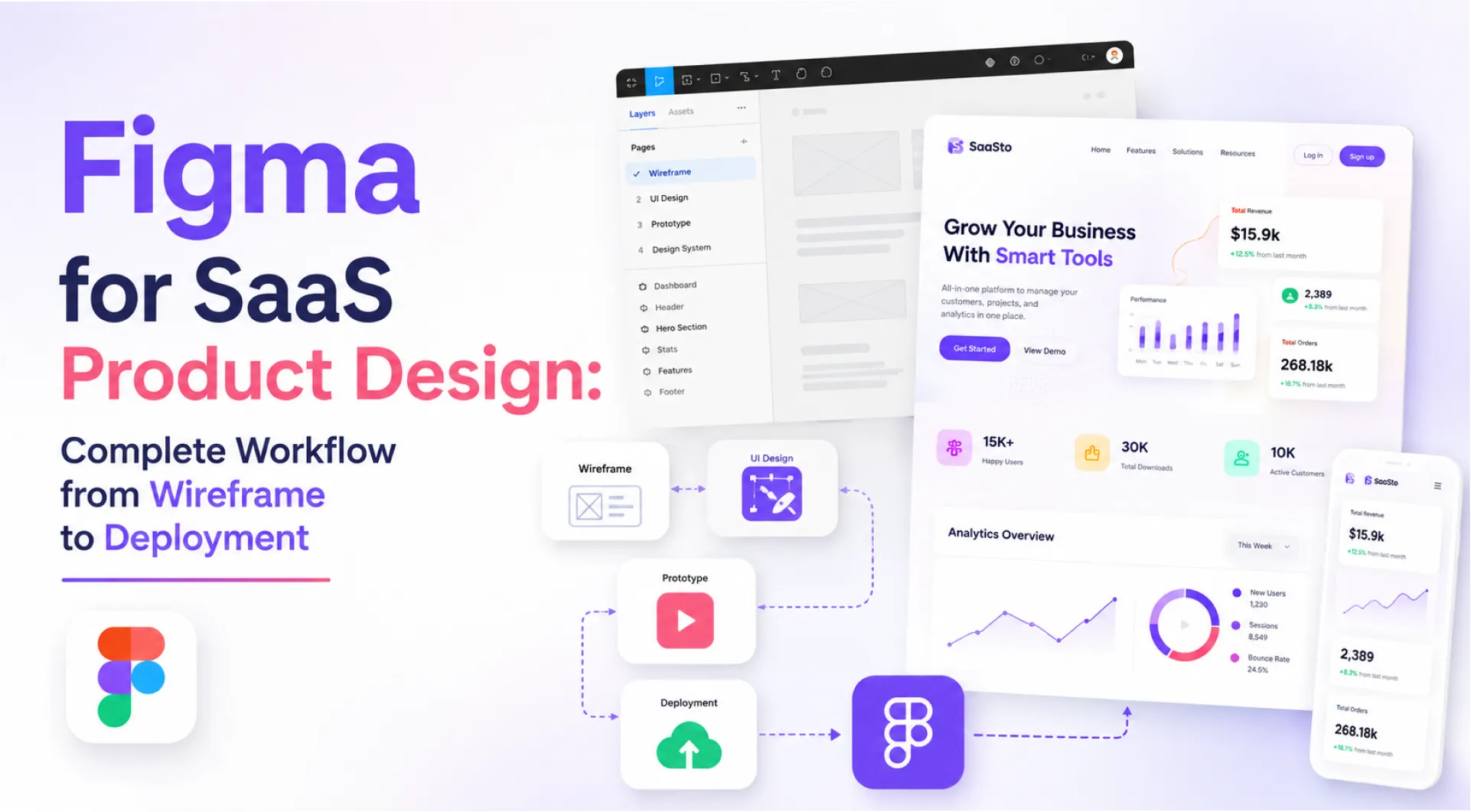
TLDR: A structured Figma workflow covers six phases: discovery, wireframing, design system setup, high-fidelity UI design, prototyping, and developer handoff. Teams that follow it ship faster, with fewer revision cycles and cleaner collaboration between design and engineering.
A SaaS startup came to us eight months into building their product. Three designers, two separate Figma files, no shared component library, and a developer handoff that meant exporting PNGs and typing spacing values into Slack. Every new feature cost two extra days just aligning design and engineering. The product worked. The SaaS UX design process didn't.
Figma doesn't slow down SaaS product teams. The absence of a workflow does.
Across 150+ client engagements in 30+ industries, the fastest-shipping teams aren't the most talented designers. They're the most structured ones. Figma's growth as a company reflects this shift: Figma stock interest surged alongside the broader adoption of collaborative design tools as product teams moved away from disconnected point solutions. According to Forrester, organisations with mature design operations reduce design-to-development cycle time by up to 34%. This guide walks through every phase of a proven Figma workflow, illustrated through a real SaaS website project we delivered from discovery to handoff.
The Phases of Product Design in Figma
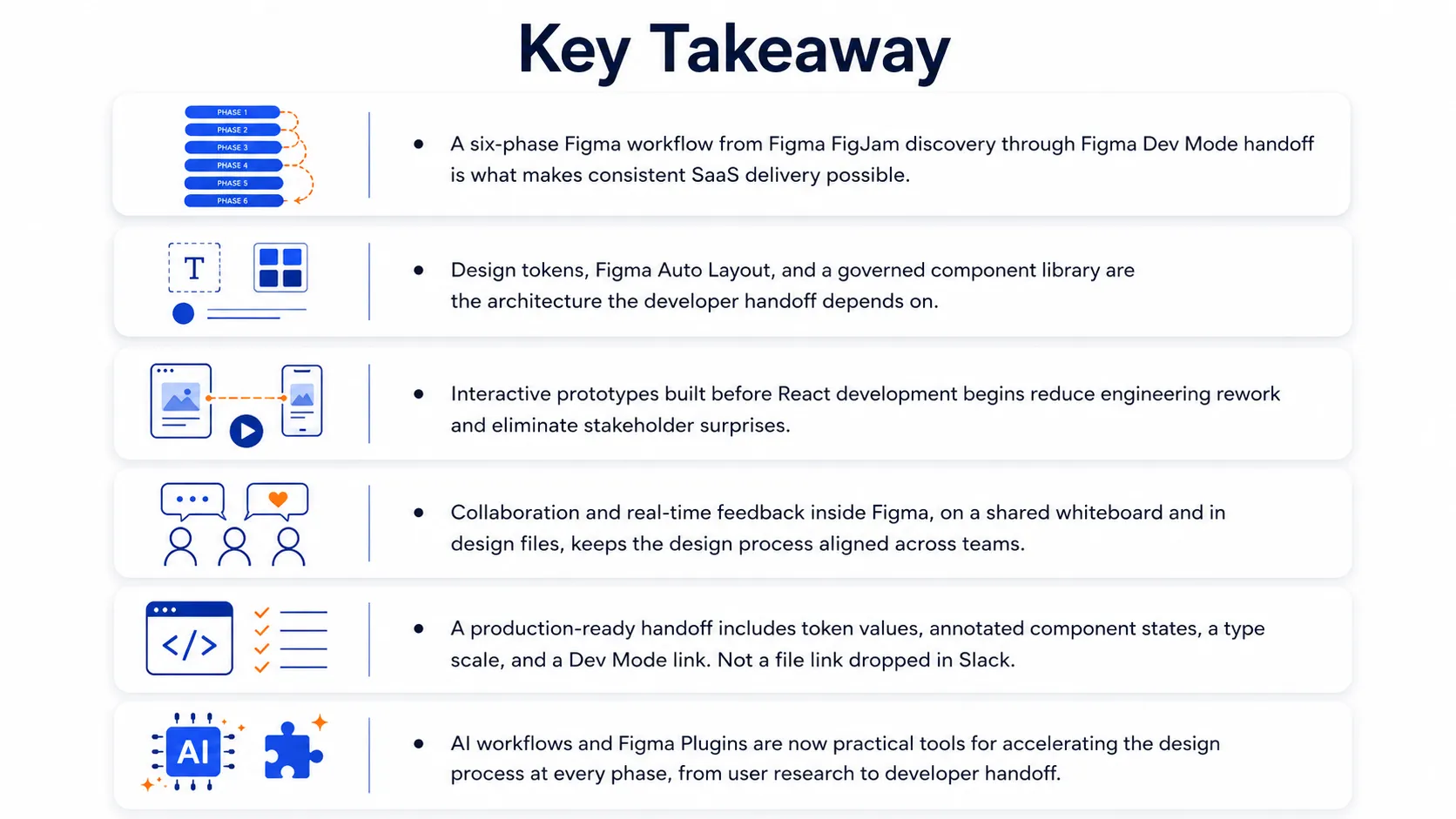
A clean Figma workflow runs six sequential phases. Here is what each one means:
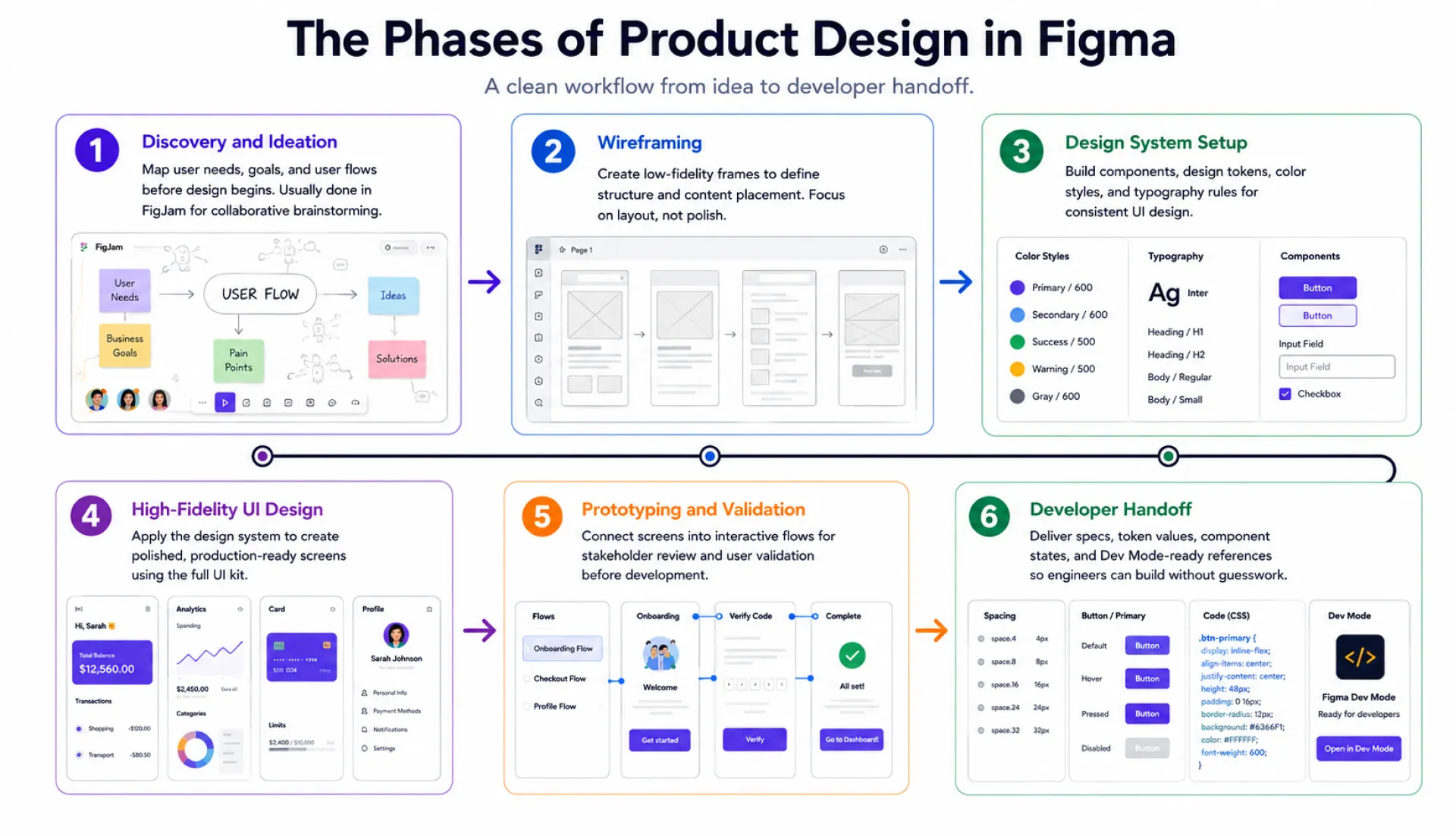
- Phase 1: Discovery and Ideation. Mapping user needs, goals, and user flow before any design work starts. Primarily done in Figma FigJam using a shared whiteboard for real-time collaboration.
- Phase 2: Wireframing. Creating low-fidelity layout frames to define structure and content placement. No colour, no polish. Just layout decisions, informed by user research.
- Phase 3: Design System Setup. Building the component library, design tokens, color coding styles, and typography scale that all high-fidelity work will use. This is the design process step most teams skip and later regret.
- Phase 4: High-Fidelity UI Design. Applying the design system to produce polished, production-representative screens using the full UI kit and vector tools.
- Phase 5: Prototyping and Validation. Connecting frames into interactive prototypes for stakeholder review and user experience validation before development begins. This is where rapid prototyping replaces guesswork.
- Phase 6: Developer Handoff. Delivering a documented reference page with all token values, component states, and a Figma Dev Mode link so engineers can build without guessing.
Designing a SaaS Website in Figma: A Phase-by-Phase Walkthrough
A SaaS company came to us with a clear problem: strong product retention, but a website that was losing visitors before they signed up. No web presence, outdated branding, and homepage copy written for internal engineers rather than buyers. We took it from a blank file to a fully handed-off, launch-ready website. Here's how.

We started in Figma FigJam, running stakeholder interviews on a shared whiteboard to align on the product's value proposition, target buyers, and the customer journey map. All outputs lived in one FigJam board so product managers, designers, and marketing worked from the same decisions. User research at this stage sets every downstream decision.

With goals agreed, we mapped the page structure: Home, Pricing, Features, About, Blog. We tracked how first-time visitors move through the site, and let conversion rate thinking shape where CTAs appeared. Product managers signed off on the sitemap before any design work started.
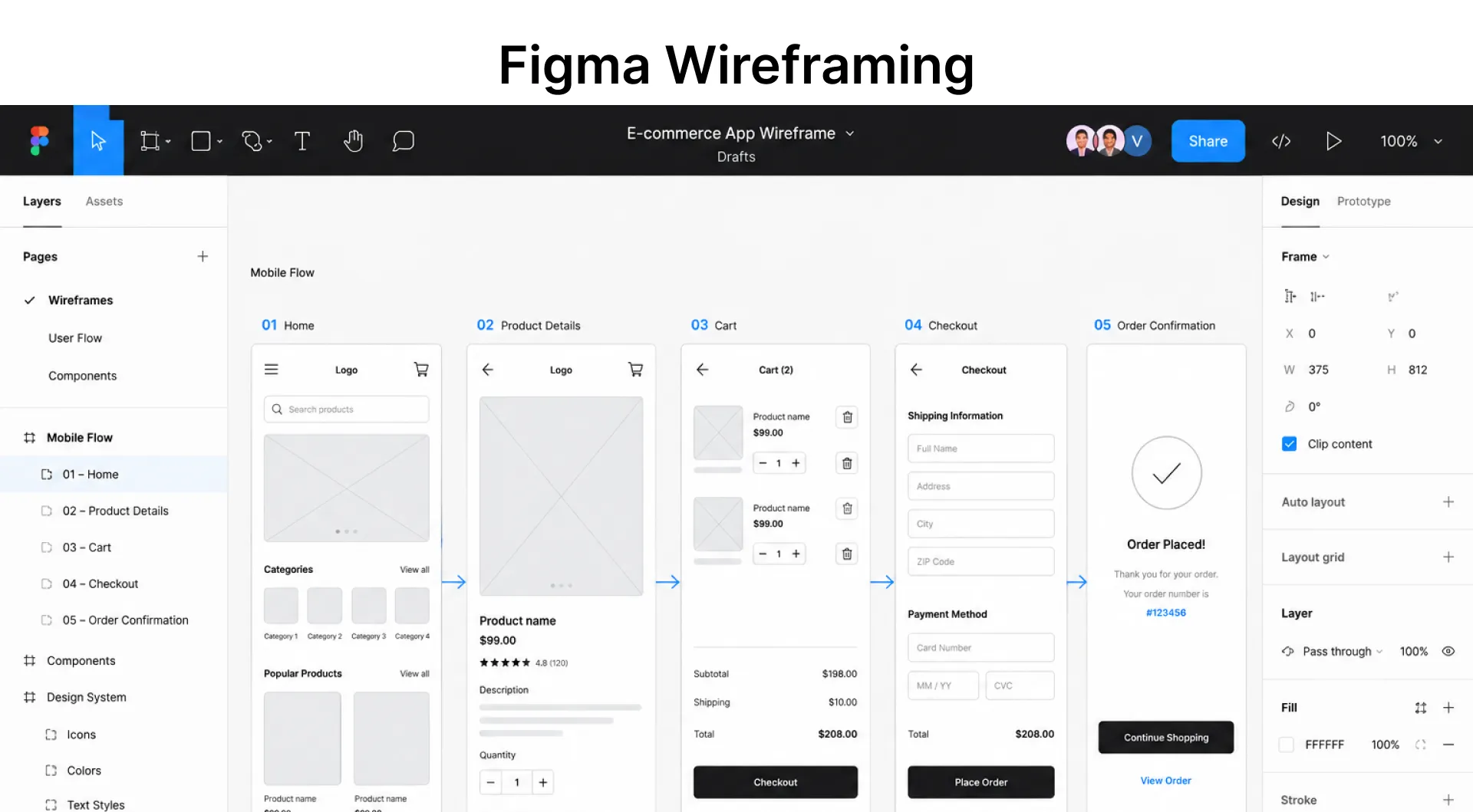
We built low-fidelity wireframes in Figma for every page type: hero section, feature blocks, social proof, pricing tables, and CTA placement. No colour, no brand. Just structure. Figma wireframing inside the same workspace means the client sees the layout in the same file where final designs will live, with no tool-switching friction.

Before opening a single high-fidelity frame, we built the Figma design system: a color coding token structure across primary, secondary, neutral, and semantic values, a full type scale, and a component library covering buttons, cards, navigation, form inputs, and pricing blocks. We used Figma Plugins to accelerate token setup and pulled standard patterns from the Figma community. Figma Auto Layout was applied to every component from the start, not retrofitted later.

With the design system in place, UI design moved fast. We applied the component library to produce conversion-focused pages, with Figma Variables handling multi-theme support and responsive breakpoints across desktop (1440px), tablet (768px), and mobile (375px). Figma Auto Layout made reflow structural, so responsive websites required no duplicate frames.

We built fully linked interactive prototypes covering the primary user flow from homepage through pricing through demo CTA. Stakeholders reviewed and annotated feedback directly inside Figma, not in emails. Rapid prototyping here means user experience issues are caught in Figma, not after React development has already started. Two rounds of feedback. Clean sign-off inside the file.
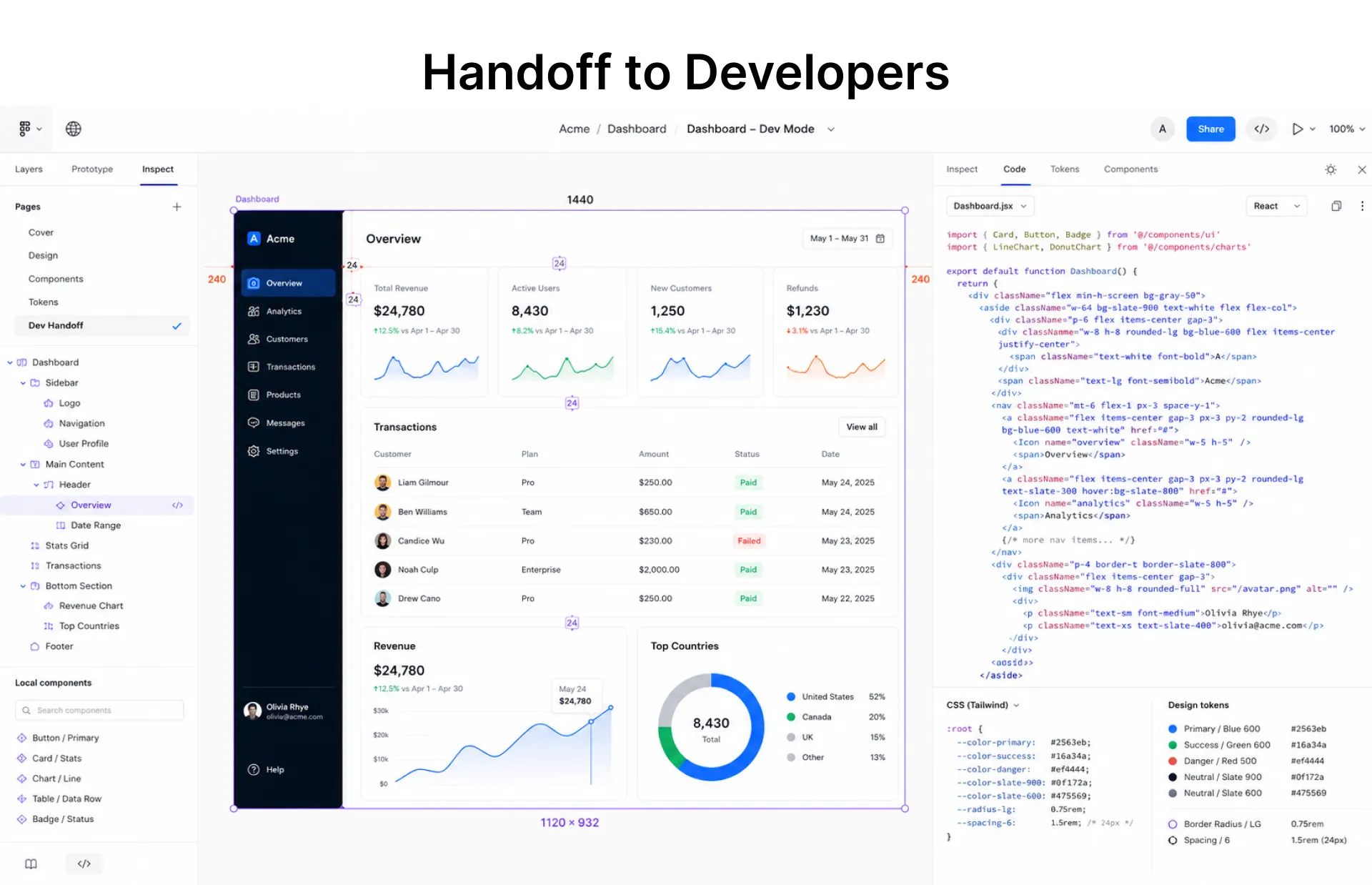
The handoff deliverable was a developer reference page with all design token values, annotated component states, an exported asset package, and a Figma Dev Mode link for engineers to inspect specs and copy code. According to Zeroheight's 2024 Design Systems Survey, 84% of design teams now use design tokens as part of the developer handoff. No back-and-forth on spacing or hex values.
The Result
A launch-ready website with a Figma design system the client's team can maintain independently. The speed came from following the design process in sequence, not from any single creative decision.
Our Take: The teams that get the most from Figma aren't the ones with the most Figma Plugins or the largest component library. They treat the Figma design system as a product with real governance, not a folder of assets someone built once and left. Without a named owner and a publish cadence, the system drifts. Once it drifts, the developer handoff breaks down within two sprints.
Best Practices and Common Mistakes in Figma for SaaS Teams
What High-Performing SaaS Teams Do in Figma
The teams that ship consistently treat the design process as a structured system, not a series of individual creative decisions. Here's what that looks like in practice:
- Start in Figma FigJam: use a shared whiteboard for user research, collaboration, and customer journey mapping before opening a design file.
- Build the Figma design system first, including design tokens, UI kit, vector tools, and Figma Auto Layout components, before any high-fidelity work starts.
- Use Figma Dev Mode for every developer handoff. Engineers should never need to ask a designer for a spacing value.
- Build interactive prototypes before handing off to React development. Catch interaction issues in Figma, not in staging.
- Use Figma for client presentations and stakeholder walkthroughs. Keeping presentations inside the same tool removes the risk of showing outdated screens in a separate deck.
What Slows SaaS Teams Down in Figma
Most Figma problems aren't design problems. They're process shortcuts that compound into delivery delays. These are the ones that appear most often:
- Skipping the Figma design system a7nd designing each screen ad hoc. It feels faster in week one. It costs you week six.
- Delivering a handoff without a developer reference page. A Figma file link in Slack is not a handoff.
- Ignoring AI workflows for repetitive tasks: Figma Plugins can cut setup time significantly on color coding, design token management, and content generation.
From Figma Handoff to Production: Where SaaS Teams Stall
A clean Figma workflow gets a team to a structured developer handoff. That's the starting point for engineering, not the finish line. The gap between a well-governed Figma design system and a production-ready React component library is where most SaaS teams lose time. Teams that have worked with BuildNexTech have cut that cycle time by connecting a governed Figma system directly to a component-level build pipeline, reducing the manual interaction between design output and production code. The Figma workflow matters. What happens after handoff matters more.
People Also Ask

What is Figma and what does Figma do for product design teams?
Figma is a browser-based UI/UX design tool covering wireframing, design systems, interactive prototypes, collaboration, and developer handoff in one workspace, removing the need for separate tools across the design process.
Is Figma free or does Figma pricing require a paid plan for SaaS teams?
Figma offers a free starter plan with limited features. SaaS teams using Figma Dev Mode, shared component libraries, and AI workflows typically need a paid plan for full access and collaboration at scale.
What is Figma Dev Mode and how does it improve developer handoff?
Figma Dev Mode gives engineers direct access to inspect design specs, copy CSS and React component code, and navigate interactive prototypes without needing a designer present for every clarification.
How does Figma Auto Layout help with responsive design?
Figma Auto Layout makes component reflow structural rather than manual. Components resize predictably across breakpoints, so responsive websites are designed once and adapted without duplicating frames for each screen size.
How do we stop a Figma component library from drifting as a SaaS product scales?
Assign a named governance owner with release authority, publish updates on a defined cadence, and formally deprecate unused components. Without this, the UI kit drifts and developer handoff quality drops within two sprints.


.webp)
.webp)
.webp)

.webp)
.webp)



