

The question to any product designer about what they eat all week, will hardly be answered with design. The stuff about it. Shipping icons on a case-by-case basis. Searching for a stock photo that is suitable for the hero. Renaming 40 layers named: Rectangle 23. Comparison of contrast ratios by hand during QA, warning of a color blindness problem. Take that times 6 people working on a team in a two-week sprint, and you lose enough time to develop a small feature.
Thanks to this, the Figma system of plugins has come into existence. Plugins are little micro-tools that do the grunt work: icon libraries, wireframes, accessibility checks, handoff design tokens, Unsplash images, and Google Sheets data. They are capable of catapulting a designer off his battle with the file and into the design process when applied in the proper way.
We are all about product teams at Build Next Tech, and our fintech clients in Dubai, SaaS founders in Australia, and agencies in Hyderabad all complain that they are spending too much time on repetitive manual work. This list of important plugins in 2026 is divided into what they do, with an outline to enable your team to install six useful ones rather than 30 forgotten ones.
Why Figma plugins drive productivity and faster design delivery
What Figma plugins do in real design workflows
A Figma plugin is an extension that operates within your Figma file, that extends the canvas - a browser extension, however, a design one. Examples of some pull materials are: stock images, icons, avatars, and illustrations. Other push systems: design tokens to JavaScript, SVGs to a developer's codebase of a developer, and annotated screens to Zeplin.Other checks are: contrast ratios, broken auto-layout, inconsistent typography, and hidden layers.
An average design day, with/without plugins:
- Without: you should have a hero image, open it in Unsplash in a browser window, download it, drag it in, crop it, and reposition it. Repeat for 12 screens.
- Without: you require 30 user avatars to create a dashboard mockup, and therefore, you capture face screenshots or put the same placeholder 30 times.
- With Content Reel can fill all 12 pictures and 30 avatars within one minute. Unsplash slides a photo of its choice into the frame of choice. Done.
Plugs do not work magic. They erase the 40 switches in context between Figma, Chrome, and Slack, and the file system daily. Minimizing changes, maximizing design.
How productivity impacts design speed, ROI, and time-to-market
Every hour that a designer dedicates to manual cleaning is an hour not dedicated to user research, iteration, or interaction design. According to a Business Value of Design study released by McKinsey, the increase in revenues and stockholder returns in the top quarter of companies in terms of design performance was nearly twofold the rate of growth of companies in the industry. A difference like that can be achieved by shipping faster, doing more iterations, and finding accessibility issues before a line of front-end code is written - not prettier buttons. The lever of plugins is one of the most affordable ones. Most are free; the subsidised ones are a team lunch less than once a month.
How teams eliminate repetitive work using Figma plugins
Three buckets of repetitive work in design are: content filling, asset export, and file hygiene. All three are dealt with by the use of plugins.
- Filling contents Content Reel, Unsplash, Pictographic, Avatar Generator, and Blush cover, icons, avatars, and illustrations without leaving Figma.
- Exporting and handoff of assets from Figma, Builder.io, and Zeplin convert designs into a React component, front-end code, or developer specification.
- File clean up: Design Lint will identify inconsistent colour styles, fonts that are missing, and stray layers. Clean Document cleans up the workspace before handoff.
The most out of the plugins teams are the ones with the largest install list. It is they who chose six so that they fit in their workflow and worked on muscle memory.
Top Figma plugins by use case (UI, UX, and product design)
UI design plugins to speed up design-to-development handoff
UI designers exist in the in-between between mockup is beautiful and can be built by the developer. Plugins in this type bring in ready-made parts, generate production-ready SVGs, and reduce engineering back and forth.
These plugins combined annihilate the I need assets now aggravation that derails UI work. One of our SaaS clients had one of the designers who used to maintain 14 open browser tabs at a time - with Iconify and Content Reel, this number has dropped to two.
UX plugins to simplify user flows and interaction design
UX is not all about making things pretty. It is all about the way that a user navigates through a product, where he/she pauses and what happens when he/she clicks on the incorrect button.
- Reduce the time to recreate this flow diagram thrice: Good UX plugins: drop in ready-made, wireframes templates in both web and mobile apps, without creating one.
- Autoflow: create connecting arrows between the frames of user flows and interaction diagrams, no longer struggle with line tools.
- Figmotion and LottieFiles: include web animation and prototyping interactions that are more closely reminiscent of the real world, with animation frames that can be exported to developers as JSON.
- UX Pilot: flow generation with AI assistance - explain a user experience step-by-step in plain English, receive a wireframed sequence as a response.
Plugins come into their own in prototyping. A frozen click-through is fine when checking with the stakeholders; however, to get real interaction feedback, motion and state changes are required - all of which these plugins provide within Figma.
Product and web design plugins for consistency and scalability
The product and web designers are working at scale: Design systems comprising hundreds of design systems comprising hundreds of design components, marketing sites with responsive design with five breakpoints, and Webflow or WordPress sites requiring clean exports. The business is consistent.
- Tokens Studio (formerly Figma Tokens): control design tokens - colors, spacing, typography - and configure them to be synchronized with code repos or other systems such as Style Dictionary.
- Design Lint: analyses a file against inconsistencies in colour styles, text styles, and effects such as shadows.
- Webflow and Zero Block (Tilda): convert designs made in Figma to Webflow or Tilda, as they have structure.
- Mockuuups Studio: drop UI screens into the mockups of real devices to use in marketing and in pitch decks.
- Gradient and Shadows effect: create advanced effects without having to manually adjust each layer.
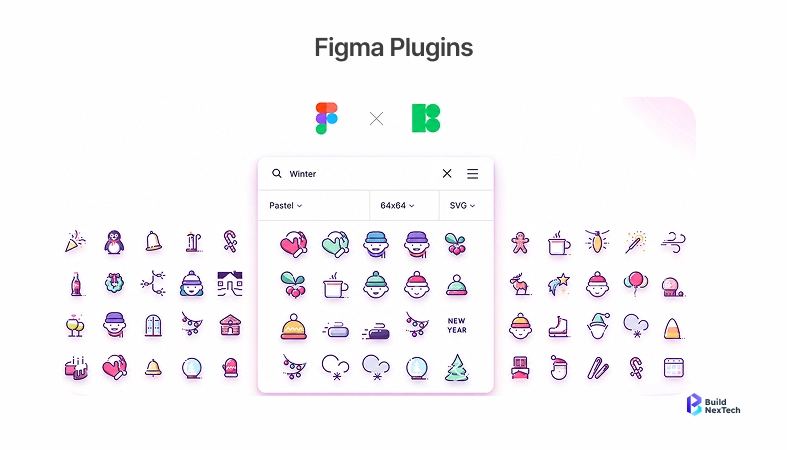
Scalability is the commonality. A single designer can be able to take care of a 10-screen product. The designers work on 200 screens chaotically, with no uniform system - the enforcement layer is the plugins.
Figma automation plugins that reduce manual work
Automating repetitive design tasks to save hours weekly
The most tedious stages to design are the most automated. Relabeling layers, eliminating backgrounds, creating language versions of a screen, and updating 80 components when a brand color is changed.
A design team of four running this stack typically reclaims 25 to 40 hours a week. That's what our Build Next Tech team logged during a three-week audit across four active client projects.
Plugins that streamline developer handoff and asset export
The designs met their death in handoff when the tooling was incorrect. Plugins allow making the line between Figma and the developer's IDE nearly transparent.
- Zeplin: creates specifications, redlines, and code snippets based on Figma frames.
- Builder.io: transforms Figma designs to React components and front-end code.
- Figma to Code: a lighter-weight option that generates clean HTML and CSS.
- Tokens Studio: pipes design tokens in the form of JSON into a developer's design system.
It is not a question of sharing the Figma link. It is "with five minutes to spare did the developer get spacing, color, and component states in a usable format?
Collaboration and feedback plugins for faster team execution
Plugins that improve designer-developer collaboration
Design does not occur in a vacuum. The most effective teams maintain close circles with the engineering, product, and QA - and the following plugins reduce the circles.
- FigJam collaboration: whiteboarding/wireframing and collaboration with engineers without leaving Figma.
- Slack + Figma extension: automatically update the file in the engineering channels, and developers can view the new screens without opening a dashboard.
- GitHub Plugin: associate design changes with the pull requests and issues.
- Storybook Connect: map Figma components to the Storybook library, which engineers code out of.
These eliminated did you see the new design, which is set up well. Slack messages entirely.
Tools that speed up feedback, reviews, and iterations
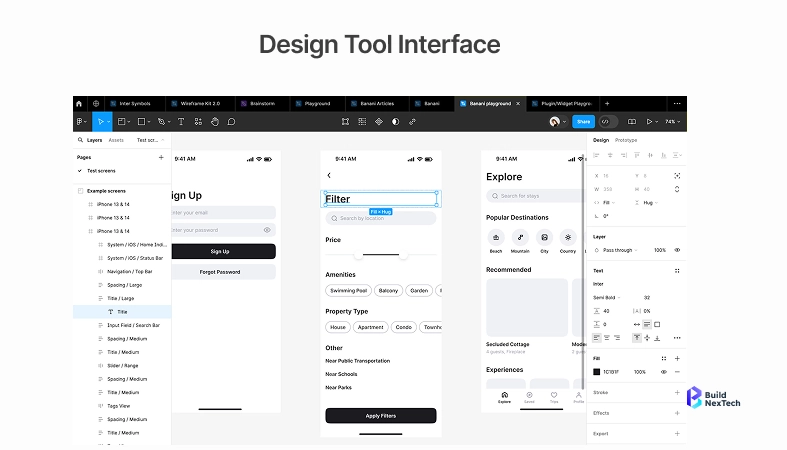
Reviews drag projects. Figma has built-in comments, which are structured with dedicated plugins.
- Ditto: put review of UI copies in one location, with product and marketing, rather than 40 Slack threads.
- FigPilot and Make it Clear: templates of design critique that require reviewers to give feedback that is both actionable and does not suggest that everything looks good.
- Stark: The same contrast checking and color blindness simulation plugin is constructed to add accessibility reviews.
In the case of distributed teams - such as our distributed team over Hyderabad and Dubai, and remote contributors - asynchronous feedback plugins are the difference between a two-day iteration cycle and a two-week one.
How to choose the right Figma plugins for your workflow
Selecting plugins based on use case, team size, and workflow needs
The Figma Community has thousands of plugins. The majority of which you do not require. The model we employ with clients at bnxt.ai:
- Team size 1-3: install up to 5-7 plugins: Content Reel, Unsplash, Iconify, Stark, Design Lint, and one prototyping plugin.
- Team size 4-10: include design systems plugs, such as Tokens Studio, and a handoff plug, such as Zeplin or Builder.io.
- Team size 10+: add custom plugs to your particular design systems and sign-up flows.
Ask 3 questions, then install. One: Is this a problem that we are currently having? Two: Will it still be upheld a year from now? Three: Is it safe to download? A hard no should be the result of any virus scanner detected, and a support reply channel should really be provided if it fails partway through the project.
Evaluating plugin impact on productivity, scalability, and ROI
Monitor the effect of a plug-in over two weeks and then commit. The test did not do the designer in. It's Did the time per screen go down?
One of the most basic ROI formulas that we provide to clients:
ROI = (weekly hours saved) x hourly design rate x 4 weeks- cost of the plugins per month.
If a Pro version costs $15/month and saves a $60/hour designer three hours a week, the monthly return is (3 × 60 × 4) − 15 = $705. This bar is cleared by most of the plugins. Those that fail to - uninstall.
Emerging trends in Figma plugins: AI and custom workflows
How AI-powered plugins are changing design productivity
Between 2024 and 2026, AI plugins transitioned to a daily driver. The AI functions of UX Pilot, Builder.io, and AI built into Figma generate wireframes based on text prompts, propose auto-layout fixes, and convert sketches to production elements. Figma 2024 report on AI notes that 81 percent of designers claimed to be more productive because of AI, and the number of adopters doubled in a year.
The demo of generating a whole app out of a sentence is not useful. It's the little victories: AI renaming 200 layers, making better contrast ratios, generating fake data that can drive a healthcare dashboard, as opposed to an e-commerce cart.
Custom plugins and the future of scalable design systems
The second wave is internal tools - custom-made tools designed to fit a team's workflow. One of the fintech design teams that we collaborated with created one that pulls user data in their staging database into Figma mockups, which means that all of the screens will display actual names and account balances when being reviewed. The feedback of the stakeholders was being improved at once since the mockups ceased to appear as stock templates.
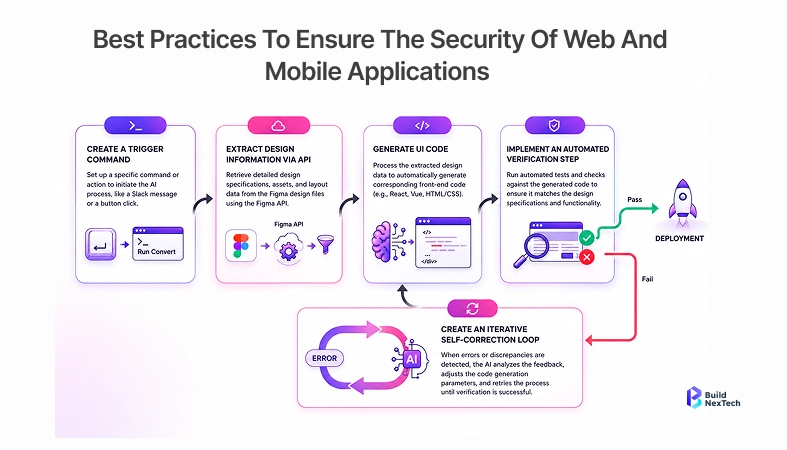
With a TypeScript-writer front-end engineer on your team, a custom-written three-week payback plugin is not out of the ordinary. Figma Plugin API is well-documented, with the barrier to entry being less than most teams think.
Conclusion: building a high-performance design workflow with Figma plugins
An excellent example of a bad designer is made good by a good plugin stack. It makes a good designer work quicker, and makes the output of the team consistent enough that PMs, developers, and QA come to an agreement about what is shipping. Design ceases to be the choke point.
Start small. Choose five of your most painful areas. Test them for two weeks. Measure time saved. Add, subtract, iterate.
When you're a founder or design lead, attempting to determine what kind of plugins are appropriate to your product in its current stage, or are looking to have custom plugins built, the bnxt.ai team can map it with you. And we have done this in fintech, SaaS, and marketplace products in the UAE, Australia, and India.
People Also Ask

What are the best Figma plugins for productivity?
The most influential ones are Content Reel, Unsplash, Iconify, Stark, Design Lint, and Tokens Studio. These include content filling, asset libraries, accessibility, file hygiene, and design systems, the five areas that lose the most time for designers. Most of the needs are satisfied with the free versions; the Pro version of Stark is justified in case the products are accessibility-critical.
How do Figma plugins save time in design workflows?
Plugins eliminate context switches between Figma and other tools. Instead of hunting for a stock photo in a browser tab, Unsplash drops it onto the frame in one click. Across icons, avatars, layer renaming, contrast checking, and handoff exports, a typical designer saves 8 to 15 hours a week.
Are there free Figma plugins for designers?
Yes. The majority of the free versions of the plugins here are free. The libraries of Iconify, Unsplash, Content Reel, Design Lint, Autoflow, and the Figma Community are all free. Paid plugins typically increase the maximum export, team capabilities, or advanced AI - free versions are suitable in the case of individual designers and small teams.
How do you install and use Figma plugins?
In Figma, open Resources (shift + I), enter a search in the Community tab, and install. Plugins are executed as a part of the Plugins menu or right-clicks on individual layers. The majority of work is a couple of minutes without configuration - some, such as Tokens Studio, require an account or API key, but can be configured in less than five minutes.
Which Figma plugins improve team collaboration?
Zeplin, Builder.io, and Storybook connect to manage designer-developer collaboration. Ditto and Stark are in charge of the UI copy review and accessibility, respectively. When your team is on Slack, the Figma-Slack integration will automatically sync and push file updates into engineering channels, reducing the number of times people will ask you to check out the new design to zero.


.webp)
.webp)
.webp)

.webp)
.webp)



