

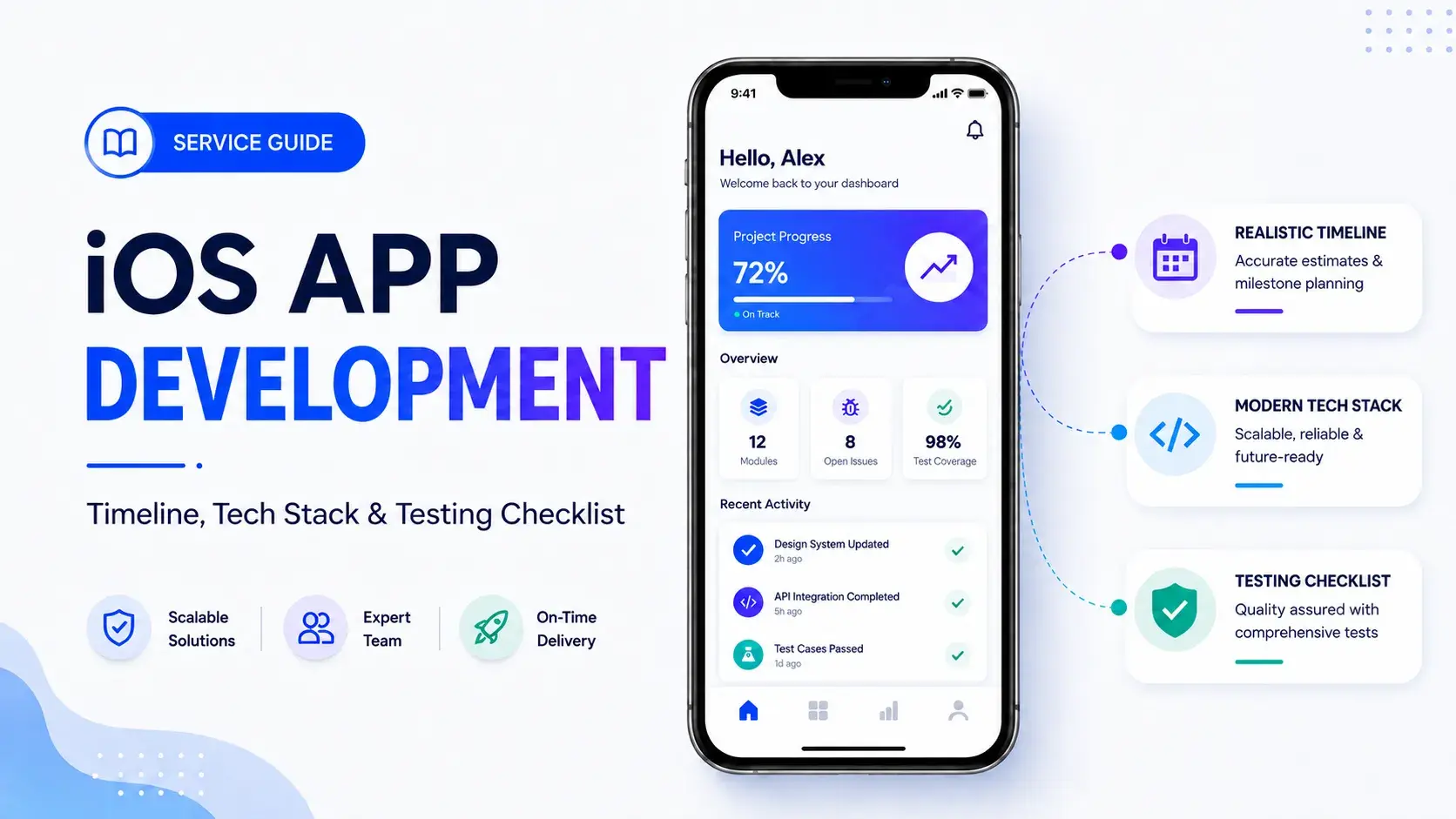
Apple's App Store rejects roughly 25% of first-time submissions. At enterprise scale, a single rejection translates to $20,000-$50,000 in delayed revenue. The iOS development partner you choose determines which side of that statistic your business lands on.
Most iOS development guides tell you to check portfolios and request references. None of them flag the decision that actually determines whether your app ships: how your vendor handles Apple's review cycle, security and compliance standards overhead, and post-launch support before you sign. Across 150+ client engagements in 30+ industries, that gap has cost companies more than any technology choice they made.
What iOS App Development Services Actually Cover (and What Most Vendors Leave Out of the Quote)
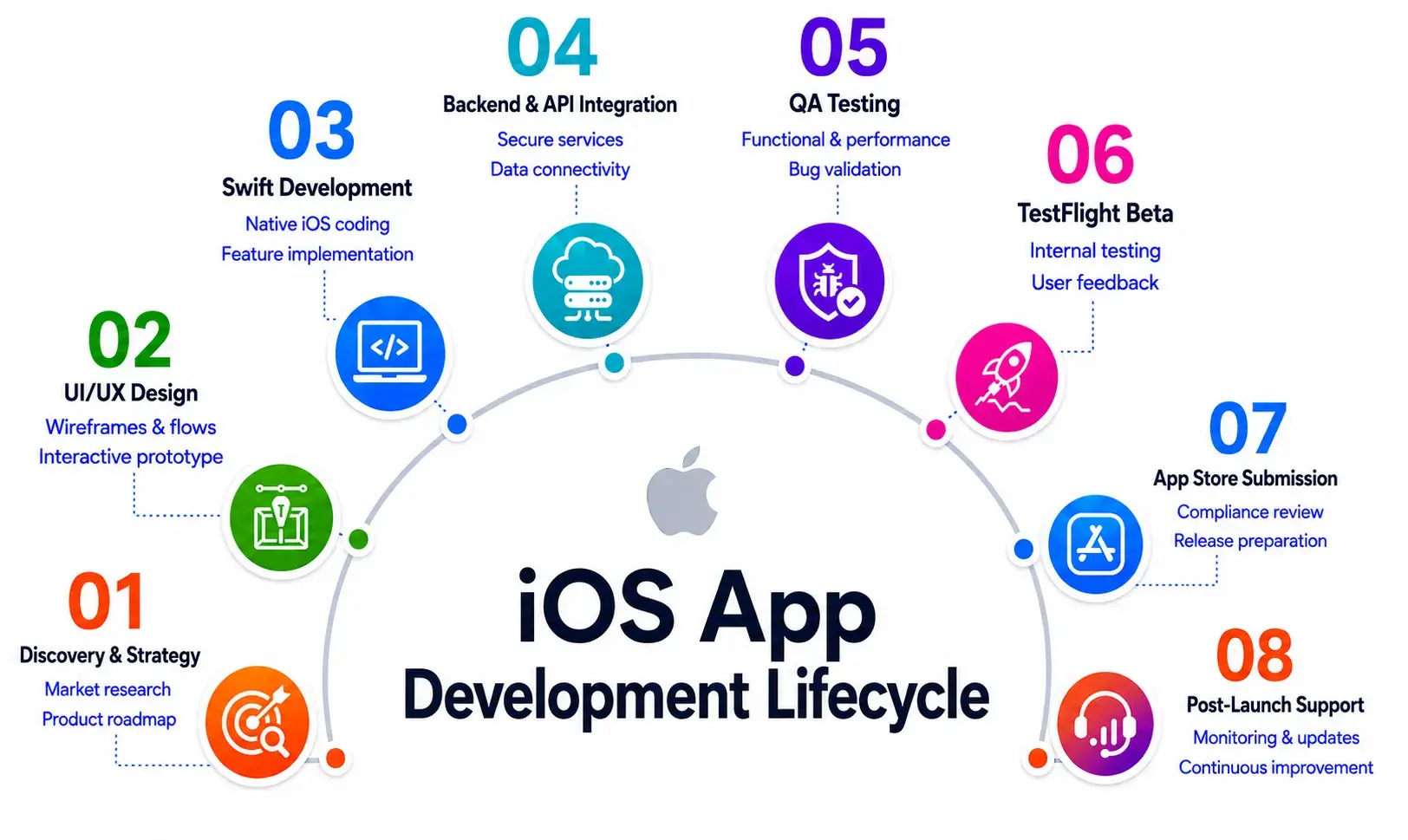
Professional iOS app development spans six phases: strategy and discovery, UI/UX design aligned to Apple's Human Interface Guidelines, Swift and SwiftUI development, backend and API-first development integration, QA with TestFlight testing, and App Store submission management. Most vendor quotes cover the middle three.
Three phases are consistently underspecified:
- Backend infrastructure on cloud platforms such as AWS or Firebase is lumped into “development” without a separate estimate.
- Security and compliance standards setup - SOC 2, HIPAA, PCI DSS - is listed as a vague additional cost or omitted entirely.
- UI/UX design quality directly affects user experience and App Store ratings, yet is rarely scoped beyond wireframes in initial quotes.
Post-launch support, typically 15-20% of build cost annually, is rarely quoted proactively. A cost calculator tool framing, where each phase carries its own line item, is the fastest way to make any quote defensible to a CFO.
iOS Development Timeline: Phase-by-Phase Breakdown by App Type
Most timeline guides give you "3-12 months" and stop. A mid-complexity iPhone application development project breaks down like this:
Three timeline killers are consistently ignored:
- Scope creep adds weeks per unscoped feature - not days.
- AI-driven SDLC integration using on-device models or push notifications pipelines adds data pipeline setup time that standard estimation tools miss.
- App Store review cycle rejection requires a 2-week minimum buffer before any hard launch date.
Total calendar time for a mid-complexity iOS app: 4-6 months. Enterprise mobile application development with compliance requirements: 8-14 months.
Agile Delivery in iOS Projects: Sprint Cadence and Milestone Gates
Professional iOS app development companies structure delivery in two-week sprints with TestFlight builds after each review. Milestone gates sit at UI/UX design sign-off, backend integration approval, and QA exit criteria. Behaviour-driven development (BDD) is increasingly standard in enterprise iOS projects as part of modern App Development Trends - aligning Swift developers on acceptance criteria before a sprint begins and cutting rework cycles that account for 20-30% of wasted development hours.
Swift vs. SwiftUI vs. React Native: The Tech Stack Decision That Determines Your Long-Term Maintenance Cost
A healthcare startup came to us eight months into an iOS build that had consumed $140K and missed two go-live dates. The agency built in UIKit because their Swift developers already knew it - resulting in a codebase requiring twice the maintenance of an equivalent SwiftUI build. Choosing UIKit for a greenfield project because the team already knows it is a technical debt decision dressed up as a resource decision.
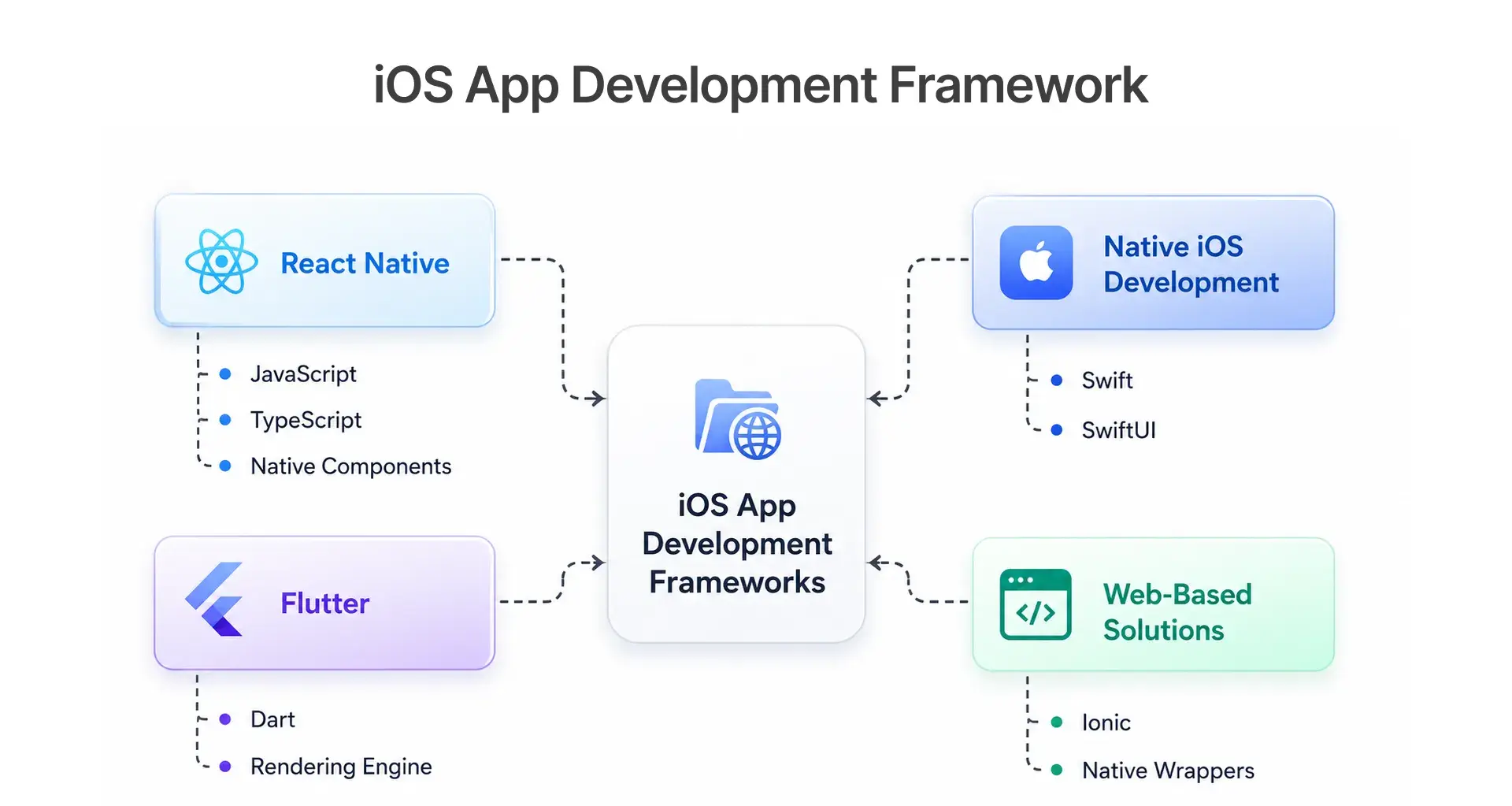
The 2026 iOS-native stack runs on Swift 6, SwiftUI, Xcode 16, Core ML, and Core Data. Apps integrating physical hardware accessories require MFi Program certification - an often-missed step for IoT and healthcare iOS builds. For complex data layers, an API-first development approach using a Backend-for-Frontend (BFF) pattern cuts long-term payment processing overhead.
Our Take: SwiftUI is the correct default for any new iOS build targeting iOS 17 and above. UIKit remains necessary for legacy code migration. A vendor quoting UIKit for a greenfield project without a documented rationale warrants a direct conversation before signing.
iOS QA and Testing Checklist: What to Verify Before App Store Submission
A retail client with a 400-location iOS deployment skipped TestFlight external testers because the timeline was already tight. Crash reports surfaced within 48 hours, tied to a Core Data migration bug that only appeared under real-world network conditions. The App Store submission was delayed three weeks. The fix took four hours.
According to Adapty, 88% of App Store rejections are preventable. The five-phase checklist below is structured around Apple's review criteria.
Phase 1: Functional Testing (XCTest) - Test all core user flows on physical devices to validate the full user experience. Confirm push notifications and biometric security prompts are contextually triggered. Verify App IDs and Provisioning profiles are correctly configured across all environments.
Phase 2: Performance Testing (Xcode Instruments) - Run memory leak detection and CPU profiling under load. App launch time must be under 2 seconds on the oldest supported device.
Phase 3: Security and Privacy - NSPrivacyUsageDescription strings present in Info.plist. For enterprise deployments, confirm Apple Business Manager is configured for device provisioning. App Privacy Nutrition Label in App Store Connect must reflect every third-party SDK, including payment processing and payment gateway tools. HTTPS is enforced on every API call, especially for endpoints handling financial data.
Phase 4: TestFlight Beta - 2-week minimum soak with 50+ external testers on physical devices. Monitor crash reports via Firebase Crashlytics.
Phase 5: App Store Connect Metadata - Screenshots at 1290 × 2796 pixels. Age rating questionnaire completed. Demo account credentials in reviewer notes.
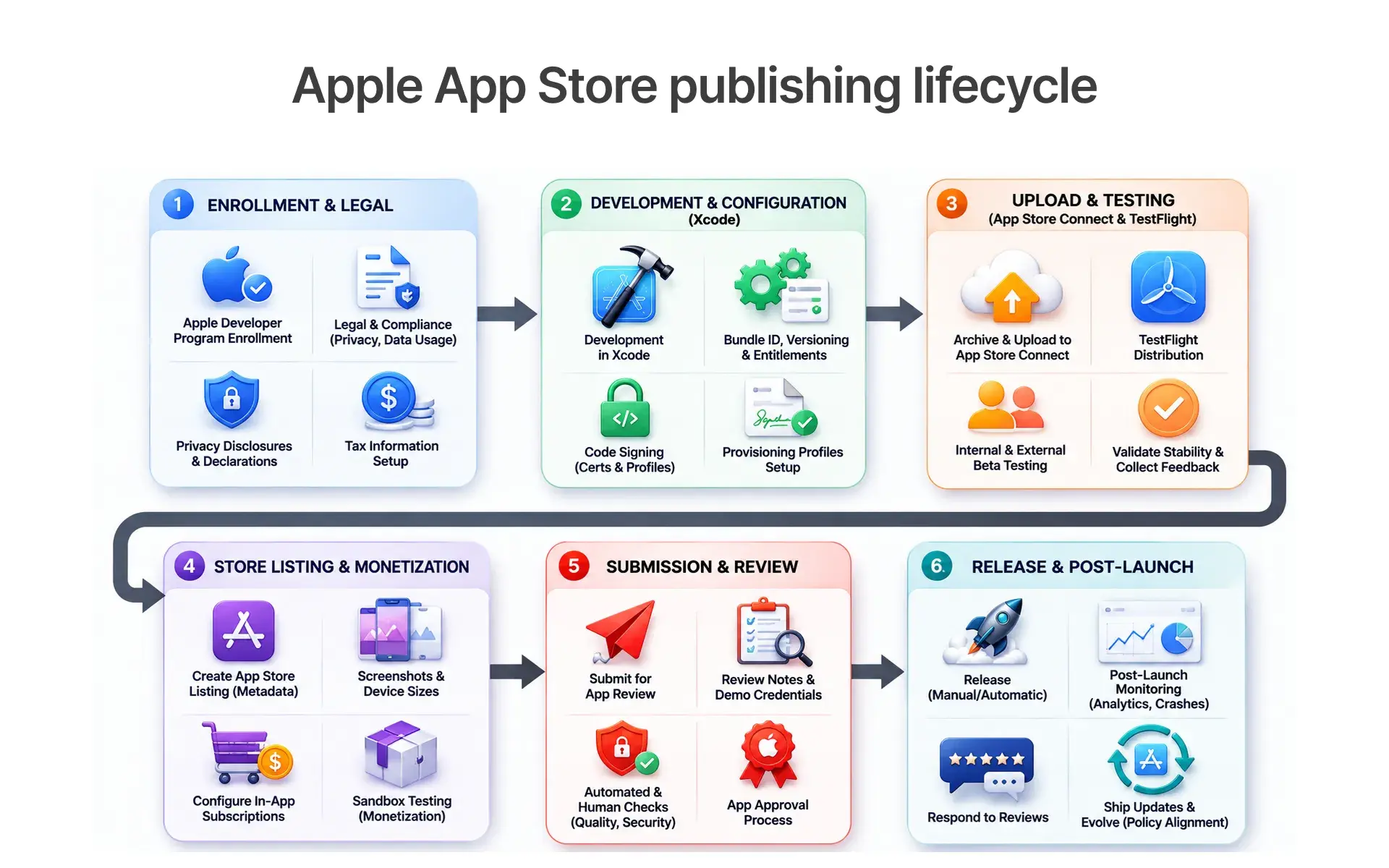
The Five App Store Rejection Triggers Engineers Miss Most
The most common rejection triggers:
- App crashes on review (Guideline 2.1) - 40%+ of rejections.
- Missing or inaccurate App Privacy Nutrition Labels.
- Metadata that does not match the app.
- In-app purchase violations (external payment links for digital goods).
- Missing demo credentials in reviewer notes.
Well-prepared submissions are approved on the first attempt 70-80% of the time. Apple’s App Store review cycle median is 24 hours for standard submissions.
What Most iOS Development Service Guides Don't Tell You About Vendor Evaluation
Post-launch support is underquoted: 15-20% annual maintenance, which for a $150K app means $22K-$30K per year in OS patches and security standards updates, appears in almost no mobile app development guides. Apple's annual SDK requirement makes enterprise mobility maintenance a compliance obligation. Blockchain development requirements for fintech apps add a further compliance layer. Teams adopting AI-driven SDLC approaches using autonomous agent tooling are seeing delivery cycle reductions that show up at the sprint level.
How to Read a Vendor Quote for iOS Development Services
Run these checks against any iOS development services quote before signing:
- Are discovery, design, development, QA, and App Store submission separate line items?
- Is backend infrastructure - cloud platforms, API integration, payment gateway - costed separately from frontend?
- Is post-launch support quoted as an annual range?
- Is compliance explicitly scoped or excluded?
- What is the resubmission policy if the App Store review cycle results in rejection?
A quote that skips any of these is an opening bid.
How BuildNexTech Helps You Ship iOS Apps Without the Costly Surprises
Most iOS projects do not fail because of bad code. They fail because the quote was incomplete, the compliance scope was undefined, and nobody planned for the App Store review cycle. Across 150+ clients in 30+ industries, BuildNexTech engineers audit project scopes before a line of code is written, surface the post-launch support and compliance gaps most vendors leave out, and structure delivery in TestFlight-gated sprints so there are no surprises at submission.
If your next iOS project has a hard go-live date, compliance requirements, or a vendor quote you are not sure you can trust that is the conversation we are built for.
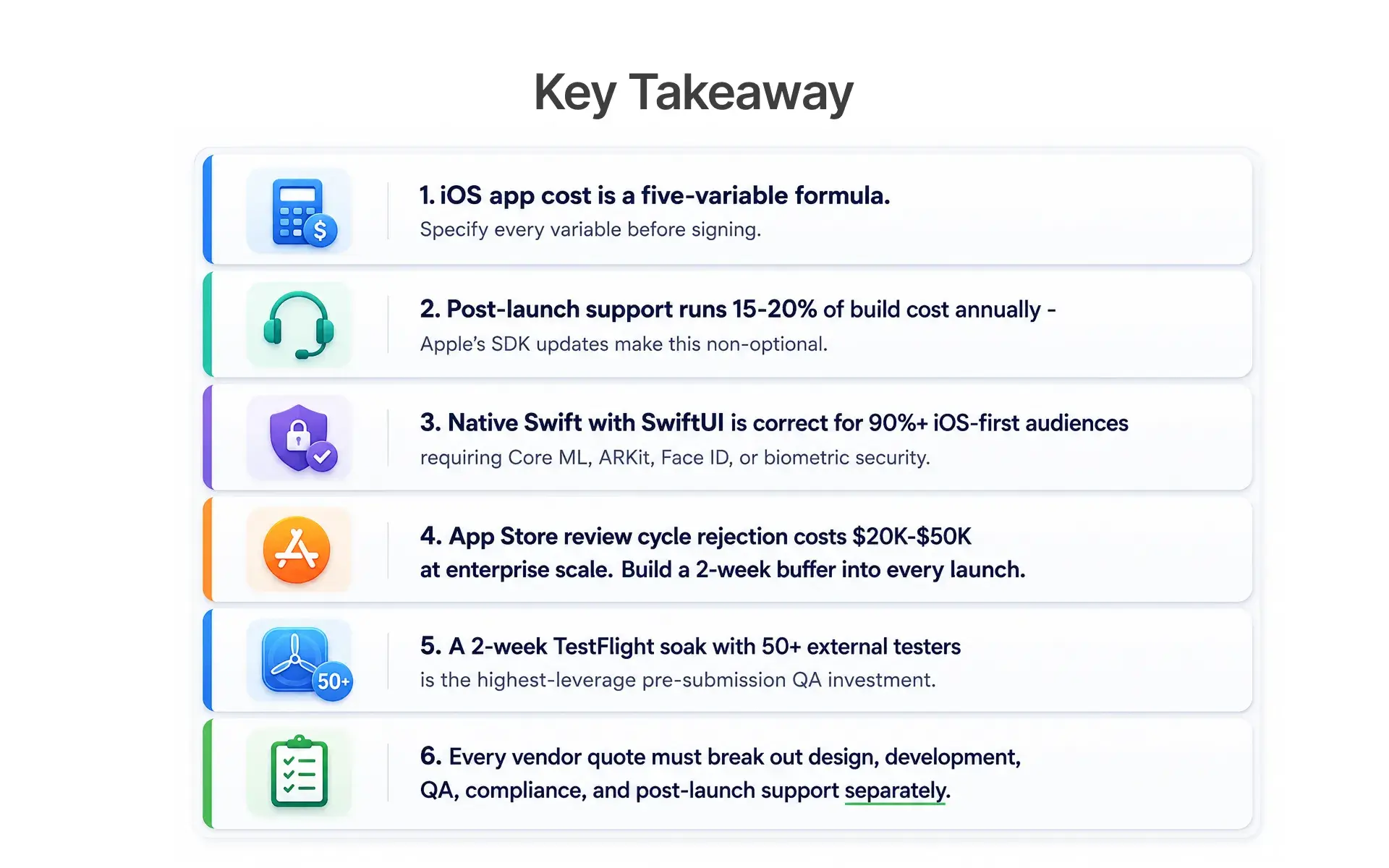
Choosing the Right iOS Development Partner Is a Structured Decision, Not a Gut-Feel Vendor Selection
The $15K-to-$300K+ range for iOS development services exists because the variables driving cost are real, and most vendor quotes do not surface them. The teams that ship on time ask the right questions about project scope, compliance, and post-launch maintenance before a single line of code is written.
Choosing the right iOS app development services partner in 2026 is a structured evaluation: cost formula, delivery timeline, tech stack longevity, and QA rigour before App Store submission. Most teams get the technology decision right. It is the procurement decision where they leave money on the table.
People Also Ask

How long does iPhone application development take?
A mid-complexity iPhone application development project takes 3-5 months; enterprise mobile application development runs 6-12 months. Always build a 2-week App Store review cycle buffer into any fixed launch date.
Should we build native Swift or use React Native or Flutter?
Build native Swift for 90%+ iOS audiences needing Core ML, ARKit, or biometric security. Evaluate React Native for cross-platform apps. Choose Flutter when design consistency outweighs native feature depth.
What causes most App Store rejections?
App crashes, missing App Privacy Nutrition Labels, mismatched metadata, in-app purchase violations, and missing demo credentials cause most rejections - all preventable with a structured QA checklist and TestFlight soak.
What should we look for when evaluating iOS app development companies?
Confirm that any quote from iOS app development companies separates design, development, QA, compliance, and post-launch support. Ask for the resubmission policy and verify that cloud platforms and the payment gateway are scoped.
Why is TestFlight testing important before App Store submission?
TestFlight testing helps identify crashes, performance issues, and device-specific bugs under real-world conditions, reducing the risk of App Store rejection and improving the overall user experience.


.webp)
.webp)
.webp)

.webp)
.webp)



