


Why Operational Costs Keep Rising Inflation, Labor Costs, and Hidden Inefficiencies
Every quarter, the same conversation happens in boardrooms: costs are up, margins are tighter, and nobody has a clean answer for why. Inflation is often the easy scapegoat, but from what I’ve seen working across operations in mid-sized companies, the real damage comes from somewhere else - hidden inefficiencies that are so deeply ingrained in daily workflows that nobody even questions them anymore.
Think about how many hours your team spends on manual data entry, re-keying invoices, chasing approvals across email threads, or reconciling spreadsheets that should have been automated years ago. These aren’t dramatic failures. They’re quiet, consistent drains - and they compound. Labor costs rise, error rates stay stubbornly high, and the operational overhead keeps growing even when the actual workload doesn’t justify it.
Why Traditional Cost Cutting No Longer Works
Hiring freezes and vendor renegotiations can only go so far. The classic playbook - reducing headcount, squeezing budgets, and delaying capital expenditures - doesn’t fix a process problem. It just adds stress to an already broken system.
The businesses falling behind are still treating operational efficiency like a spreadsheet problem. It is a systems problem - and spreadsheets do not fix systems.
What AI Automation Means for Modern BusinessesAI Agents vs Robotic Process Automation: What’s the Difference?
Traditional automation was rule-based. If X happens, do Y. That worked well for highly structured, predictable tasks - think scheduled report generation or batch payroll processing. But the moment something fell outside the rules, the whole thing broke, and a human had to step in.
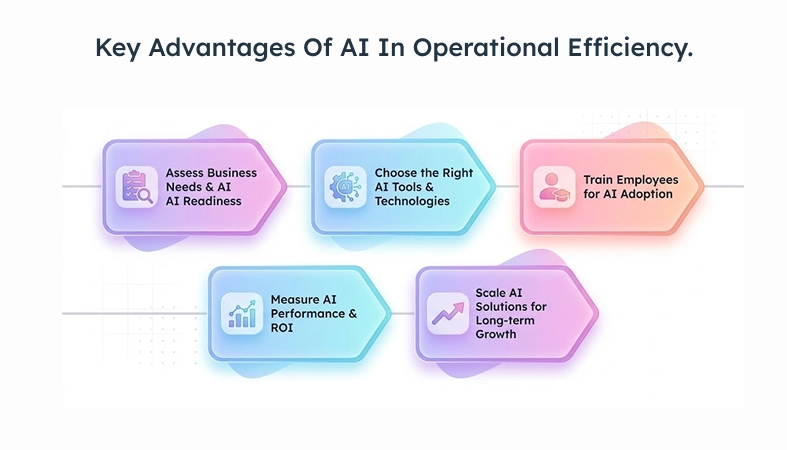
AI-driven process automation is different in one critical way: it handles ambiguity. Natural language processing allows systems to read and categorise unstructured documents - extracting meaning from emails, contracts, and forms that rule-based systems cannot handle. Machine learning models identify anomalies in financial transactions without being explicitly instructed on what constitutes fraud. AI agents can manage multi-step workflows, handle process variations and exceptions, and escalate intelligently when a decision requires human judgment.
In my opinion, companies that confuse robotic process automation with AI automation are setting themselves up for a frustrating pilot phase - RPA is a valid starting point, but it’s a floor, not a ceiling.
Where AI Creates Measurable Cost Savings
The clearest cost-saving wins tend to fall into four categories: labor-intensive repetitive work, high-volume customer interactions, inventory and supply chain decisions, and back-office compliance work. These aren’t abstract savings - they show up in payroll hours recovered, error-related rework eliminated, and support ticket volumes reduced.
In bnxt.ai AP automation engagements, teams processing 2,000 to 5,000 invoices per month have reduced per-invoice processing costs by 60–70% within the first six months of implementation.
How AI Automation Reduces Operational Costs
Automate Repetitive Work and Reduce Errors
Manual data entry is one of those tasks that seems harmless until you calculate the true cost - not just labor, but error correction, downstream rework, and compliance risk. In one bnxt.ai engagement with a mid-sized logistics client, we found that nearly 18% of shipping invoices contained at least one data error. Each correction required two people and an average of 23 minutes to resolve.
AI-powered data processing eliminates most of that. Systems can extract, validate, and reconcile data across sources in real time - with accuracy rates that consistently outperform manual entry at scale.
Improve Productivity and Resource Allocation Without Adding Headcount
This is where leadership teams start paying closer attention. The question isn’t “how do we do more with less?” - it’s “how do we do significantly more without proportionally more people?”
Virtual assistants handling first-line customer queries, AI-generated summaries for internal reporting, automated scheduling, and resource allocation - these tools don’t replace judgment, they protect it. They absorb the low-complexity, high-frequency work so that the people you’ve hired for their expertise can actually use it.
Lower Support, Inventory, and Resource Costs
According to Gartner, conversational AI can deflect 40–60% of incoming support queries without human involvement, with higher rates in domains where customer intents are well-defined. Demand forecasting tools reduce overstock and stockout situations by making inventory decisions based on real patterns rather than gut estimates. And resource allocation models informed by IoT sensor data and big data analytics mean you’re not paying for capacity you’re not using.
Best Areas to Apply AI Automation
Finance and Back-Office Automation: Invoice Processing, Fraud Detection, and Compliance
Finance is often the easiest place to start and one of the fastest areas to show measurable payback. Mature use cases include automated invoice processing, fraud detection, expense reconciliation, compliance reporting, contract review, regulatory reporting, and audit trail generation. These workflows are high-volume, rule-heavy, and expensive when handled manually.
HR Automation: Candidate Screening, Onboarding, and Training Delivery
HR teams benefit from AI-driven candidate screening, onboarding automation, document handling, and training delivery. These are areas where manual coordination is time-consuming, inconsistent, and difficult to scale across growing teams.
Real Cost Reduction Examples
Before vs After AI in Finance, Support, and Operations
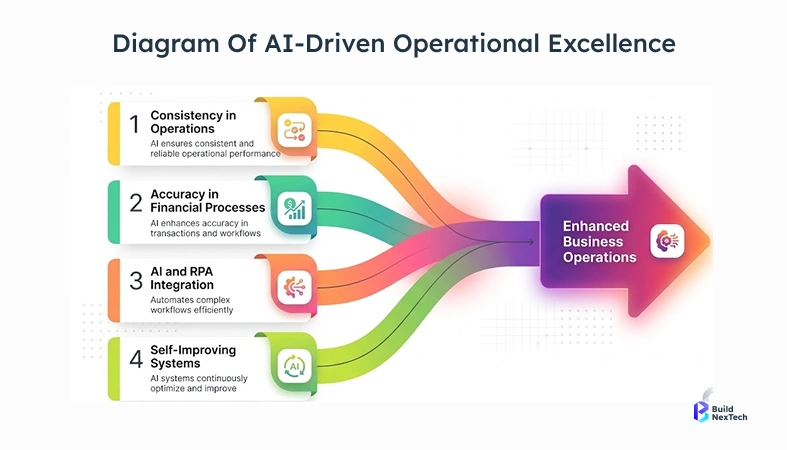
A SaaS company with a 12-person finance team running manual AP workflows was processing invoices in an average of 4.2 days per cycle. After implementing automated invoice processing and AI-driven approval routing, cycle time dropped to under 14 hours. Headcount didn’t change - capacity did.
In customer support, a retail brand handling around 8,000 monthly tickets introduced a virtual assistant trained on their product catalog and return policy. Within 90 days, the assistant was resolving 58% of routine queries at first contact. Human agents shifted focus to complex, high-value interactions.
Industry Wins in Retail, SaaS, and Manufacturing
Retail wins tend to come from inventory optimization and demand forecasting - reducing markdowns and carrying costs. SaaS companies gain the most from automated customer interactions and internal IT operations efficiency. Manufacturing floors benefit from predictive maintenance models that catch equipment issues before they cause downtime. In bnxt.ai manufacturing engagements, we have seen a single avoided unplanned equipment shutdown recover three to six months of AI infrastructure cost, which is why predictive maintenance is often one of the fastest-payback AI use cases.
Measuring ROI from AI Automation
Cost Savings Metrics and Productivity KPIs
Start with what is directly measurable: hours saved per process, error rates before and after automation, support ticket deflection volume, invoice cycle time, and inventory carrying cost reduction. These aren’t vanity metrics - they’re the numbers that build a defensible business case.
Productivity KPIs worth tracking include tasks completed per FTE, average handle time in support, and time-to-close on financial processes. Data-driven decision-making only works if you’ve agreed upfront on what success looks like numerically.
Payback Period and Business Case Planning
A common mistake teams make is budgeting for AI tools the same way they budget for software licenses - as a flat cost with unclear returns. AI automation investments need to be framed as operational restructuring, with a clear payback model. Most implementations with a clearly defined process scope, clean input data, and a single measurable success metric see payback within 9–14 months. Enterprise-scale deployments with cloud-based AI solutions on platforms like Azure OpenAI or AWS SageMaker can take longer, but the unit economics at scale are significantly stronger.
Common Challenges and How to Solve Them
Employee Resistance, Poor Data, and Legacy Systems
Resistance from employees isn’t irrational - it’s a rational response to unclear communication about what changes and why. The teams that handle this well involve people early, frame automation as workload relief rather than replacement, and invest in employee training throughout the rollout.
Poor data quality is the most underestimated blocker. AI models perform only as well as the data they’re trained on. If your CRM is inconsistent, your ERP has gaps, or your operational data isn’t tagged properly, the model will reflect that. Data annotation and cleansing work before implementation isn’t glamorous, but skipping it is expensive.
Avoiding Expensive Tools with No ROI
The AI tooling market is loud right now, and not everything deserves a pilot. Avoid procuring enterprise systems based on vendor demos alone - especially tools that require significant customization to match your actual workflows. Evaluate based on automation potential for your specific processes, not on feature lists.
AI Implementation Roadmap
Identify High-Cost Processes and Quick Wins
Start with a process audit focused on volume and cost, not complexity. Where are your teams spending the most time on repeatable tasks? Where does human error introduce rework? Most organisations find their highest-value starting points in invoice processing, customer query routing, data entry, and internal reporting - high-volume, rule-consistent, and measurable.
Quick wins matter - not just for ROI, but for building internal momentum. A pilot that delivers visible results in 60–90 days creates organizational confidence to scale.
Pilot First, Then Scale Across Departments
The one-department pilot rule: pick one department, one process, one clear success metric, and one review point at 60 to 90 days.
Run it seriously - with proper data, governance, and a defined review point. If it works, the expansion case practically writes itself. If it doesn’t, you learn something specific and fixable rather than burning budget across five simultaneous rollouts.
Conclusion: Build Leaner Operations with AI
Key Takeaways for Business Leaders
Cutting operational costs through AI automation is about identifying where skilled people are spending time on work that does not require their judgment - and building systems that absorb that volume so they do not have to.
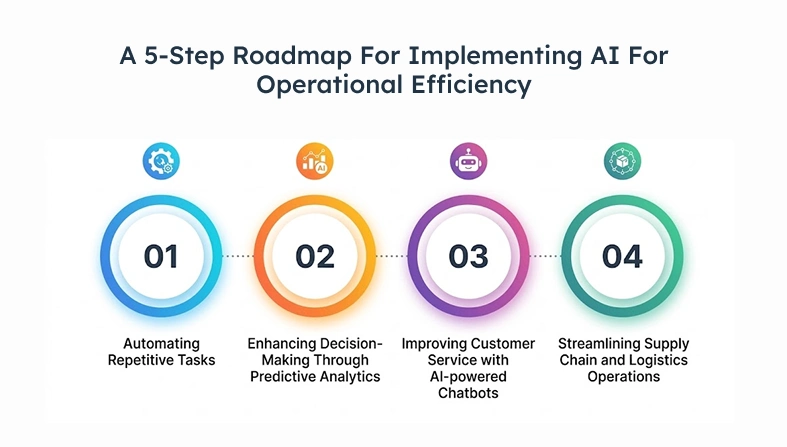
The businesses doing this well share a few traits: they start with measurable problems, they run disciplined pilots, and they treat data quality as a prerequisite, not an afterthought. If you’re looking to build an automation strategy grounded in actual operational outcomes rather than vendor promises, platforms like bnxt.ai are worth exploring - particularly if you want AI-driven agents designed to integrate with existing enterprise systems without a multi-year implementation cycle.
Leaner operations are achievable. The bottleneck usually isn’t the technology.
People Also Ask

1. How much does AI automation cost to implement?
Costs vary widely - from a few thousand dollars for SaaS-based tools to several hundred thousand for enterprise deployments - depending on the scope, integrations, and customization required.
2. What processes should businesses automate first?
Start with high-volume, rule-consistent tasks like invoice processing, data entry, and customer query routing - these deliver measurable ROI fastest with lower implementation risk.
3. How long does AI automation take to show ROI?
Most focused implementations in back-office and support functions see measurable payback within 9–14 months, with some quick-win pilots showing results in under 90 days.
4. Can AI tools integrate with legacy systems?
Yes, though it often requires middleware or API layers - the complexity depends on how well-documented your legacy systems are and whether they expose integration points.
5. Which industries save the most with AI automation?
Industries with the biggest AI automation savings are finance, retail, manufacturing, and SaaS. Key benefits come from fraud detection, inventory planning, predictive maintenance, customer support, and IT automation.


.webp)
.webp)
.webp)

.webp)
.webp)



