

A revenue operations lead at a fast-growing SaaS company spent one afternoon connecting a lead form to Slack: new lead comes in, the right rep gets pinged, done. A year later, that single workflow had become twelve, three of which nobody could explain, and the same question kept landing in the team's inbox: why didn't this one fire? No-code automation had made the team fast to start and slow to explain, and that gap is exactly where most teams asking for help get stuck.
Most teams reach for a workflow automation tool the same way, one process at a time, with no shared framework for what these tools can or cannot do. Gartner expects task-specific AI agents in 40% of enterprise apps by 2026, up from under 5% in 2025 (Gartner), which is the direction no-code automation is heading, whether or not a team has a plan for it.
This guide gives you that framework: a definition, a map of platform types, a comparison, and where the category hits its ceiling.
What Is No-Code Automation?
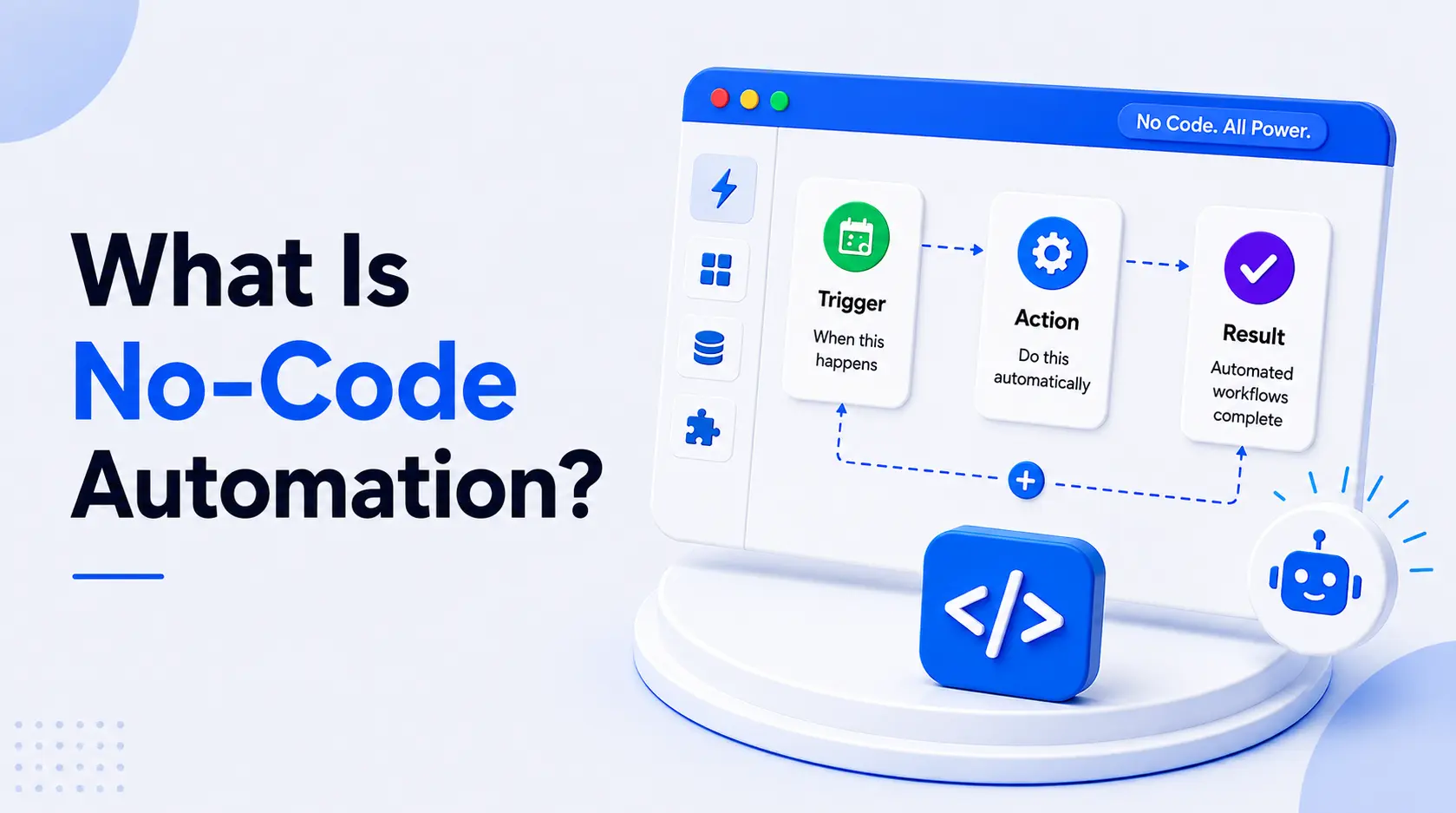
No-code automation is the use of visual, rules-based tools to trigger and run business processes without writing custom code, building logic on a canvas or dropdowns that the platform executes against connected systems.
That differs from no-code app building in a few important ways:
- An app builder, or AI app builder, constructs interfaces, while a no-code automation platform constructs processes that fire on their own.
- A team can use an app builder, or a no-code website builder, and never touch automation.
The mechanism: an event, the trigger, starts a sequence of actions, such as a form submission or a support ticket landing in a queue.
No-Code Automation in One Sentence
In one sentence: no-code automation is a visual, trigger-based method for running business processes across connected software without custom code, using rules instead of judgement to decide what happens next. "Rules instead of judgement" is the phrase that defines both its strength and, as later sections show, its ceiling.
How No-Code Automation Works
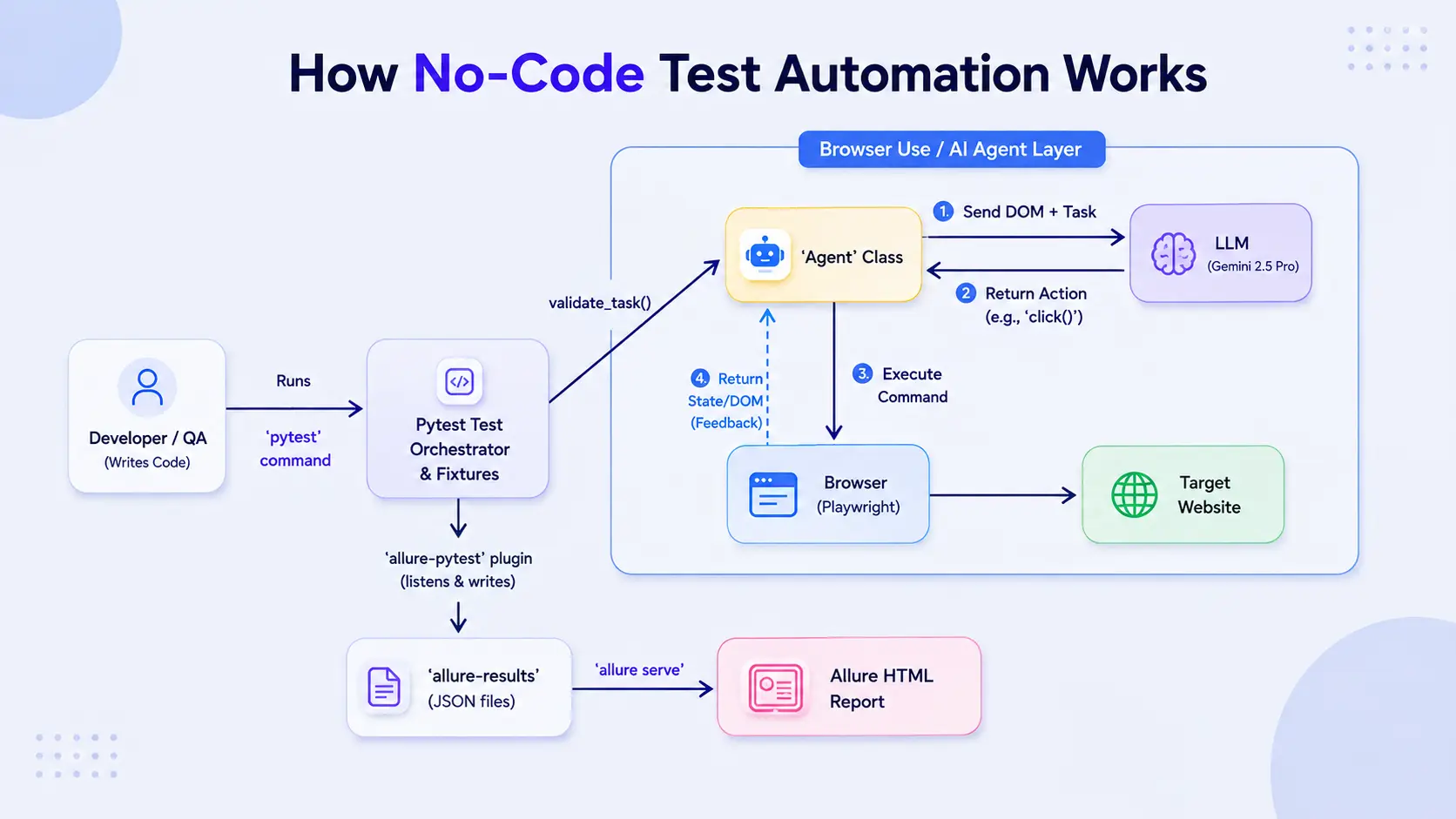
Nearly every no-code workflow automation platform runs on trigger, condition, action:
- A trigger fires.
- A condition (using conditional logic) checks whether to proceed.
- An action executes the work, turning repetitive tasks into automated workflows- the same automation workflows a person used to repeat by hand.
The platform also handles connectivity: pre-built integrations and documented APIs mean a team never touches an authentication flow, and those app integrations sit behind the same visual interfaces the rest of the platform uses.
Trigger-Action Logic and Visual Workflow Builders
Take a rule: if a form is submitted, notify the deal owner. In a visual workflow builder, that becomes an executable workflow with no scripting.
- Chain enough trigger-action steps and you get workflow orchestration, several automation platforms or automation tools coordinating one outcome.
- These visual development tools are also where the category is heading, towards predictive automation that suggests the next step before anyone builds it.
Where No-Code Automation Connects to Your Stack
Pre-built connectors let no-code tools read and write to CRMs, databases, SaaS apps, and other business applications without a dedicated integration layer.
- Most draw on shared integration libraries, which is also why enterprise-grade security, enterprise security, and security standards vary between platforms.
- When no native connector exists, workflow automation software falls back to direct API connections and API connectors.
- Integration capabilities are the biggest differentiator once past the first few workflows.
No-Code Automation vs. Low-Code
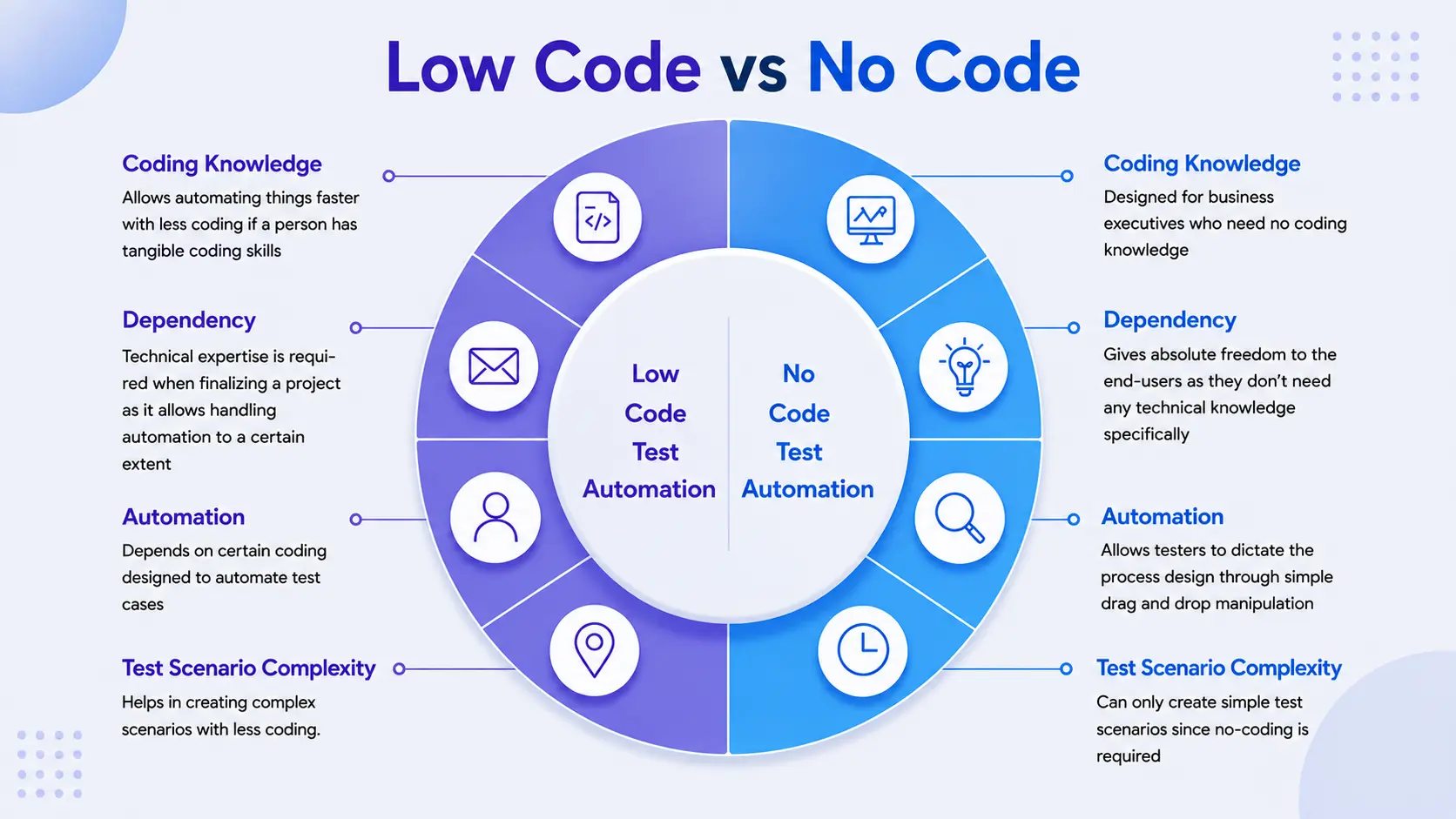
Teams use no-code and low-code interchangeably, and they are not the same.
- No-code needs no programming skills and trades away fine-grained control.
- Low-code keeps the visual builder but expects a developer to step in for edge cases, custom logic, user interface tweaks, or performance tuning.
No-Code vs. Low-Code Automation
Low-code automation still needs some scripting for edge cases.
- No-code is fully visual by design; low-code, or low-code development, gives you a code panel for what dropdowns cannot cover, sometimes still filed under the older label business process management.
- A team usually needs low-code the first time a workflow needs real data transformation: reshaping a payload, deduplicating records, a rounding rule.
- No-code can fake this with condition blocks; low-code lets one function replace fifteen branches.
Types of No-Code Automation Platforms
Every no-code automation platform fits one of two buckets:
- Visual workflow builders
- Prompt-based, AI-native automation builders
Worth separating from adjacent categories: an AI app builder or no-code website builder builds interfaces, not processes.
- Most no-code platforms are marketed as user-friendly platforms, or visual platforms, built from drag-and-drop components.
- The output can be a screen, or it can be one of the newer no-code AI workflow automation tools.
Visual Workflow Builders
This is the Zapier, Make, and Microsoft Power Automate model, still the most common entry point.
- Drag-and-drop builders and drag-and-drop interfaces present a canvas where each app is a node.
- This lets citizen developers, Gartner's term for non-engineers who build their own tools, assemble automation without filing a ticket- real accessibility.
- It is also where the ceiling starts to show.
Prompt-Based and AI-Native Automation Builders
A prompt generates the automation instead of a diagram built block by block.
- Tools such as Stack AI and Lindy AI sit here, alongside AI assistants that draft and deploy a working no-code automation platform from plain English, though AI integration depth varies a lot.
- AI-native platforms like BuildNexTech sit here too, with one difference: their agents keep reading context and making routing decisions at runtime, not generating a static diagram once and stopping.
Business Process Automation with No-Code Tools
Single workflows help; full business process automation is where no-code tools change how a team runs, chaining approvals, routing, data synchronization, and reporting across systems.
- Finance runs no-code process automation for invoice approval.
- Marketing runs AI marketing automation to nurture leads.
- Support runs customer support automation software to route tickets.
- Client teams use it for client onboarding, task management, and client portals, shaping customer experiences and customer relationships before a human touches the account.
Approval, Routing, and Data-Sync Workflows
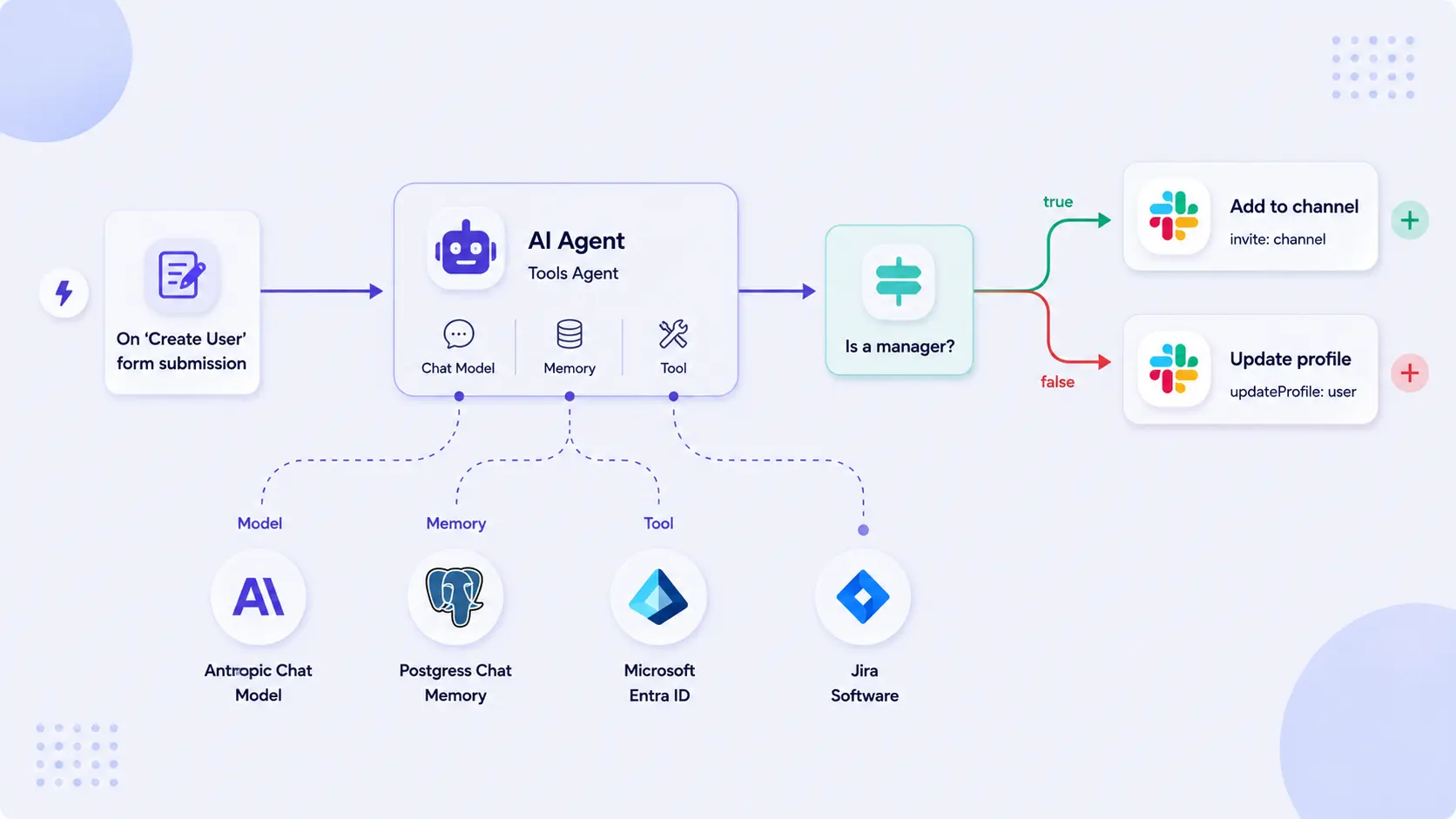
In finance, invoice workflows check a threshold, route to the right approver, and post back automatically- work that used to mean manual data entry in accounts payable. In sales, lead routing evaluates territory and rep capacity, assigning leads in seconds. In operations, data-sync keeps inventory management figures consistent, with error handling for week-one edge cases. Most no-code platforms ship prebuilt templates and workflow templates for these approval processes, the fastest way to judge a vendor's business process automation tools.
Where No-Code Business Process Automation Breaks Down at Scale
No-code tools are event-driven and rules-based: excellent at moving structured data the same way every time, brittle the moment a step needs judgment or unstructured context (a document, a ticket, an email thread). That gap shows up in a few consistent ways:
- A damaged-product refund claim citing a photo cannot be routed by a dollar-amount condition; someone must read it and decide.
- Review queues keep growing at companies already running plenty of workflow automation tools.
- An automation mindset spends a team's energy on the diagram instead of the problem.
- The pattern compounds for any digital transformation initiative trying to keep pace with routine market changes.
Comparison Table: No-Code Automation Platforms
Zapier and Make extend into AI-powered workflows via add-on steps, but the core stays trigger-action logic with AI bolted on. BuildNexTech is the only row where AI reasoning is the core architecture, the distinction any enterprise automation programme should weigh most.
What Most No-Code Automation Guides Get Wrong
Most guides treat no-code automation as if moving data between systems were the whole job. It is not, once a process needs to reason over context nobody structured. Few draw a clean line between the execution layer, what no-code tools do, and the reasoning layer, what AI agents do instead. Vendors sell "AI-powered workflows" as a checkbox; execution and reasoning need different architectures. That missing bridge is what BuildNexTech addresses.
The Execution Layer vs. the Reasoning Layer
Execution means calling APIs and moving structured data in a predictable order, the job no-code tools were built for. Reasoning means reading messy information and making a judgment call never written down as a rule, a job no-code platforms were never designed for. The AI vs. automation framing common in vendor marketing is mostly a false choice; the real question is which layer needs which capability, since AI for business automation usually needs both.
Why Teams Encode Business Logic into Workflow Diagrams Anyway
A workflow starts simple: three steps, one condition. An exception appears, so someone adds a condition block. Eighteen months later it is forty nodes deep, and nobody remembers block twenty-three. That is business logic encoded into a diagram never built to hold it, one exception at a time.
How BuildNexTech Extends No-Code Automation with AI-Native Orchestration
BuildNexTech's core capability is an AI-native orchestration layer that sits on top of, or replaces, rules-based no-code workflows once they hit their reasoning ceiling. Agents read unstructured context (a ticket, a contract clause, an email thread), make the judgment call a trained employee would, then hand the action to whatever execution layer exists: no-code platform or API call. Nothing gets ripped out.
Teams ship production-ready agent workflows in days instead of months, cutting manual exception handling significantly. Engineering teams pick this over:
- More no-code rules.
- In-house orchestration.
- An AI automation agency.
- Generic software automation services.
The reasons: AI-native architecture, enterprise-grade observability, and no model lock-in.
What a BuildNexTech Implementation Looks Like
- Day 1 to 3: map the process to find where judgment calls break automated execution.
- Day 4 to 7: integrate with the existing no-code layer via its own API connectors and app connectors.
- Week 2 onward: deploy the reasoning layer on the highest-volume exception first, with a human reviewer in the loop.
- Ongoing: observability tracks every decision and feeds iteration into a production agent workflow, not a prototype.
Who This Is For
This fits a team already on no-code tools like Zapier or Make, hitting brittleness at scale, with a process depending on judgement or unstructured data no amount of extra condition blocks will fix. The signs: exceptions climbing, edge cases multiplying, review queues growing despite heavy investment in automation tools. If that sounds like your team, let's talk.
Conclusion
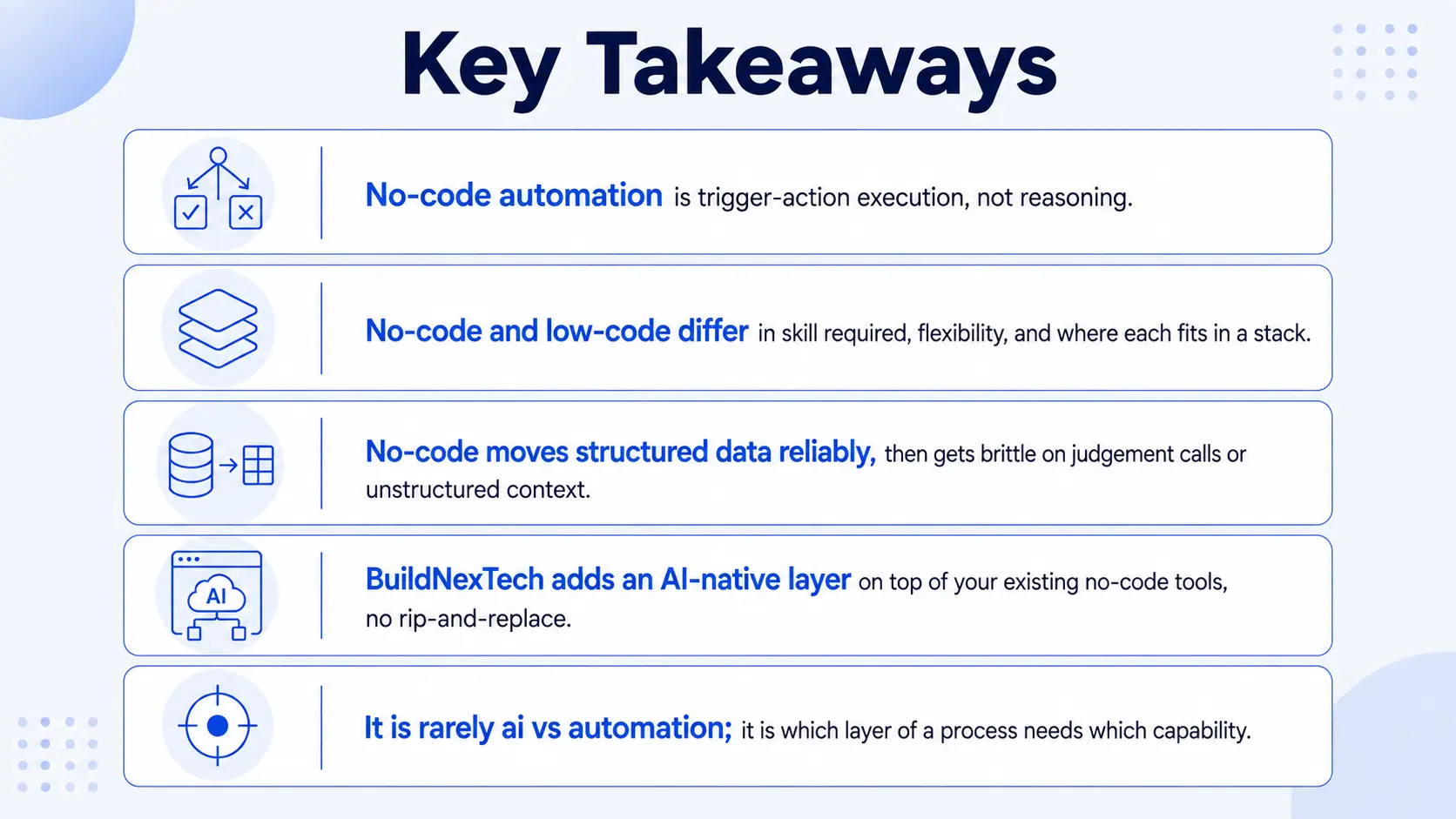
No-code automation is trigger-action execution, not reasoning, and that distinction matters more than most guides let on. The category spans a spectrum: visual workflow builders, low-code platforms that add scripting for edge cases, and the newer AI-native layer that reasons over unstructured context.
Every team running no-code automation at real scale hits the same ceiling: reliable at ten exceptions a week, breaking at a hundred, because the process always needed judgement, not just rules. Execution and reasoning need to work as two connected systems, not one pretending to be the other.
People Also Ask

How much does no-code automation typically cost?
Most platforms price by workflow, task, or active user count, with overage charges once volume climbs.
How long does it take to get a no-code automation workflow live?
A single workflow can go live in days; full business process automation across departments takes weeks.
Who should own no-code automation inside a company?
It varies by team: IT usually sets governance guardrails while operations or business units build and run the workflows.
How do you measure the ROI of a no-code automation initiative?
Track hours saved, error-rate reduction, and cycle time against platform and maintenance cost.
Can no-code automation platforms connect to legacy or on-premises systems?
Only if the system has an API; otherwise, it needs a middleware layer or custom connector first.


.webp)
.webp)
.webp)

.webp)
.webp)



