

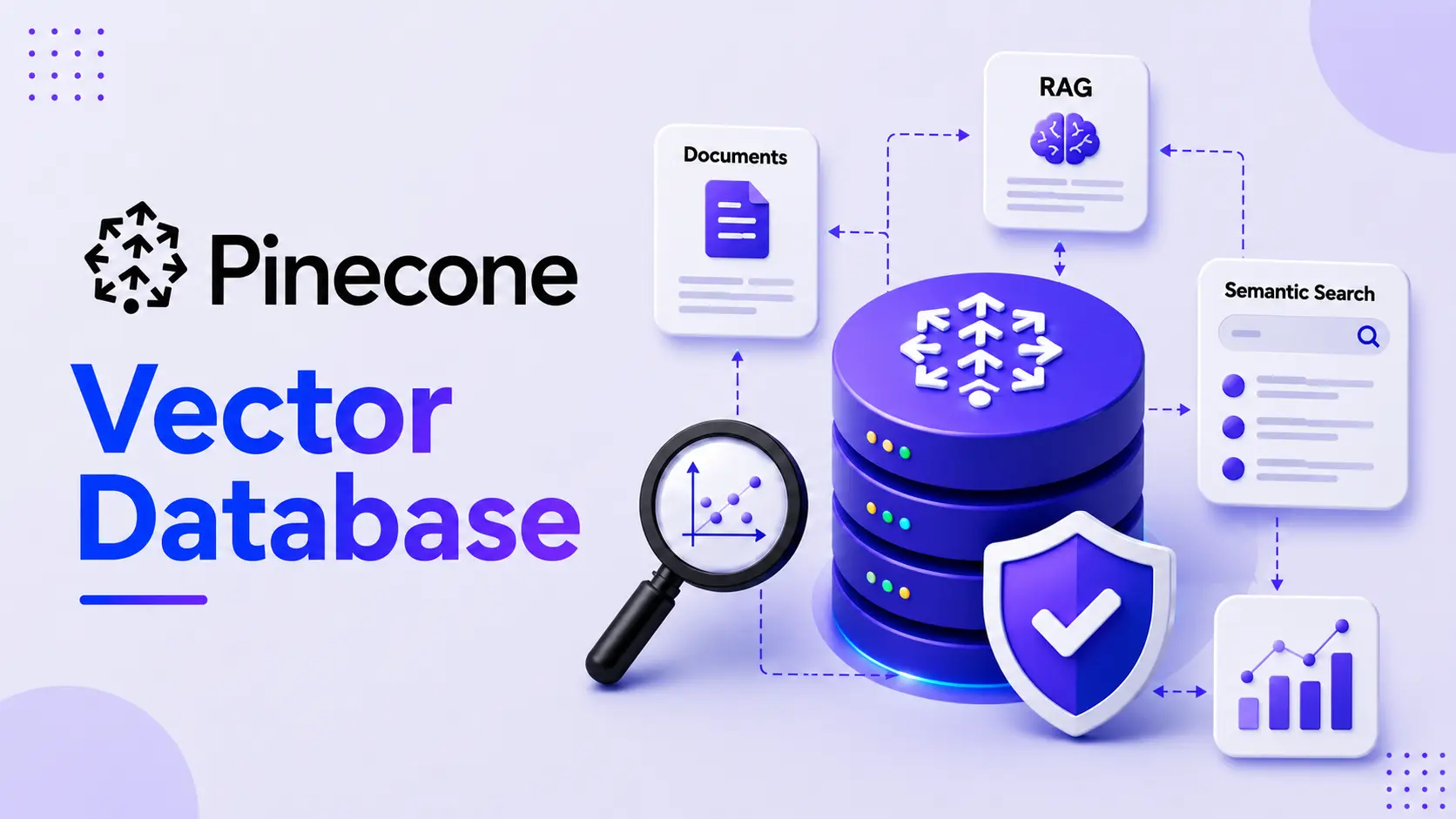
A logistics analytics team we worked with built a working Pinecone prototype in three days. Getting it into production took another four months. Nobody had planned for metadata filtering at scale, re-indexing on schema changes, or what happens when an embedding model gets swapped mid-project. That gap between demo and production is the real story of vector databases in 2026, and this guide is built to close it.
How Semantic Search Ranks Results by Meaning
- Semantic search finds results based on meaning, not just exact keywords.
- It uses vector embeddings to identify content that is conceptually similar.
- The words in the query and document do not need to match exactly.
- Example:
- Query: “Stop clients leaving”
- Document: “Reducing customer churn”
- Keyword search → May miss the result.
- Semantic search → Finds it because both have a similar meaning.
- In simple terms, semantic search understands what you mean, not just what you type.
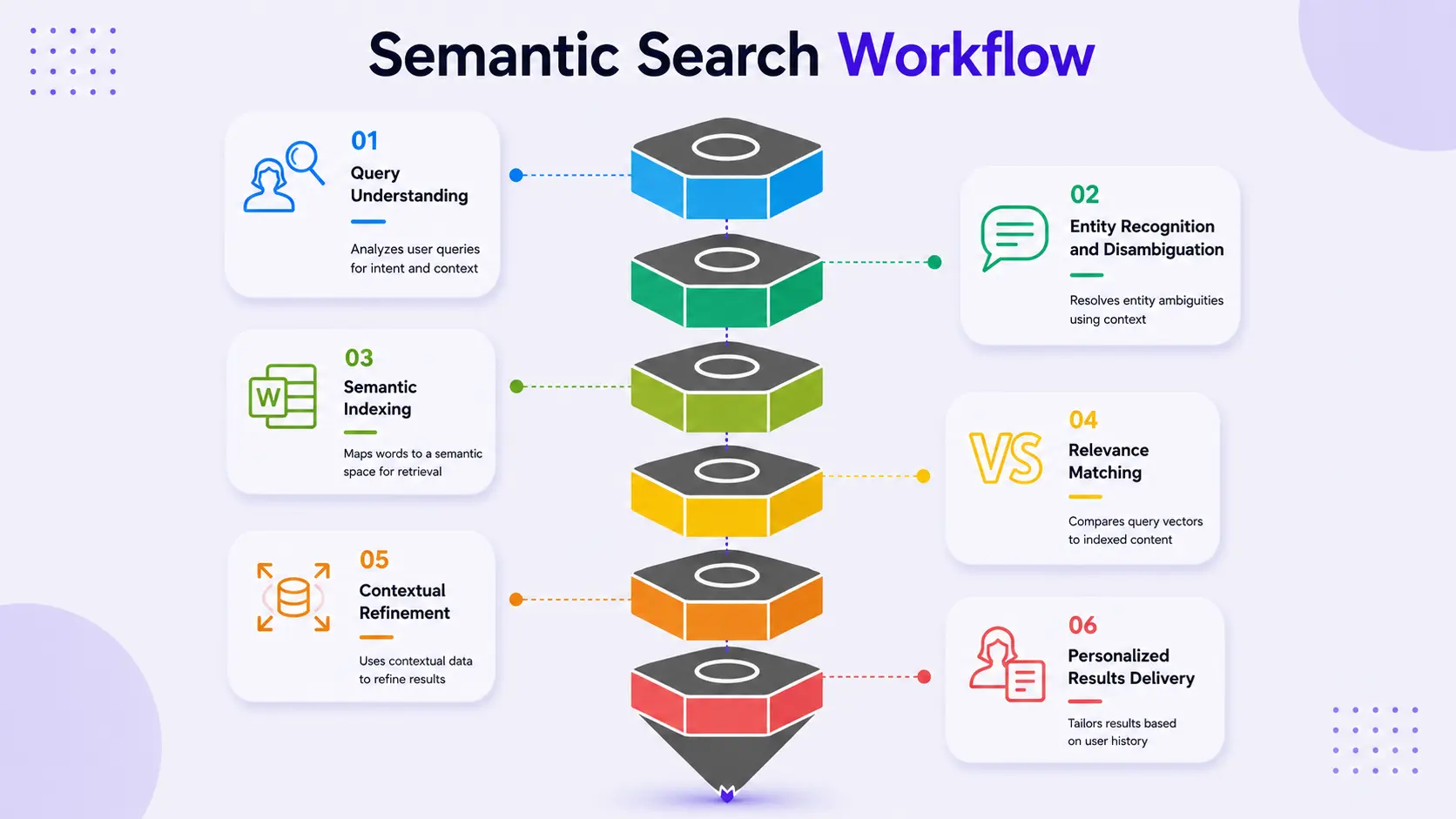
Search "affordable running shoes" against a keyword index and you only get exact-term matches. Run the same query through vector search and "budget-friendly trainers" surfaces too. That's because both phrases sit close together in semantic space. The shift is already happening at scale: Gartner projects task-specific AI agents will appear in 40% of enterprise applications by 2026, up from under 5% in 2025 (Gartner). Nearly every one of those agents depends on a vector database underneath it.
Hybrid Search: Combining Keyword and Semantic Search
Migrating to a vector database usually does not require rebuilding the entire search system. Instead, most teams use keyword search and vector search together.
1. Keyword Search
Keyword search works best for exact-match queries, such as:
- SKUs
- Order numbers
- Ticket IDs
2. Semantic Search
Semantic search is useful for general queries where meaning matters more than exact words. It helps find relevant results even when the user's wording differs from the content.
3. Hybrid Search
Using both approaches together is called hybrid search. It combines the precision of keyword search with the contextual understanding of semantic search, resulting in more accurate and relevant search results.
How Vector Search Compares Embeddings Using Distance Metrics
Vector embeddings are numerical representations of meaning. A sentence, an image, or a product description becomes an array of numbers, typically 384 to 3,072 dimensions, produced by a model such as OpenAI's text-embedding-3-large or Google's Gecko. The point of that conversion: two pieces of text with similar meaning end up with embeddings that sit close together in that semantic space.
Vector search is the process of finding the embeddings closest to a query embedding using a distance or similarity metric. Two metrics dominate:
- Cosine similarity measures the angle between two vectors, largely ignoring their magnitude. It is the default choice for most text-embedding use cases.
- Euclidean distance measures the straight-line distance between two points and is more commonly used for some image and audio embeddings.
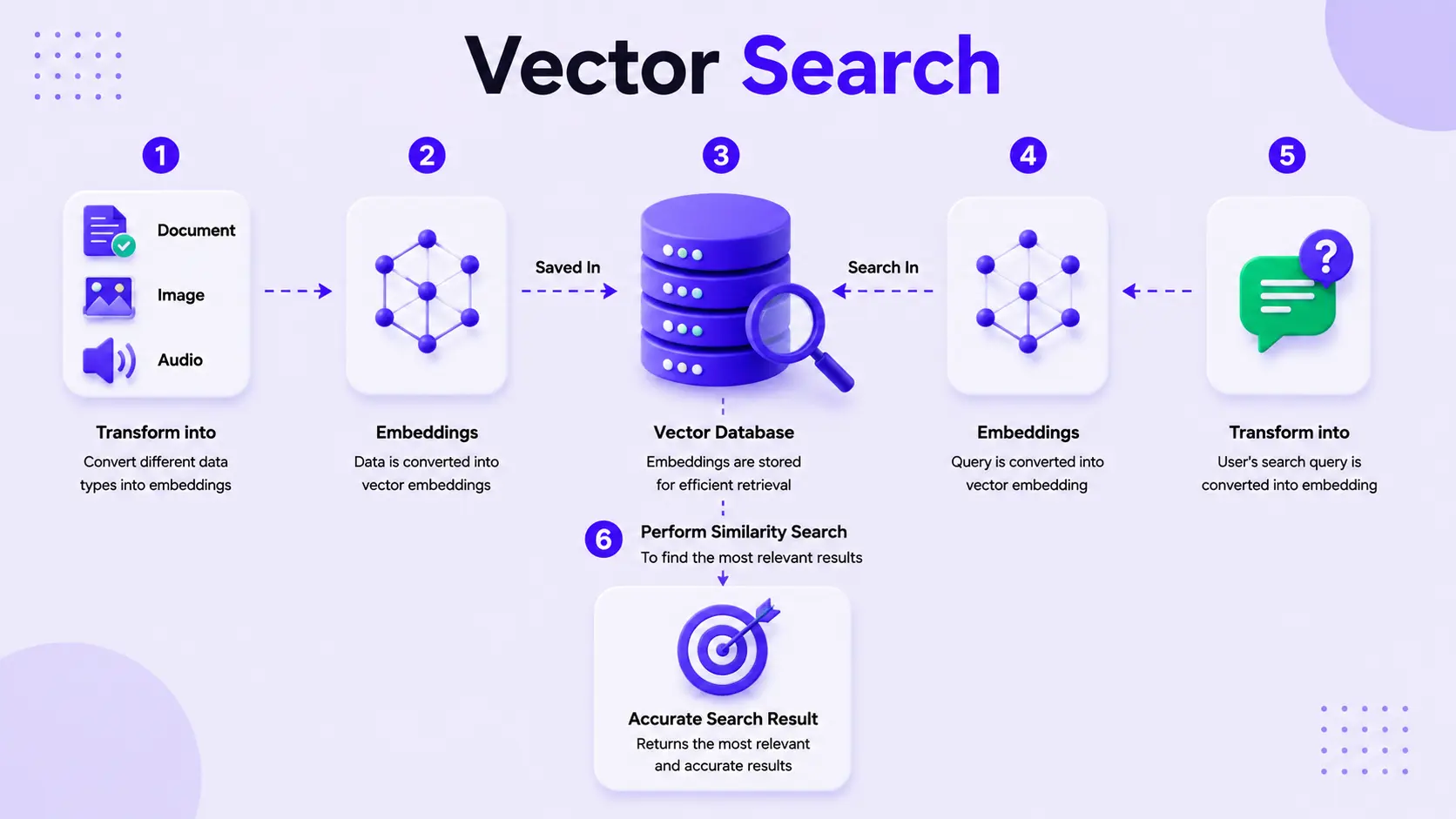
Brute-force comparison against every vector doesn't scale past a few thousand records. Pinecone solves this with the approximate nearest neighbour (ANN algorithms). The most widely used is Hierarchical Navigable Small World, a graph structure that skips most of the index and still lands 95%+ as accurate as an exact scan.
Here's where most teams underinvest: embedding strategy. Long text can't be embedded as a single block. You need to chunk documents into passages of a few hundred tokens, with some overlap. Chunks too small lose context. Chunks too large dilute relevance.
Our Take: Most teams spend their first month tuning the vector database and their first production incident tuning the embedding pipeline instead. Index configuration matters, but a bad chunking strategy will sink retrieval quality faster than any index setting will fix.
How Pinecone’s Architecture Handles Indexing and Queries
Here's what building on Pinecone AI's platform looks like in practice. It involves setting up a vector store, running searches through the Pinecone API, and retrieving the relevant embeddings at query time.
Pinecone Index Setup: Two Critical Decisions
Every Pinecone deployment starts with a Pinecone index, a named container for your vector embeddings. Two decisions matter most: the index dimension, matching your embedding model's output (1536 for OpenAI's text-embedding-3-small), and the similarity metric,
from pinecone import Pinecone, ServerlessSpec

pc = Pinecone(api_key="YOUR_PINECONE_API_KEY")

pc.create_index(
    name="product-knowledge-base",
    dimension=1536,
    metric="cosine",
    spec=ServerlessSpec(cloud="aws", region="us-east-1")
)

index = pc.Index("product-knowledge-base")

index.upsert(vectors=[
    {"id": "doc-001", "values": embedding_vector, "metadata": {"category": "returns", "region": "EU"}}
])
This configuration decides how every downstream query behaves. Get the metric wrong, and cosine-trained embeddings rank oddly under Euclidean distance, silently degrading relevance. Setup time: half a day for a working index with test records; production-ready metadata filtering, namespaces, and re-indexing: two to four weeks.
Metadata Filtering: A Key to Safe Multi-Tenant Pinecone Queries
A raw pinecone similarity search returns the nearest vectors by embedding alone. Metadata filtering narrows that further, restricting a query to a region, date range, or document type before the comparison runs. The result: a query from Customer A never sees Customer B's data, because the filter sits at the index level.
Dedicated Read Nodes for Stable Query Latency
At meaningful query volume, Pinecone lets teams provision Dedicated Read Nodes, isolated computers reserved for query traffic, separate from writes and upserts. Skip it, and a bulk re-indexing job can starve live queries of latency at the exact moment a customer is waiting.
A retail client running a 40-million-product catalogue saw query latency spike from 80ms to over 900ms during nightly catalogue syncs. The fix was straightforward: reserve Dedicated Read Nodes for query traffic and route writes through a separate pipeline. Latency came back under 100ms.
Instrument query latency and write volume separately, then scale whichever resource is under pressure. That sequencing avoids over-provisioning that inflates cost without improving reliability.
Four Real-World Use Cases for Pinecone Vector Databases
Legal Research: Knowledge Graph + Vector Search
- A legal tech platform needed to search thousands of Supreme Court cases by argument similarity.
- The solution combined Pinecone vector search with a knowledge graph.
- NER extracted judges, statutes, and case citations.
- Vector search found similar legal reasoning, while Cypher queries handled structured filters.
- An ontology connected case type → jurisdiction → outcome.
- This allowed queries like “find similar reasoning and filter by this circuit.”
- Vector search alone couldn’t provide this structured filtering.
E-Commerce Recommendations: Text & Visual Search with Pinecone
An e-commerce platform used Pinecone to power a large-scale product recommender, helping customers discover similar products based on images and descriptions. Text-based search remained the most common retail use case, while facial similarity matching required careful consent and likeness-rights review.
- Used Pinecone for a recommender system handling 180,000+ leads monthly.
- Powered “Customers also searched for” recommendations.
- Matched products using images and descriptions.
- Text-based search remained the higher-volume retail use case.
- Facial similarity matching for personalised try-on requires consent and likeness-rights review before storing vectors.
Anomaly Detection: Vector Similarity for Attack Detection
A financial services client used vector embeddings of network logs to detect unusual traffic patterns and identify potential attacks that traditional signature-based tools could miss.
- Used vector embeddings of network communication logs.
- Detected anomalies by identifying unusual traffic patterns.
- Helped catch attacks that did not match known signatures.
- Detected malformed data injection attempts, including SQL command patterns.
- This security use case requires its own security and compliance assessment.
AI Voice Agents and Sub-100ms Retrieval From Pinecone
Pinecone sits behind ai voice agents, retrieving the right knowledge base passage in the few hundred milliseconds a voice interaction allows. A voice agent working off a user Q/A dataset needs sub-100ms retrieval, or the pause becomes noticeable.
Pinecone in RAG Pipelines and Agentic RAG
RAG helps LLMs retrieve relevant information from a vector database before generating an answer. Hybrid and Agentic RAG improve accuracy by handling exact matches, retrying poor searches, and checking multiple sources.
- RAG retrieves relevant context before the LLM generates an answer.
- Basic flow: Embed query → Vector search → Retrieve context → Generate response.
- RAG can fail when:
- Retrieved chunks are not useful.
- The LLM ignores the context and hallucinates.
- Exact-match queries return irrelevant semantic results.
- Hybrid search combines vector + keyword search to improve accuracy.
- Agentic RAG can reformulate queries, search multiple indexes, retry, and verify whether enough context was found.
- This makes Agentic RAG more reliable for complex production use cases.
AI reasoning isn't a replacement for good retrieval. It's what happens after retrieval fails once. Any team pitching "agentic RAG" that can't explain what their agent does differently after a bad first retrieval hasn't actually built one.
Pinecone vs. Chroma, Milvus, and Qdrant: Which Vector Database Fits?
Most vector databases can technically do similarity search. The real differences show up in operations.
Which one fits your team?
- Need production reliability without hiring infrastructure engineers? → Pinecone
- Prototyping locally with no production timeline yet? → Chroma vector database
- Already committed to AWS and want one procurement line? → AWS vector database
Our Take: Milvus and Qdrant are the right call when a team has genuine infrastructure capacity and cost sensitivity at massive scale. For most teams shipping a production RAG application on a realistic timeline, Pinecone's managed layer, particularly Dedicated Read Nodes and index tuning without cluster management, is worth the premium. Teams that regret a self-hosted option almost always underestimate the ongoing maintenance burden, not the initial setup.
Common Pinecone Production Pitfall
A healthcare SaaS team came to us six weeks after their Pinecone-powered clinical documentation search went live. Relevance had quietly degraded. Their embedding model provider had shipped a silent update, and the new embeddings weren't comparable to the old ones sitting in the index.
That's the pitfall almost nobody plans for: embedding model drift. Swap embedding models, even a minor version bump, and old and new vectors stop being comparable in the same index. Stack Overflow's 2024 Developer Survey found over 76% of developers are using or planning to use AI tools in their workflow (Stack Overflow). A growing share of that tooling touches embedding pipelines without careful model versioning.
Other pitfalls worth naming directly:
- Skipping hybrid search, so exact product codes never surface in results.
- Treating index tuning as one-time, not revisited as data volume shifts.
- Under-provisioning for production deployment traffic, usually ten to fifty times prototype volume.
- Forgetting metadata filtering needs its own indexing strategy; unfiltered fields tank latency at scale.
AI Consulting: Bridging the Prototype-to-Production Gap
Not every team needs an AI consulting company to stand up a Pinecone index. Plenty do it well internally. The gap shows up at the production deployment stage: monitoring, cost tuning, embedding versioning, and hybrid search, where in-house teams without prior RAG experience lose months.
- AI strategy consulting goes beyond simply connecting an API.
- It identifies retrieval problems specific to your data.
- It tests different chunking strategies using real documents.
- It sets up monitoring to detect embedding drift early.
- The goal is to prevent search and AI quality issues before customers notice
When evaluating AI consulting companies, ask whether the engagement covers production hardening or ends with a working demo. At Frugal Testing, we focus on validating AI systems beyond the prototype stage ntesting whether they can handle real-world traffic, reliability requirements, and production-scale usage. A demo that performs well on twenty test queries is very different from a system that needs to support fifty thousand daily queries. That’s why production readiness should be treated as a core part of the engagement, not an afterthought.
Conclusion
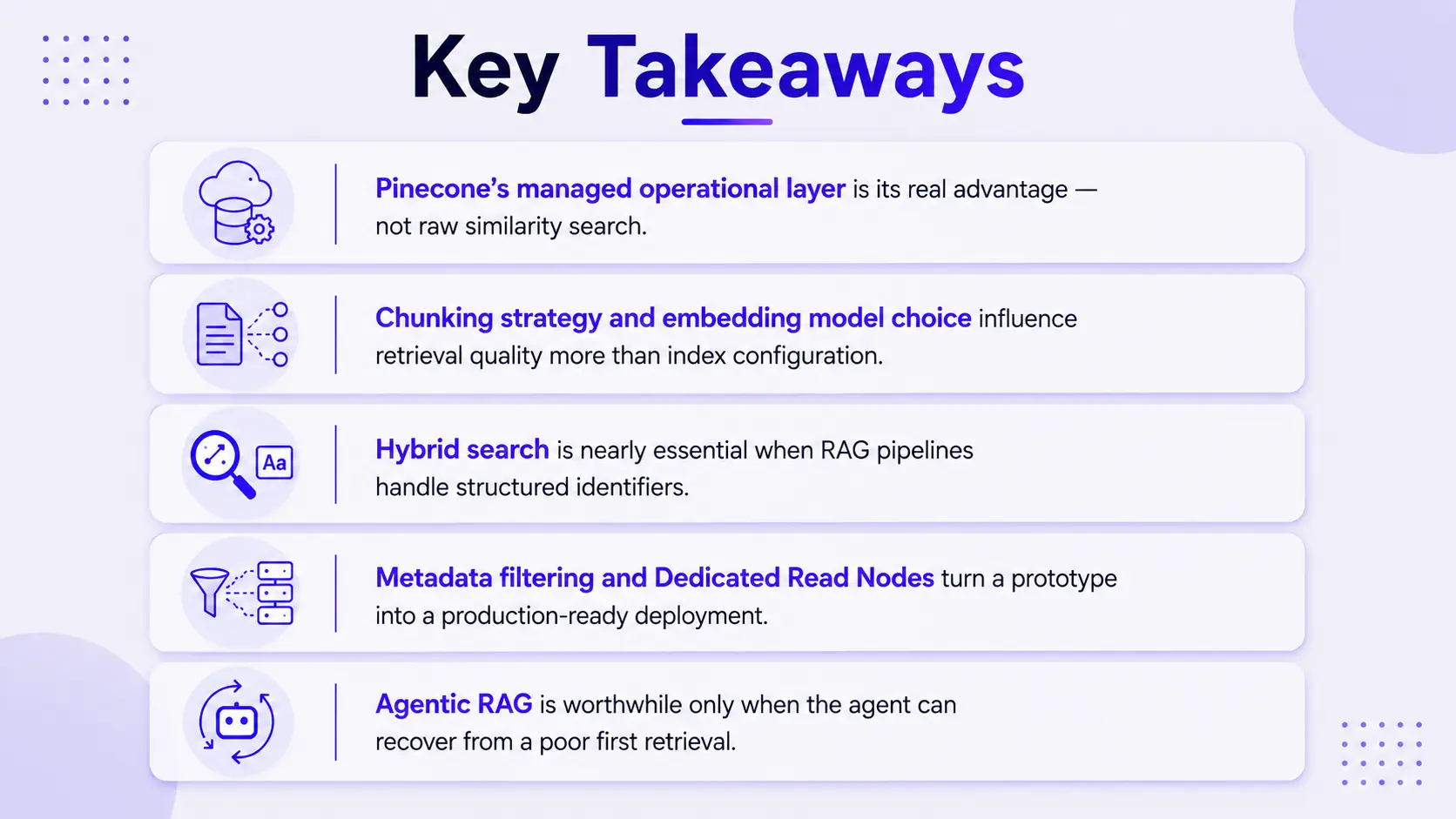
Pinecone solves the operational half of the vector database problem well: managed scaling, Dedicated Read Nodes, and an API a small team can run without a dedicated infrastructure hire. It doesn't solve the harder half automatically. Chunking strategy, embedding model choice, hybrid search, and metadata design still need real engineering judgement.
Teams that treat the vector database choice as the main decision usually rebuild their retrieval logic within the first quarter of production. Teams that treat it as one component in a larger architecture, planning embedding and chunking strategy with equal rigour, tend not to.
People Also Ask

1. What should I look for when choosing an AI consulting partner?
Look for experience, technical expertise, industry knowledge, scalability, security practices, and a clear approach to measuring project outcomes.
2. How long does it typically take to implement an AI solution?
The timeline depends on the solution's complexity, data readiness, integrations, customization, and testing requirements.
3. Why is testing important for AI applications?
AI applications can produce inconsistent, inaccurate, or unexpected results. Testing helps identify these issues and improve reliability before users encounter them.
4. What types of testing are useful for generative AI applications?
Common approaches include functional testing, performance testing, security testing, hallucination testing, prompt testing, regression testing, and evaluation of AI-generated responses.
5. How can businesses measure the success of an AI implementation?
Businesses can track metrics such as accuracy, response quality, latency, reliability, user satisfaction, adoption, operational efficiency, and return on investment.


.webp)
.webp)
.webp)

.webp)
.webp)



