

A 35-person fintech team adopted the Cursor AI code editor early and loved it. Then their monorepo hit 80,000 lines. The AI lost context mid-refactor between packages, rebuilds stalled, and the team blamed the codebase. The real culprit was the tool.
TL;DR: Cursor wins on interactive editing speed. Claude Code wins on context depth, autonomous agents, and CI/CD pipelines at scale. Most engineering teams in 2026 run both.
The Cursor vs. Claude Code debate has changed in 2026. Both tools now support background work via agents, CLI access, and MCP. The old "terminal vs IDE" framing is gone. What separates them is the autonomy model: how much of the execution loop the AI owns versus the developer. Get that wrong on enterprise codebases, and you pay in stalled refactors and CI/CD pipelines no one trusts.
What Is the Real Difference Between Cursor and Claude Code?
Claude Code is an autonomous execution agent built CLI-first. The AI drives; you review results. Cursor is an AI-native IDE built editor-first, where the developer drives and AI assistance accelerates each step. Across enterprise codebases with microservice boundaries and cross-repository dependency tracking, that distinction determines whether your team ships or stalls.
How Claude Code Handles Codebase Context
Claude Code indexes the repo at session start and reads your CLAUDE.md for persistent project context. Key capabilities:
- Reliable 200K context window, with a 1M token beta on Claude Opus 4.5.
- Builds semantic dependency graphs across packages instead of chunking and re-summarising.
- Handles dependency search and cross-repository dependency tracking natively from the CLI.
- Retains context across multi-step workflows without context switching mid-session.
On codebases above 10,000 files, this holds where Cursor must re-index repeatedly.
How Cursor Handles Codebase Context
Cursor uses semantic indexing with a dedicated Context Engine, using @file and @folder mentions for targeted context inclusion. Two things to know:
- Cursor advertises a 200K context window; real-world usage on large repos shows 70K to 120K usable context after internal truncation.
- Semantic indexing works well in the 500 to 5,000-file range, but degrades on large monorepos with complex API dependencies.
For daily tasks, that ceiling is invisible. For cross-cutting refactors across microservice boundaries, it becomes the blocker.
Agent-First vs IDE-First: Which Philosophy Fits Your Team?
Agent-first teams (Claude Code) delegate a task and come back to a committed result. IDE-first teams (Cursor) stay in the driver's seat and use AI assistance to accelerate each edit. Most mature engineering orgs run both, with Claude Code on large autonomous tasks and Cursor on interactive daily editing.
Cursor vs Claude Code: Feature Comparison on the Dimensions That Matter
Both tools share AI code generation, multi-file refactoring, background work via agents, CLI support, and MCP compatibility. Where depth diverges:
Our Take: Claude Code's failure mode is UX friction. Cursor's failure mode is context scale. One is recoverable with better habits. The other is a structural ceiling you cannot work around. For engineering orgs above 30 developers on growing enterprise codebases, that asymmetry matters more than any feature list.
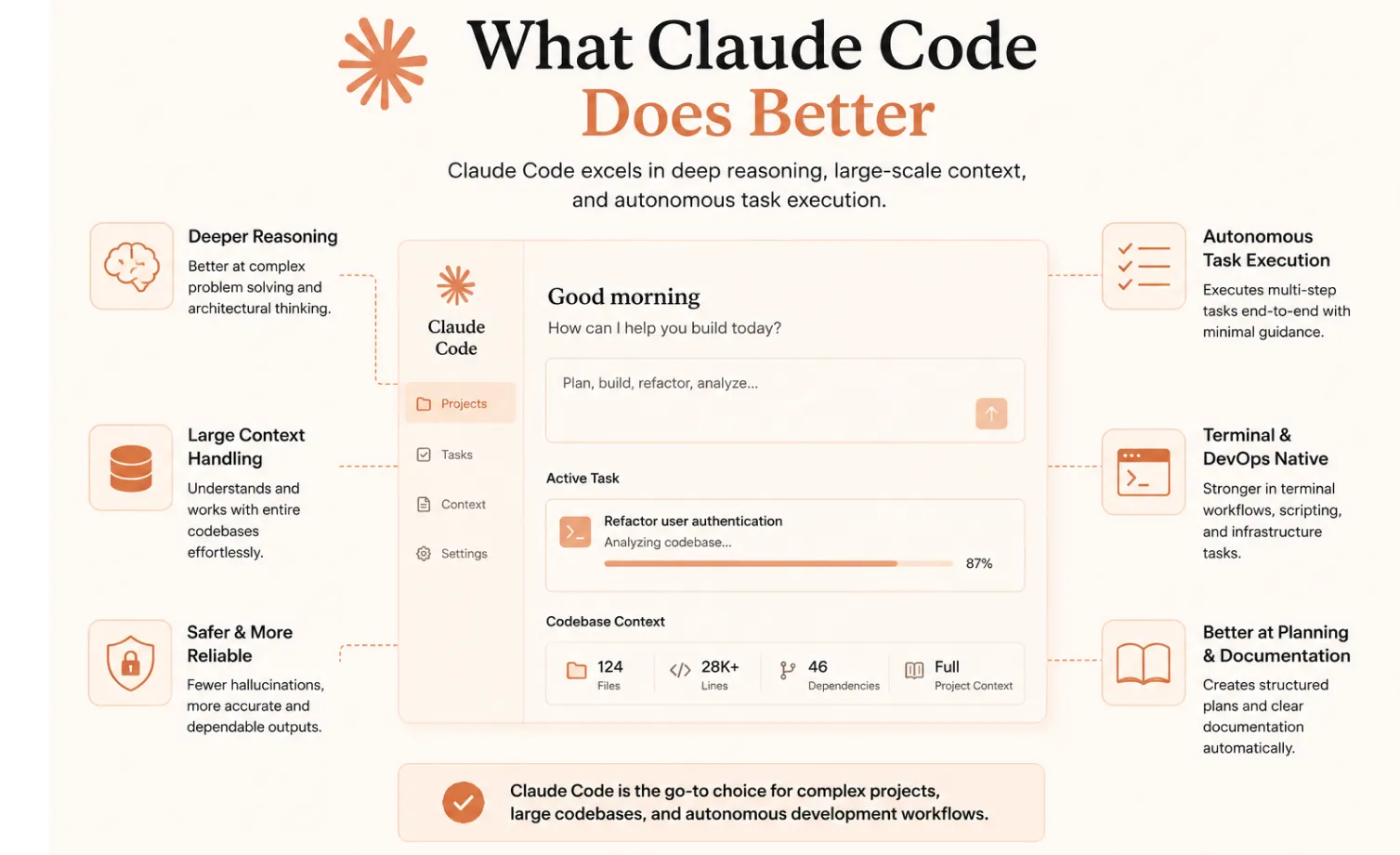
What Claude Code Does Better Than Cursor
Claude Code wins where the AI must execute without a developer supervising each edit. Across multi-step workflows and autonomous agents running overnight, the architecture holds.
- Autonomous multi-file refactoring: Reads and edits dozens of files per session without losing cross-file state. Renaming a shared TypeScript interface across a monorepo takes one autonomous session; Cursor requires repeated re-prompting as context drops between packages.
- Test runner integration and autonomous fix loops: Runs tests directly from the terminal as a first-class Claude Code CLI tool. The diagnose-fix-verify loop runs autonomously: read failure output, trace source, apply bug fixes, rerun suite.
- Sub-agent parallelism: Multiple Claude instances run concurrently on separate git worktrees. Lifecycle hooks chain quality gates before a commit lands. Cursor has no equivalent for parallel overnight runs.
- Deep CLI and shell integration: Works with git, Docker, kubectl, Terraform, and language CLIs natively. The Python/TypeScript SDK embeds custom CI automation directly into deployment pipelines.
- Commit quality and version control depth: Writes detailed commit messages covering intent, scope, and rationale. GitHub Actions integration delivers autonomous PR creation, issue triage, and test-fix cycles with no developer in the loop.
When Should You Choose Claude Code?
- Your codebase exceeds 10,000 files, and context depth is non-negotiable.
- Your CI/CD pipelines need AI-assisted self-healing or autonomous review workflows.
- You need SDK access for multi-step workflows embedded in deployment pipelines.
- Governance matters: lifecycle hooks and a full audit trail map to SOC 2 Type II and ISO/IEC 42001:2023 requirements.
What Cursor Does Better Than Claude Code
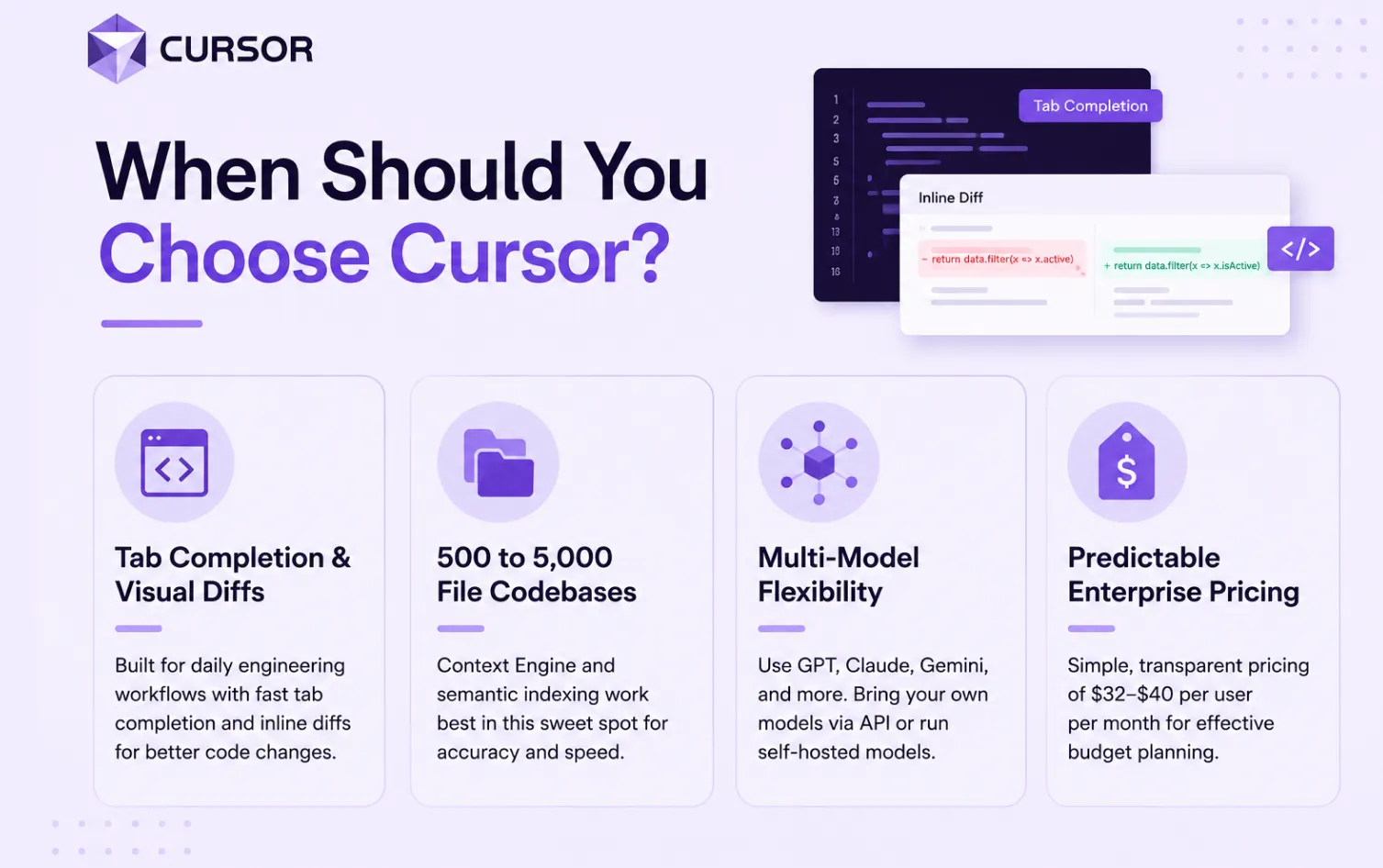
Cursor wins where developer flow, visual feedback, and interactive speed matter. For most developers on most days, these are the dominant mode of work.
- Tab completion with a specialised model: Cursor's Composer model is purpose-built for inline prediction across lines and blocks. For AI-assisted coding on daily tasks, tab completion alone justifies keeping Cursor in the stack.
- Familiar VS Code experience with zero switching cost: Cursor is a VS Code fork. File trees, tabs, debuggers, language servers, and extensions all carry over. Fastest onboarding path for teams new to AI assistance.
- Multi-model flexibility per task: Switch between GPT, Gemini, Grok, Claude, and Composer in one session. Supports self-hosted chat models and open-source models via API token, giving teams control over which foundation models they use per task.
- Visual editing and inline diffs for surgical bug fixes: Inline diffs let developers accept or reject changes at the line level. The built-in browser (fully GA in 2026) lets agents inspect live web apps during development.
- Internet-enabled background agents for PR tasks: Background agents run in isolated Ubuntu VMs: Clone repo, install packages, browse the internet, push changes. Cursor BugBot scans PRs autonomously with a resolution rate above 70%, feeding directly into review workflows.
When Should You Choose Cursor?
- Your team needs tab completion and visual diffs as core tools in daily engineering workflows.
- Your codebase sits in the 500 to 5,000 file range where the Context Engine and semantic indexing perform reliably.
- You need multi-model flexibility with support for open-source models or self-hosted models via an API token.
- Predictable enterprise pricing ($32 to $40 per user per month) matters for team budget planning.
Which Tool Wins for CI/CD Integration and Autonomous Pipeline Workflows?
CI/CD pipelines are the threshold that separates a personal productivity tool from a team-level engineering platform. This is where the gap is most decisive.
Claude Code delivers event-driven GitHub Actions triggers on PR opens, issue labels, and CI failures, enabling autonomous code review, test-fix loops, and deployment pipelines running overnight. Cursor handles PR-scoped background work well, but headless self-healing pipeline automation is less mature.
Hooks, Permissions, and Governance for Engineering Teams
Claude Code lifecycle hooks intercept pre- and post-action events:
- Auto-format after every file edit, lint before a commit, run eval loops around agent output.
- Incremental permissions model builds a full audit trail for SOC 2 Type II and ISO/IEC 42001:2023 compliance.
- Cursor offers SSO, RBAC, and audit logs for seat management, but no hooks-equivalent for programmatic governance across deployment pipelines.
Recommended Hybrid Workflow for Engineering Teams
- Claude Code for heavy lifting: Large refactors, test suite generation, CI/CD pipelines, and autonomous review workflows.
- Cursor for interactive editing: Daily file work, bug fixes, UI tasks, reviewing code Claude Code generated.
- Code review with both: Claude Code via GitHub Actions for architectural issues; Cursor BugBot for security concerns in PR review workflows.
- Keep scope boundaries clear: Claude Code on autonomous tasks in separate git worktrees; Cursor on focused, single-file work.
How BNXT.ai Helps Engineering Teams Ship Agentic Development Workflows at Scale
The real question beneath the cursor vs. Claude Code debate is not which tool to pick. It is how to build agentic coding workflows that hold up across enterprise codebases, multi-team environments, and deployment pipelines with real governance requirements.
BNXT.ai helps teams build and deploy multi-agent systems that plug into existing engineering workflows without lock-in to a single tool's architecture. A logistics client running a 300,000-line TypeScript monorepo reduced pipeline build time by 38% and reached production-ready deployment in under two weeks using our orchestration layer across Claude Code and GitHub Actions.
What a BNXT.ai Implementation Looks Like
- Days 1 to 3: Map existing CI/CD pipelines and codebase structure; identify the highest-leverage integration points.
- Days 4 to 7: Connect the orchestration layer to GitHub Actions, test runners, and the team's IDE surfaces, whether Claude Code, Cursor, or both.
- Week 2 onwards: Deploy multi-agent pipelines with token cost tracking, eval loops, and escalation paths for edge cases.
Who This Is For
This is built for engineering teams working on production enterprise codebases who are already using Claude Code or Cursor but hitting the limits of a single-tool workflow. If your monorepo refactors keep stalling mid-session, if your CI/CD pipelines need AI-assisted self-healing, or if you are being asked to show team-level AI adoption ROI and have no data to back it up, this is the gap BNXT.ai closes.
The Architecture Decision You Are Actually Making
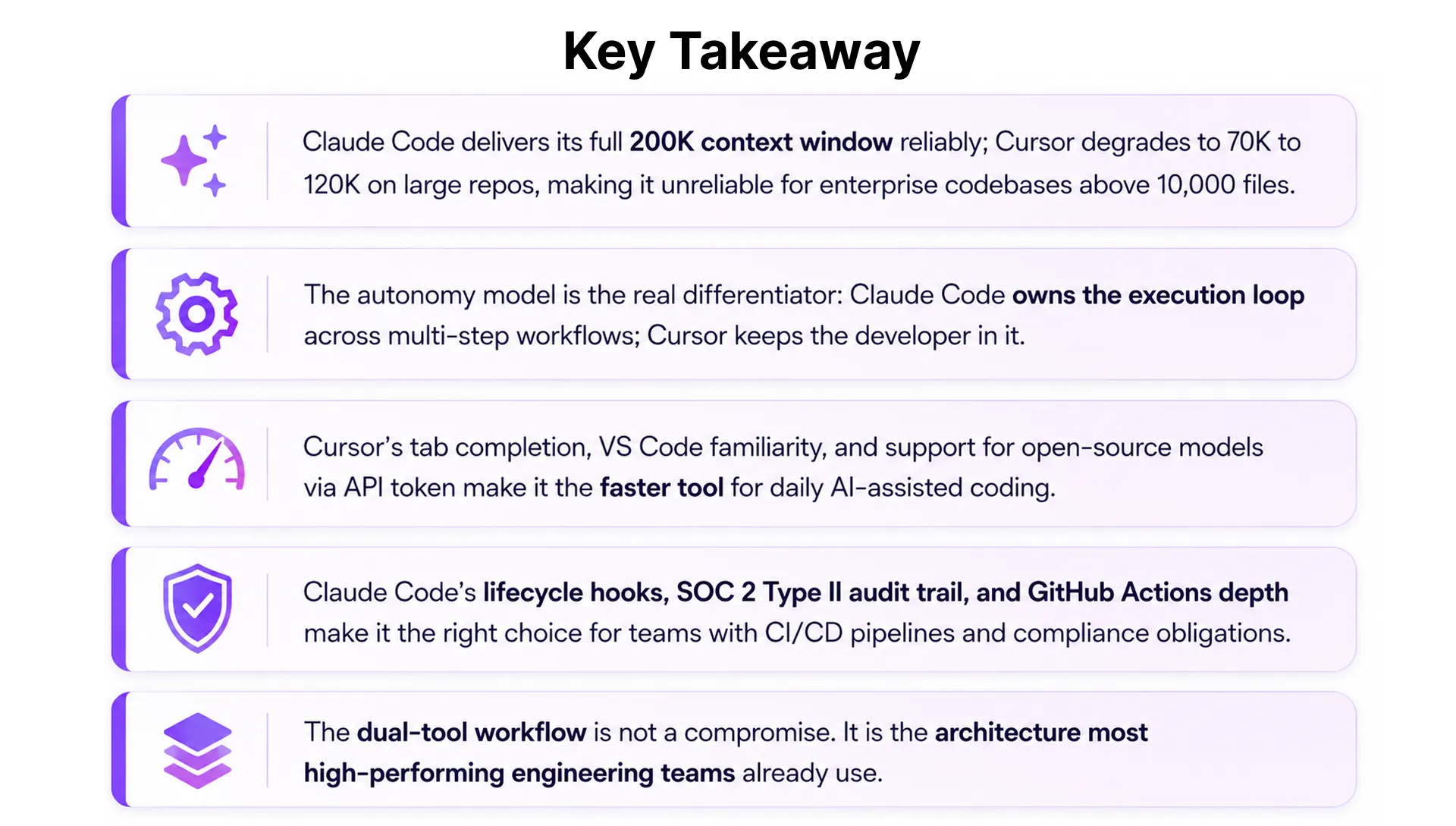
The cursor vs. Claude Code comparison resolves quickly once you reframe it. Cursor is a developer productivity tool. Claude Code is an engineering platform. Context depth, autonomy model, and CI/CD pipeline maturity are the three variables that matter at scale. For a small team on a 3,000-file codebase, the differences are invisible. For a larger team on growing enterprise codebases with deployment pipelines that need to run overnight, they are the decision.
Most teams we work with across 30+ industries end up running both. Teams that pick one rigidly hit the same ceiling at the same point in their growth. That is a scoping failure, not a tool failure.
People Also Ask

Is Claude Code better than Cursor for large codebases?
Claude Code's reliable 200K context window gives it a structural advantage on enterprise codebases above 10,000 files. Cursor wins for interactive daily editing and faster team onboarding.
Can Cursor handle monorepos with complex API dependencies?
Cursor's semantic indexing and Context Engine work well up to 5,000 files but degrade in large monorepos with deep API dependencies and microservice boundaries. Claude Code handles these natively.
Does Claude Code support SOC 2 and ISO/IEC 42001:2023 compliance?
Yes. Claude Code's lifecycle hooks and full audit trail map directly to SOC 2 Type II and ISO/IEC 42001:2023. Cursor offers SSO and RBAC but no equivalent programmatic governance layer.
Which tool is more cost-effective for engineering teams?
Cursor Teams is flat-rate at $32 to $40 per user per month. Claude Code scales with usage, but its 5.5x token efficiency closes the cost gap for heavy agentic workloads.x
Do I have to choose between Cursor and Claude Code?
No. Most mature engineering teams run both: Claude Code for autonomous multi-step workflows and CI/CD pipelines, Cursor for interactive editing and AI assistance in daily development.


.webp)
.webp)
.webp)

.webp)
.webp)



