

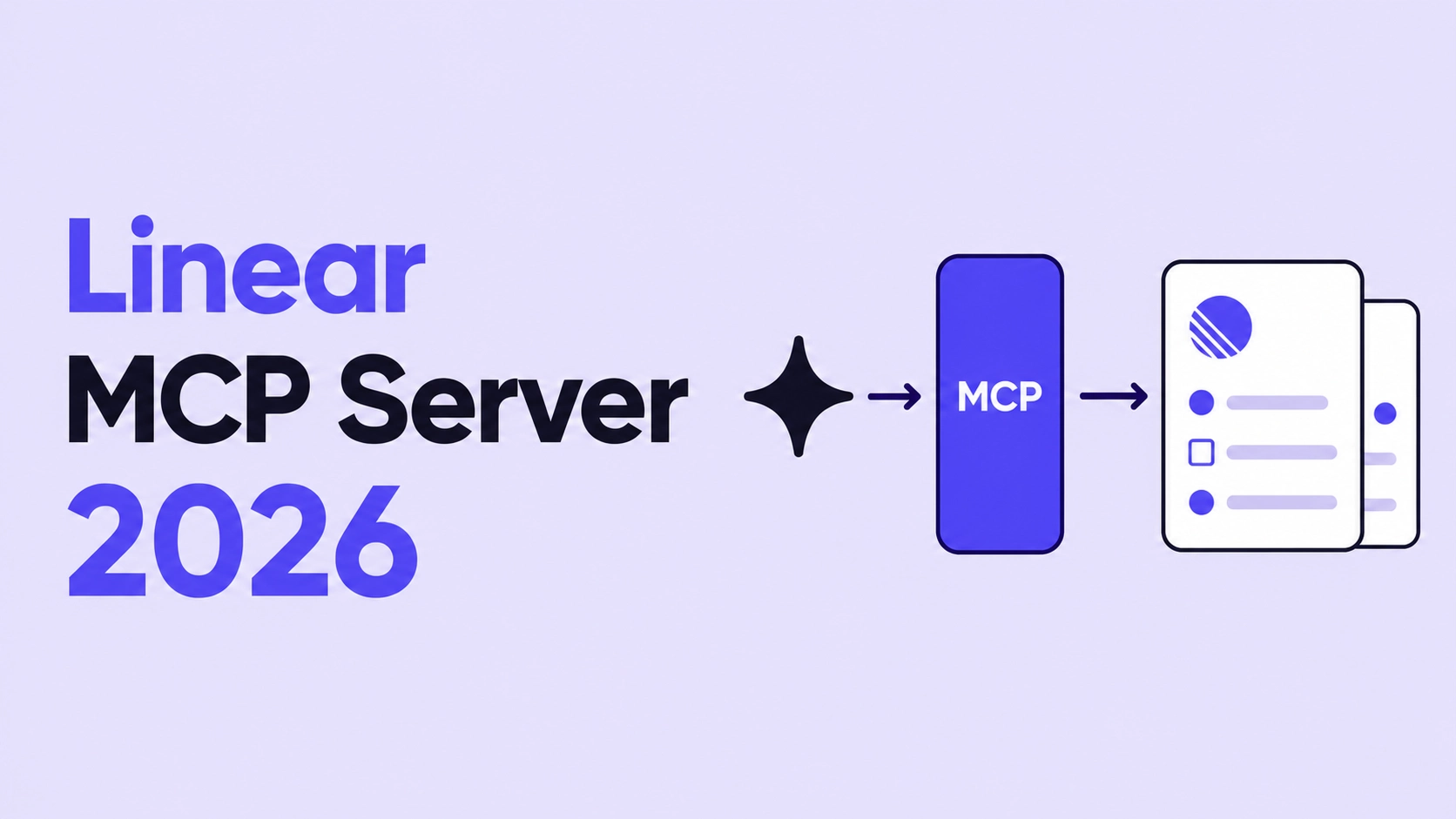
Linear's MCP server shipped in May 2025 with three object types: Issues, projects, and comments. By February 2026, it covered initiatives, milestones, and project updates too, and now sits as a first-party connector inside Claude, Cursor, Codex, and Windsurf. That is fast growth for a protocol most project management teams had not heard of eighteen months ago, and it shows up constantly in AI agent news and workflow automation news.
Here is the practical problem it solves. An engineering team's AI coding assistance agent finishes a fix, and someone still has to open Linear and update the ticket by hand. The Linear MCP server closes that gap: It lets your agent read and write Linear data using natural language, so updates happen as part of the workflow, not a separate chore afterwards. Working with teams across 30+ industries, we have watched this handoff eat hours every week, and this guide covers what the server exposes, how to connect it, and where the protocol runs out of road in production.
What Is the Linear MCP Server
The Linear MCP server is Linear's official, remote-hosted Model Context Protocol integration, not a community package. MCP gives AI agents a standard way to reach external tools and data without a custom integration for every app, and Claude, Cursor, and Codex all speak the same interface. Linear also runs a broader Linear Agent framework for agents needing deeper issue handling, but for most teams the MCP server itself is the starting point.
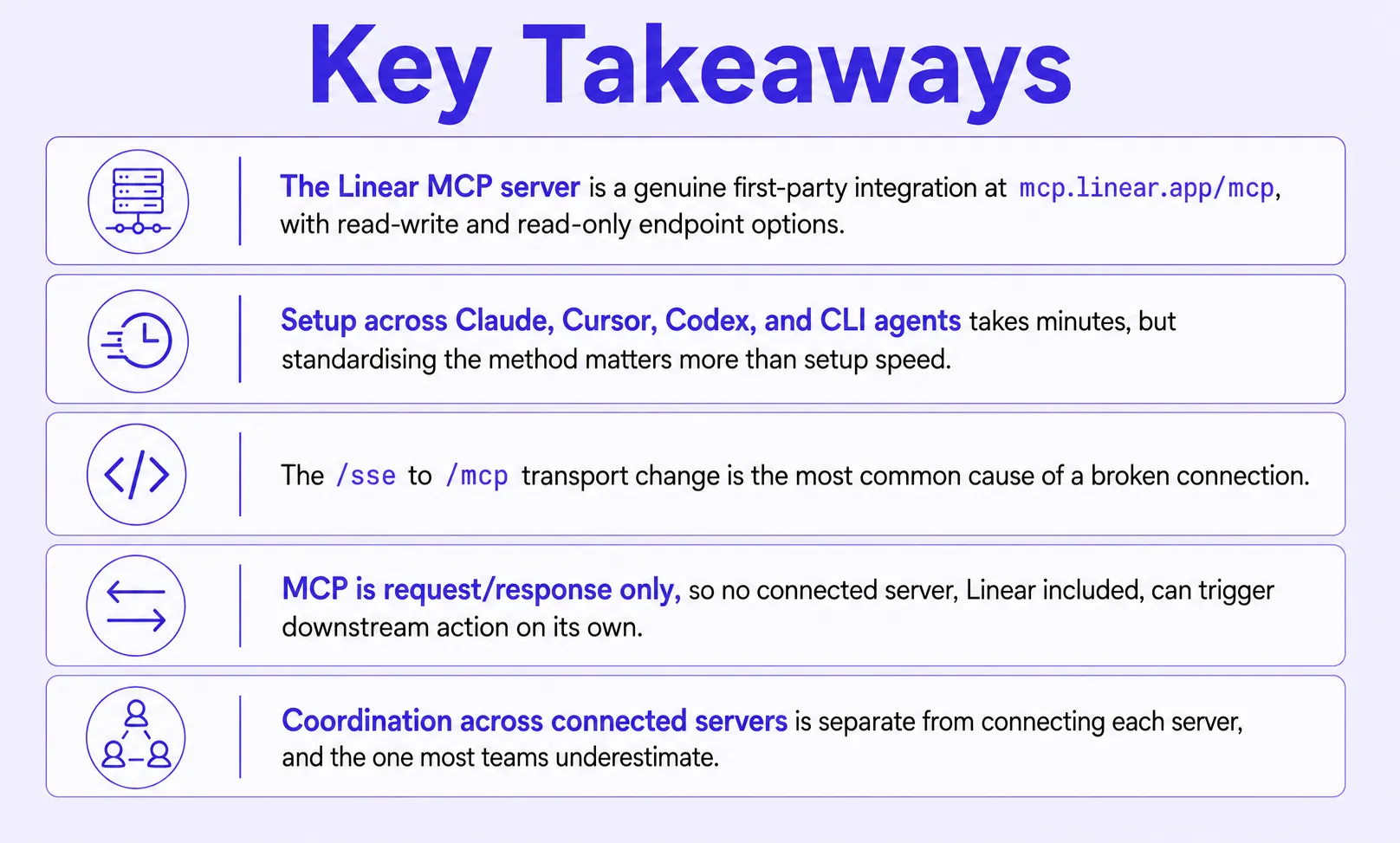
The server is read-write by default at mcp.linear.app/mcp, with a dedicated read-only endpoint for teams that want to scope access down first. Start read-only on a shared workspace, watch what the agent queries for two weeks, then decide whether write access earns its place.
What Data It Exposes
The object surface covers full issue CRUD (create, read, update, delete) and more:
- Issues, projects, and comments, the core set covering day-to-day ticket work.
- Initiatives and initiative updates, useful for tracking cross-team programmes.
- Project milestones and project updates, giving visibility into delivery timelines.
- Project labels, which help agents filter and categorise issues consistently.
Every object supports standard Linear actions such as creating, updating, commenting, and closing, all through natural language. The initiatives and milestones set targets for product managers specifically, so a PM's agent can now pull portfolio-level status without exporting a report.
.webp)
How to Connect the Linear MCP Server (Claude, Cursor, Codex, and CLI)
Connecting Linear's MCP server takes one command or one click, and agent authentication runs on browser-based Linear OAuth 2.1. No manual API credentials to store, which doubles as a small security service: Nothing sits in a config file waiting for one of the online attacks that target leaked secrets. If you are researching how to build AI agents, this kind of setup is what makes MCP worth adopting.
A logistics platform we worked with had three engineers manually reconciling AI agent output against Linear tickets before standardising MCP support across the team. Six weeks after connecting the Linear MCP server across every developer's Claude Code instance, that reconciliation work dropped by roughly 40%.
Claude Code and Codex (CLI Setup)
For teams scripting agent setup rather than clicking through a UI, the linear CLI path is the one to use. The Claude Code MCP command looks like this:
# Claude Code
claude mcp add --transport http linear https://mcp.linear.app/mcp

# Codex (requires experimental RMCP support enabled first)
codex mcp add linear --url https://mcp.linear.app/mcp
Skip the RMCP step in Codex, and the connection fails silently; this is the single most common support question we see here.
Claude Desktop, Cursor, VS Code, Windsurf, and Zed
MCP support varies by client:
- Claude Desktop: First-party connector path through Settings, then Connectors.
- VS Code, Windsurf, Zed: need the mcp-remote wrapper; Windsurf MCP users should confirm the wrapper version first.
- Cursor: fastest GUI option, one-click install from its trusted Cursor MCP server list.
Standardise on one documented setup path per client before scaling past five or six people. This saves a full day of onboarding friction per new hire and keeps workflow automation consistent.
The SSE-to-Streamable-HTTP Transport Change
Here is the problem: Linear's original /sse endpoint is being retired in favour of /mcp, which uses Streamable HTTP transport. This is the single most common cause of a Linear MCP connection that worked last month suddenly throwing errors this month.
Three checks solve most cases:
- Confirm your endpoint is /mcp, not /sse.
- Clear stale authentication with rm -rf ~/.mcp-auth before reconnecting.
- Check Linear's status page if both fail; WSL users on Windows sometimes need an extra fallback flag too.
According to the 2025 Stack Overflow Developer Survey, 51% of professional developers now use AI tools daily, and 84% use them in some capacity. That level of daily reliance is why a transport change like this one ripples through so many teams at once.
Linear MCP vs. Other MCP Servers
More connected MCP servers do not automatically mean a more capable agent. Each server adds its own tool definitions to the agent's context windows, and five uncoordinated servers are often slower than two properly integrated ones.
Here is how the linear MCP server stacks up against the other four MCP servers in the table below: GitHub MCP server, Slack MCP server, Figma MCP server, and the newer Playwright MCP server for browser testing:
Which one fits your team?
- One or two servers, single-tool workflows? Connect them directly.
- Three or more servers where one action should trigger another? That is the coordination gap.
- Already losing time to manual handoffs? Bring in an orchestration layer.
Our take: Connecting every MCP server your team touches is not the goal. Connect the ones your agent needs, then solve coordination before adding a sixth. Some teams manage the cost with Agent Bundles or Virtual MCP Bundles, packaging several servers behind one interface. That trims context window overhead, but the servers inside still cannot talk to each other.
The Real Challenges of Running Linear MCP in Production
A fintech engineering lead came to us with four MCP servers connected to their shared Claude setup, Linear among them, and growing frustration that workflow automation still was not happening. The issue was not any single server; it was that MCP, by design, cannot initiate anything on its own.
MCP is strictly request/response. A ticket moving to Blocked in Linear cannot trigger anything downstream, because nothing in the protocol listens for that change. The agent has to be asked before it acts.
Why MCP Servers Cannot Trigger Anything
The protocol spec is request-response by design, with no event mechanism and no agent-to-agent interoperability layer on top. Picture an issue moving to Blocked, a sprint ending, or a P0 landing in triage: None of these can start automatically, since nothing is listening for a change.
This compounds as teams connect more servers to the same agent. Five isolated MCP connections do not add up to a coordinated system; they add up to five tools an agent can query when prompted.
%20(1).webp)
How BuildNexTech Handles What Linear MCP Cannot
Our orchestration layer solves exactly this: As an AI agent platform, it coordinates action across connected MCP servers, Linear included, instead of leaving each idle until asked. Teams connect Linear, GitHub, Slack, and whatever else their agent touches once, and the layer triggers AI workflow automation across all of them, built around actual customer needs. This is why teams turn to AI integration consulting instead of wiring servers together by hand.
A logistics client automating handoffs between their Linear board and downstream fulfilment tools cut manual coordination work by roughly a third in the first month. That is the difference between an agent that answers questions and one that keeps a workflow moving.
Engineering teams choose this over stitching raw MCP connections together: AI-native architecture built for coordination, a low-code AI agent builder for non-engineers, enterprise-grade observability, and no model lock-in, whether the agent is an AI sales agent or an engineering assistant.
What a BuildNexTech Linear Integration Looks Like
The rollout follows a straightforward path:
- Day 1 to 3: Discovery and connector mapping, identifying which teams and workflows touch Linear today.
- Day 4 to 7: Orchestration configuration, connecting Linear MCP alongside other needed servers.
- Deployment: The coordinated setup goes live for the team, not a single pilot user.
- Week 2 onward: Monitoring and tuning based on production use.
At the end of that rollout, the team owns a coordinated, observable multi-server agent setup, not a flat list of connections. That separates a genuine workflow automation platform from a team that has simply connected a lot of tools.
Who This Is For
This fits engineering teams already running Linear MCP alongside two or more other MCP servers on the same agent, and it is a practical entry point into AI agents for business rather than a generic pilot: Manual ticket updates piling up, wanting a Blocked status or a P0 in triage to trigger downstream action, or nobody able to say what happens between connected servers. If that sounds like your team, let's talk.
Conclusion
Setting up the Linear MCP server itself is the easy part. Every team we have spoken with in the last six months got that piece working within a day. What separates teams saving hours from ones still doing manual reconciliation is what happens after the connection: Whether tickets update themselves or someone still closes the loop by hand. The protocol will not answer that question, but the infrastructure you build around it will.
People Also Ask

What is workflow automation, and how does it relate to MCP?
Workflow automation connects tools so a task in one system triggers an action in another without manual effort. MCP is the connection layer that workflow automation software is built on.
What are the best AI workflow automation tools for connecting apps like Linear?
There is no single best answer. It depends on how many apps you connect: MCP servers suit single-app connections, while dedicated automation platforms handle multi-app, multi-step workflows across a team.
How do I build an AI agent for my business?
Start by identifying one repetitive task worth automating, connect the relevant MCP servers, and test with a small team. The best AI agents for business begin narrow, then expand gradually.
What is an MCP server in AI, and how is it different from a plugin?
An MCP server exposes a tool's data and actions through a standard protocol any AI agent can use. A plugin is built for one app and does not transfer.
Are there free AI agents I can test before choosing a platform?
Yes. Most top AI agents and clients, including Claude and Cursor, offer free tiers with MCP support, so you can test Linear MCP before committing to a workflow automation platform.


.webp)
.webp)
.webp)

.webp)
.webp)



