Benefit 01
Pay only when code runs
No idle infrastructure cost between requests.
Lower cloud spend

Discover the key benefits of serverless computing - cost savings, auto-scaling, faster deployments, and AI-ready infrastructure. Learn the use cases, trade-offs, and how to decide if serverless is right for your team.

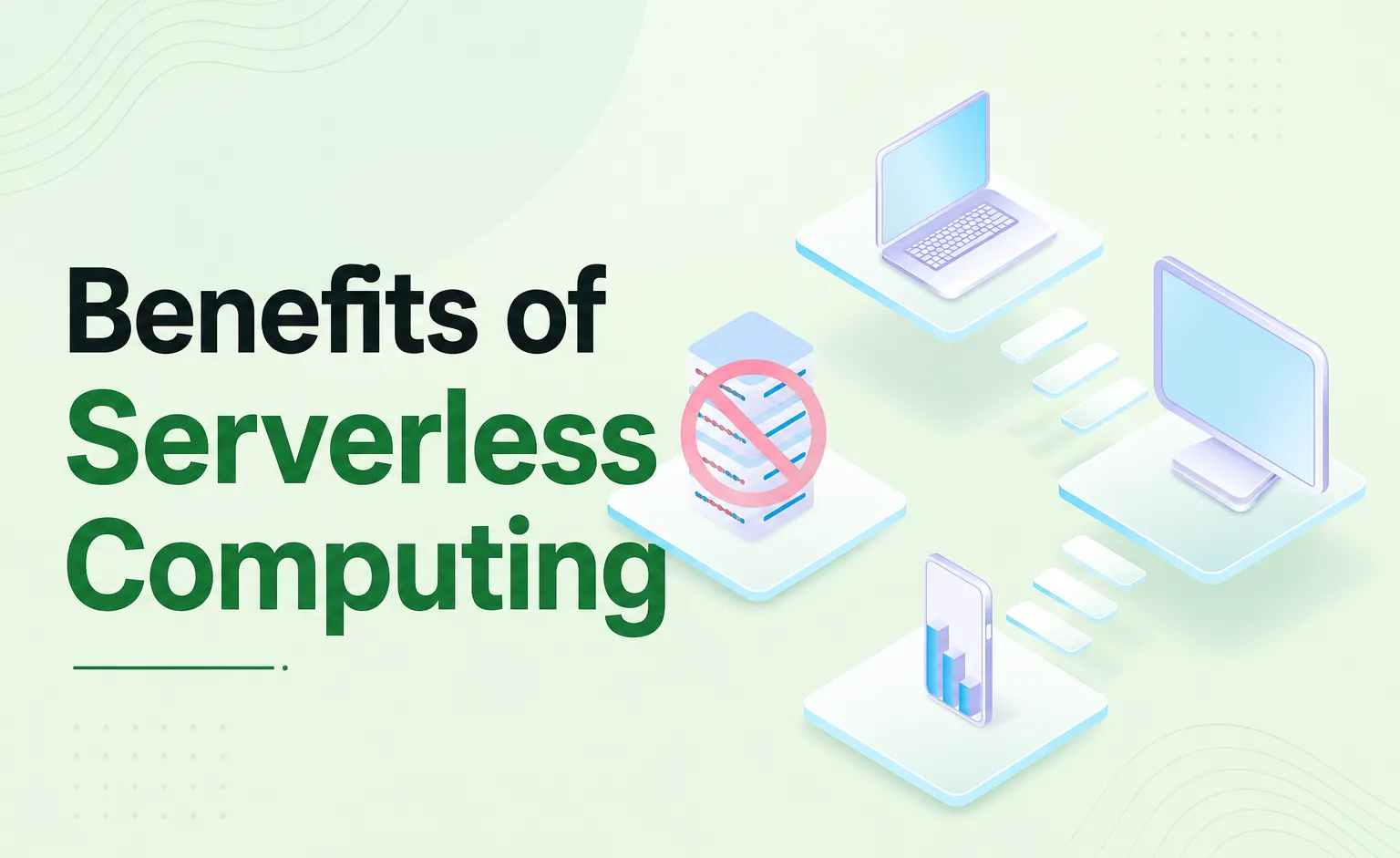
The problem with our logistics client's platform was that it ended up paying the full cost for six EC2 instances that were simply sitting idle at night and yet had difficulty dealing with peak dispatch times. The solution was serverless computing, an execution environment in the cloud where the vendor, AWS, Microsoft Azure, or Google Cloud, takes care of all backend infrastructure, and you pay by invocation rather than by server hours.
The team wasn't short on infrastructure; they had the wrong billing model for their traffic pattern. This guide covers 'what is serverless architecture', 'what are the benefits of serverless computing' that hold up in production, the best serverless use cases, the disadvantages nobody puts in the headline, and a migration path that won't blow up your first quarter. Across 150+ client engagements and 30+ industries, we've watched this decision go right and wrong in fairly predictable ways.
Serverless computing architecture is often confused with serverless computing vs cloud computing; however, serverless is just one form of cloud computing, not a replacement for it. Conventional cloud computing requires the user to allocate capacity before demand arises, while serverless omits that allocation step and uses usage-based billing instead.
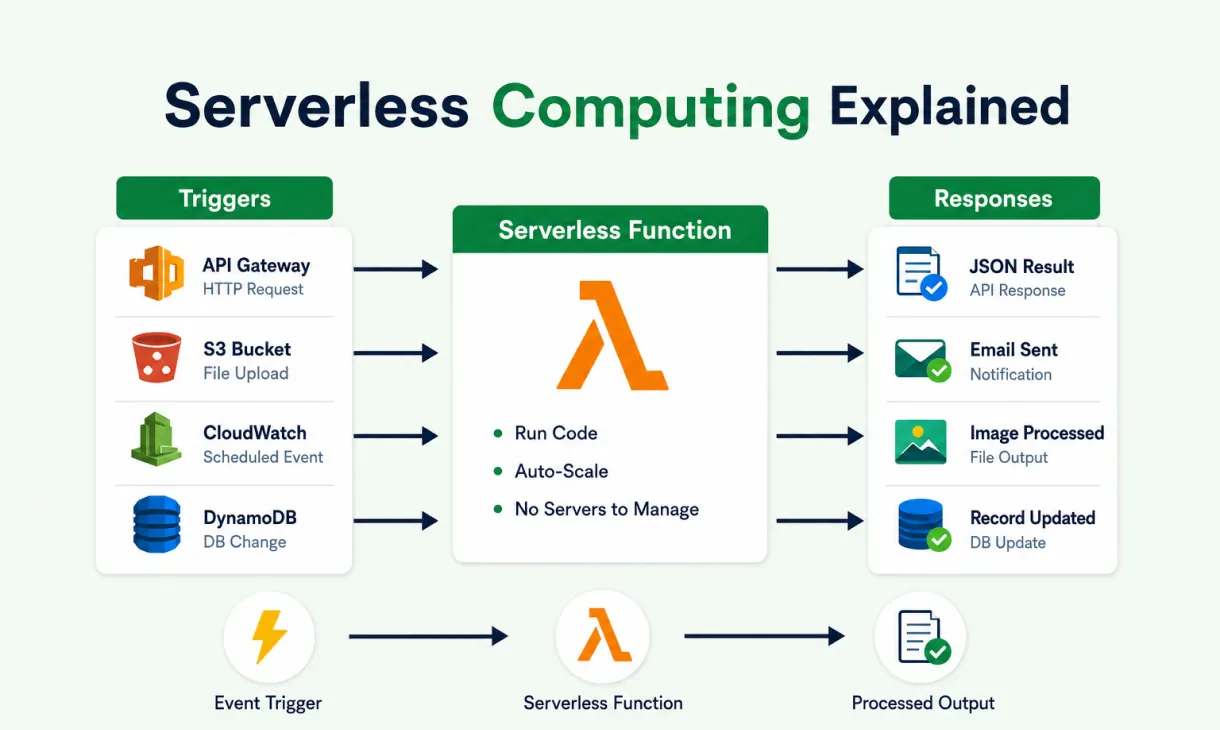
Event-driven architecture is how the execution takes place entirely. What is event-driven architecture in cloud terms? An event activates the function; the system creates an instance, runs the code, returns a response, and destroys the instance.
Common triggers: API Gateway requests, S3 uploads, EventBridge schedules, and SQS messages. Underneath, the serverless computing architecture explained simply splits into a provider-owned infrastructure layer and a team-owned logic layer. A Lambda function or a function on Google Cloud Functions is stateless by design, the detail that makes automatic scaling possible at all.
The serverless computing key benefits explained in practical terms come down to five consistent production wins, plus a sixth that's becoming hard to ignore. For enterprises weighing a migration, the benefits of serverless computing for enterprises usually show up first on the cloud bill:
The pricing for AWS Lambda is approximately $0.20 per million requests and $0.0000166667 per GB-second of compute (prices may vary by region and architecture; see the AWS Lambda pricing page for current rates), compared to an always-on instance which is billed based on full usage irrespective of the activity level. This workload pattern sees no costs incurred for the twenty-two hours a day in which the workload is idle, while only getting billed for two hours. These serverless computing advantages are experienced quickly for workloads with a high idle-to-peak ratio; however, workloads with consistent peak performance can still benefit from the reserved-instance pricing model. The usual "time is short to embark on a migration project" objection is generally scope-related, not scheduling-related.
FaaS platforms spin up parallel instances on demand, removing the resize ticket, the load balancer reconfiguration, and the capacity meeting before a launch. Teams stop getting paged during spikes because elasticity lives at the platform level. Provisioned concurrency on AWS Lambda and always-warm pools on Azure Functions Premium solve cold starts on latency-sensitive paths, covered below.
Patching, runtime upgrades, and capacity management move to the provider, and those reclaimed hours go back into feature work. Functions deploy independently too, so teams roll back updates without touching the rest of the stack, shrinking the blast radius of every release: Deployment frequency climbs, risk drops. Stack that up, and the benefits of serverless architecture here are less about one feature and more about where engineers spend their time.
Here's the part most teams haven't connected yet. An event triggers a function, the function calls an inference API such as SageMaker or Vertex AI, a prediction comes back, and there's no always-on GPU instance in the critical path. A GPU instance runs $2 to $8 an hour whether it's serving traffic or not; a serverless wrapper costs nothing between requests. These serverless architecture benefits now extend beyond compute cost into cheap AI inference. More features do not make a better AI product; cheaper inference at the moment customers need it does. More on AI-native backend architecture if this is on your roadmap.
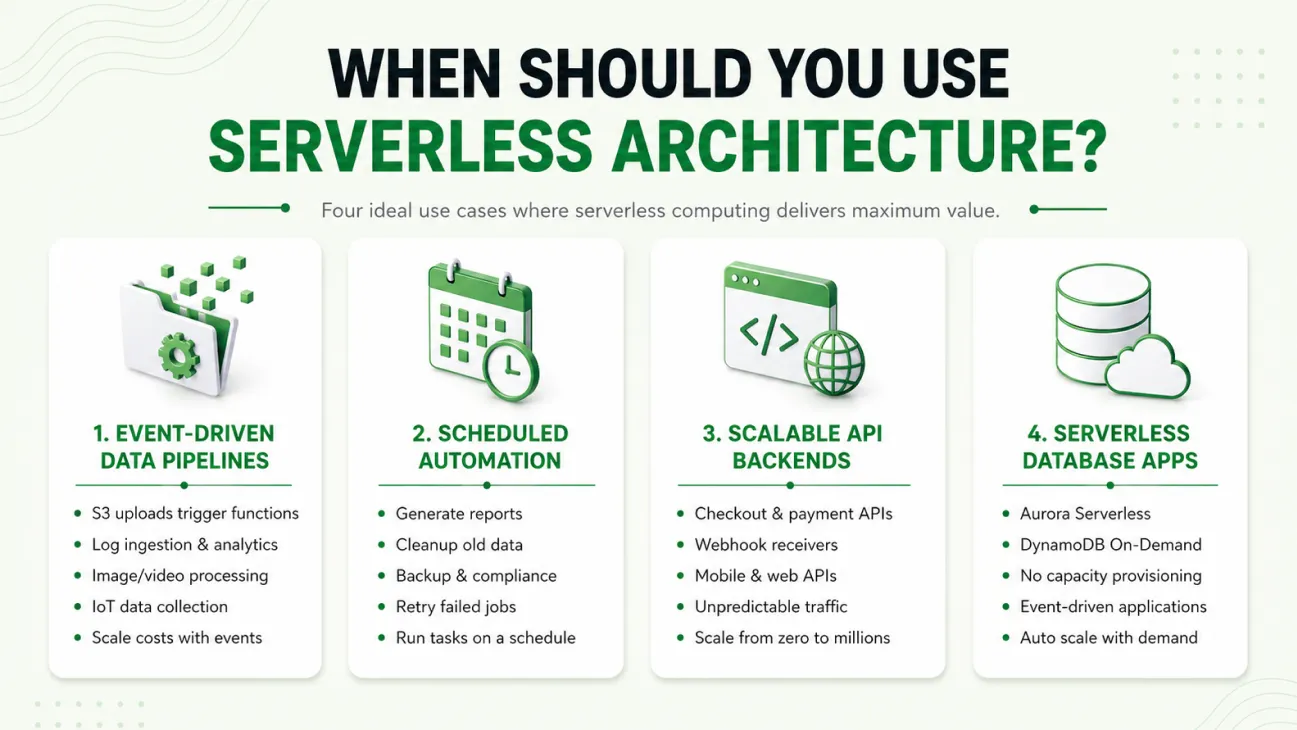
Serverless computing use cases deliver the best value for event-based, stateless, load-variable workloads. The following four patterns are among the clearest serverless computing examples and serverless architecture examples in production, along with an actual point-of-sale example:
A retail point-of-sale operation came to BuildNexTech running transaction processing on infrastructure over-provisioned off-peak and still strained during rushes. We moved it to an event-driven, AWS-native architecture, eliminating the always-on footprint: Overhead disappeared for the ops team, the system scaled through peaks unattended, and spend shifted from a fixed monthly cost to one tied to actual transaction volume. Full breakdown in Revolutionizing Point-of-Sale Operations Through AWS Cloud Migration.
Every architecture decision has pros and cons of serverless architecture worth naming honestly, and three limitations come up in nearly every evaluation: Cold start latency, vendor lock-in, and observability complexity. A fintech client once asked us mid-incident why a payment function was intermittently slow, and the answer was missing tracing, not a broken platform.
However, weighing the advantages and disadvantages of serverless architecture together, it becomes evident that none of these reasons should be enough to stop your decision, but all need owners before implementation.
Serverless vs containers: which is better? That is a very incorrect question to ask about the entire application instead of just a workload within the application. With respect to the serverless vs server architecture comparison, serverless computing wins for event-driven and varying loads, while containers win for stateful and consistent loads.
Which one fits your team?
Our Take: For event-driven services built in 2026, serverless must be the default, not something you consider once containers get too complex. Most teams default to containers out of habit, not need, and that habit costs more than switching would.
What is the difference between serverless and microservices? They get confused constantly, but they answer different questions. While microservices architecture breaks down applications into individual deployable services, serverless focuses on how to execute the services. Many organisations use both, building microservices architecture on serverless infrastructure and applying microservices design patterns as well as microservices best practices such as single-responsibility functions. That's separate from monolithic vs microservices, which is about code structure, not deployment.
Application migration to cloud infrastructure, specifically serverless, is most reliable when it starts with workload classification, not code. Different cloud migration strategies exist, but the ones that hold up all start the same way. Teams that skip straight to rewriting functions before classifying which workloads belong on serverless routinely pay more than before, the opposite of the point.
Three decisions determine whether the cloud migration strategy saves money or costs more:
Most teams evaluating serverless run a cloud migration at the same time, and building both the strategy and the execution muscle in-house creates avoidable risk. As a cloud consulting partner, we run workload classification first, never a blanket "move everything" strategy. Our cloud migration consulting services and AWS cloud consulting services cover assessment, design, migration, and handoff across three weeks, the sequence behind the POS engagement above. If you need a cloud solutions consulting partner mid-migration, or are adding AI features that need inference capacity before GPUs, that's where we'd start.
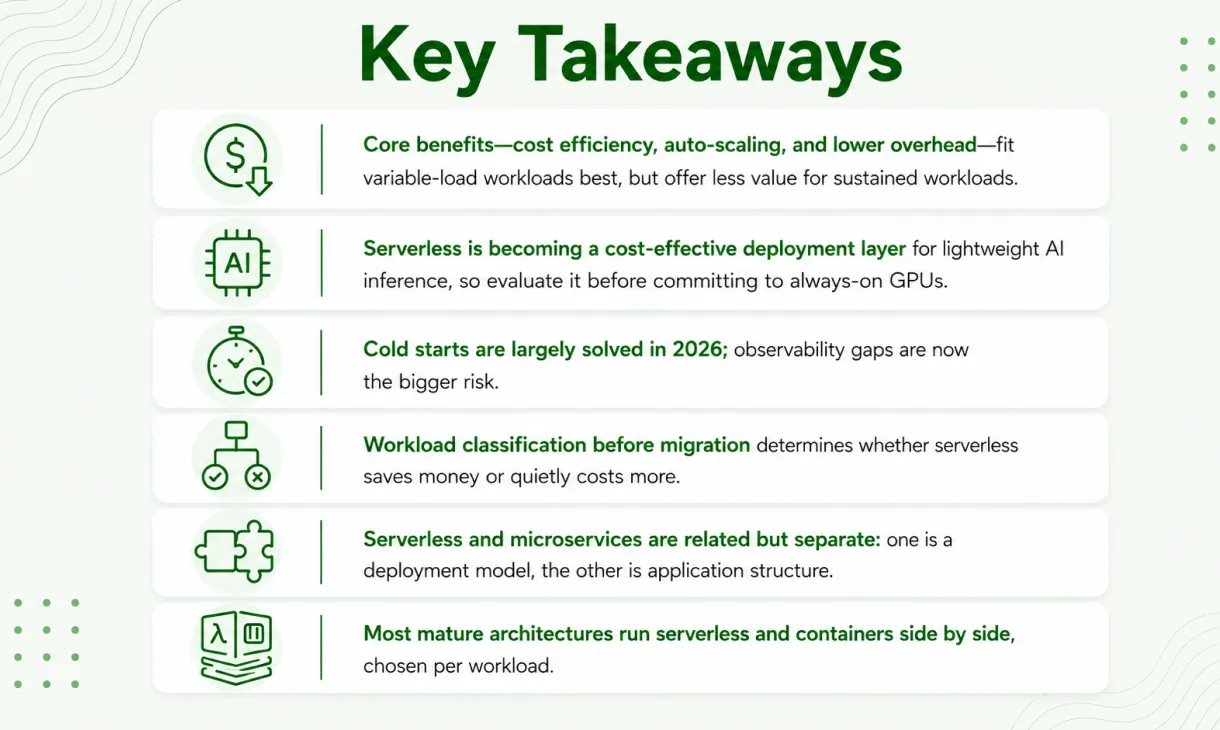
The benefits of serverless computing are real: Lower cost on variable workloads, automatic scaling, and engineering time returned to product instead of patching servers. None of that is automatic, and it doesn't apply evenly across every workload. Heading into 2026, the bigger shift is what serverless does for AI inference costs, a lever most teams haven't pulled yet. Get classification and observability right before migration starts, and serverless delivers what it promises; skip that step, and it costs more than what it replaced.

Lambda caps single invocations at 15 minutes. Azure Functions and Google Cloud Functions have similar limits, which is why long-running batch jobs usually stay on containers.
Yes. Serverless removes most infrastructure overhead, letting a small team ship features without hiring dedicated DevOps staff early, though cost discipline still matters as usage scales.
The provider secures underlying infrastructure, but your team still owns IAM permissions, secrets management, and function-level access control, so the security surface shifts rather than shrinks.
Partially. Serverless suits backend logic and notifications well, but persistent, low-latency connections like WebSockets often need a dedicated service running alongside your serverless functions instead.
Most mid-size migrations run a few weeks to a couple of months of engineering time, depending on workload count, plus ongoing per-invocation costs that scale with usage.

.webp)
.webp)
.webp)

BuildNexTech empowers businesses with expert web development, app development, and cloud migration services.


.webp)
.webp)
