

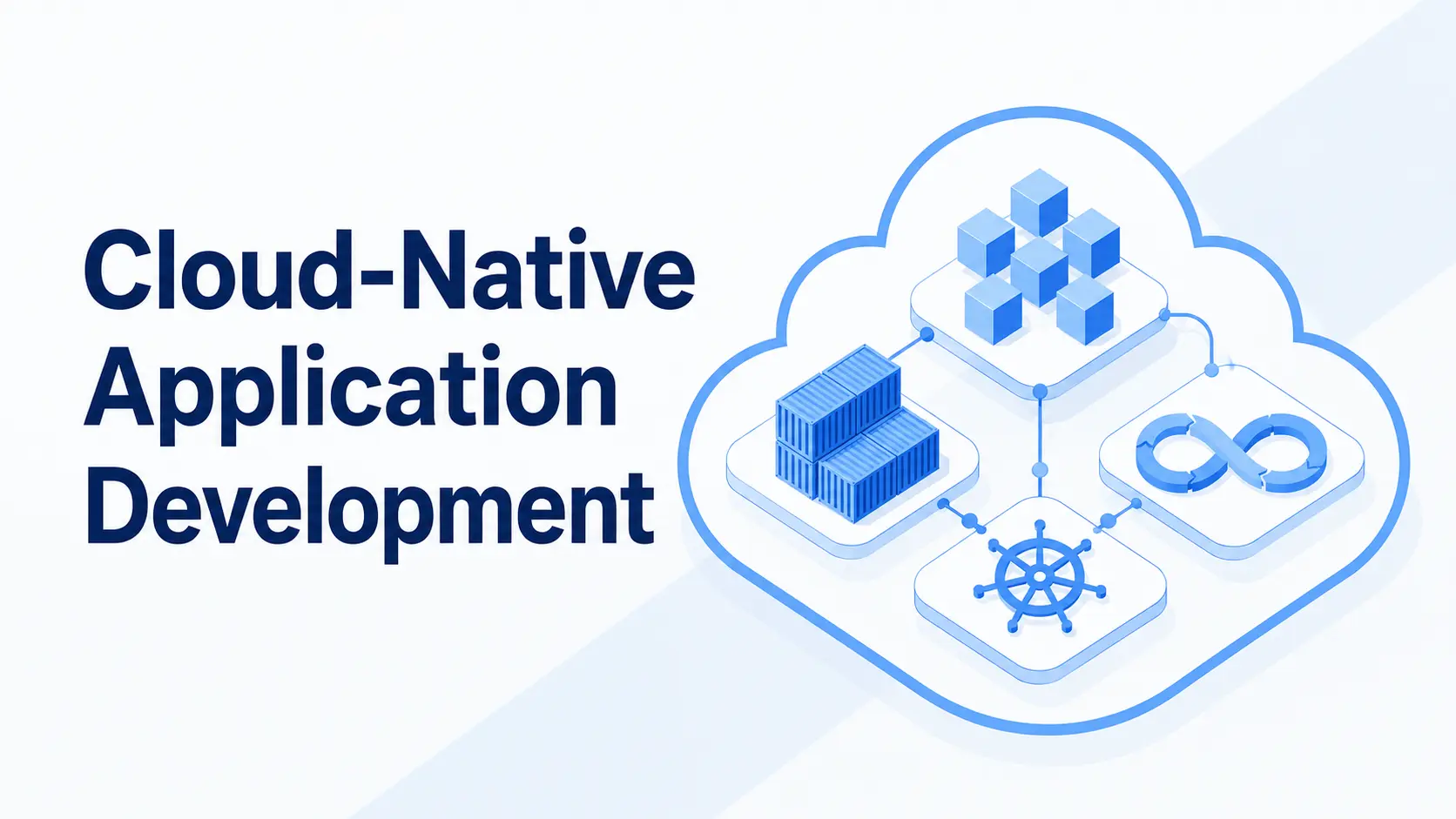
What actually makes an app "cloud native"? Most teams find out the hard way. A logistics platform we spoke with last year had already "moved to the cloud," a lift-and-shift completed eighteen months earlier, and it still went down every time a regional carrier pushed a bulk order update. Nothing had changed under the bonnet. The app was hosted in cloud environments, but never built for them.
Working with teams across 30+ industries, we see the same pattern in digital transformation projects: A team assumes moving to the cloud is the same as building a cloud native, and it does not scale as expected. This guide covers what cloud native app development means, the pillars a cloud application development project is built from, and the steps to build one, using the same cloud computing and cloud platforms your team already runs.
What Is Cloud Native Application Development?
Cloud native application development means building an app to run as small, independent pieces on cloud infrastructure that scale and recover on their own. Hosting an app in cloud computing environments does not make it cloud native automatically; the app has to be built for it. Cloud native infrastructure is the layer underneath, spanning three connected pieces:
- Containers and cloud primitives that package each service.
- Networking across cloud platforms that lets services talk to each other.
- Automation and Kubernetes orchestration that reacts to load without human intervention.
Kubernetes (K8s), the Kubernetes container orchestration platform most teams default to, runs that infrastructure at scale, and most cloud providers offer it as one of their managed services. The 2025 CNCF Annual Cloud Native Survey found 82% of container users now run Kubernetes in production, proof of how mainstream Kubernetes architecture has become.
Legacy Systems vs. Cloud-Native Architecture
A legacy application is one big block of code, while a cloud native application is built on distributed architectures from day one. A cloud app simply lifted onto cloud servers without redesign still behaves like the old system, the cloud native vs. cloud-enabled gap most guides skip. Here's what actually changes when the shift is real, in scaling, failure handling, releases, and team structure:
Our Take: Splitting an app into microservices is not the goal. Fault isolation and independent releases are, and sometimes that takes three well-designed services, not thirty. We have watched teams over-decompose an app and spend more time managing service boundaries than managing the monolith.
The Four Pillars Every Cloud-Native App Is Built From
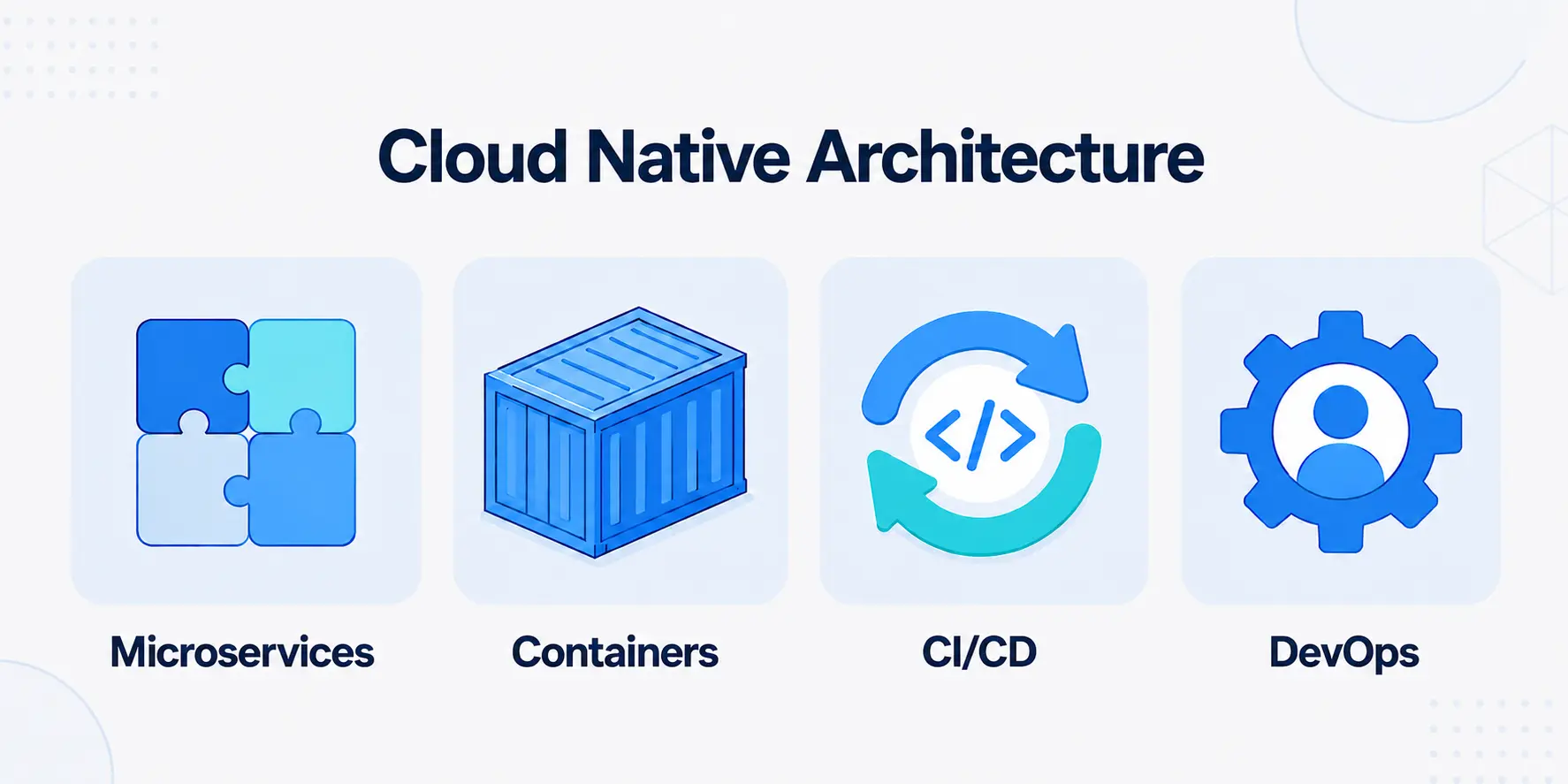
Four building blocks show up in nearly every working cloud native system, and together they define cloud native microservices practice. Each solves a specific problem the legacy, monolithic model creates.
Microservices
A microservice is one individual service with clear domain boundaries that performs a single, defined task and can be independently developed or changed without affecting any other part of the application. The basis of cloud native microservices is that services communicate over APIs but do not share code or a database. It is this segregation that enables fault isolation in distributed architectures, so the failure of one service does not propagate to all other services.
Containers
Containerization technologies allow an application to be packed up along with all it needs to run (libraries, runtime environment, configuration), thus behaving in a consistent way regardless of the hardware. The use of Infrastructure as Code provides consistency in the environment rather than setting everything up manually and letting it become inconsistent over time. Docker remains the standard packaging format most teams reach for, working alongside other cloud-native tools that handle orchestration once containers multiply.
CI/CD Pipelines
The CI/CD meaning most teams use is simple: Every code change gets tested and shipped through a deployment pipeline instead of a manual, occasional release. CI/CD automation makes small, frequent releases possible instead of large, risky ones, and the right CI/CD tools make rollbacks fast whenever something breaks along the way. CI/CD pipelines are what turn cloud native microservices from a diagram into something a team actually ships every single day.
DevOps
Cloud native devops practices mean shared ownership between the people who build a service and the people who run it, working within one DevOps workflow instead of handing off releases. Live services need cloud native monitoring, observability, and automated monitoring in one place, not scattered across separate tools. Folding DevSecOps in early means DevSecOps tools handle cloud security, running a security review against security standards and SSL protocols before code ever ships, not after.
Benefits of Cloud-Native Development
Teams that make this shift see the change fastest in four places, the same wins that make cloud-based applications resilient under real traffic. None of these achievements come overnight; they accumulate slowly over time as increasing parts of the system operate on that basis, and the initial wins will almost always be operational in nature and only become apparent to the customer over time.
- Faster delivery: More frequent and smaller updates rather than infrequent and huge ones.
- Automated scaling: Resources increase as traffic increases, decrease when it doesn't.
- More reliable systems: When one component fails, the entire application is not affected by it.
- Cost controls: Teams only pay for what they use, not for having everything up all the time; the FinOps practice of cloud cost visibility.
A healthcare scheduling platform we worked with had bookings and billing sharing one database, so month-end billing slowed booking response to a crawl. Splitting billing into its own service cut latency by more than 70%, without touching the booking logic itself. "Our industry is too specific" is a common objection from regulated sectors, but the same patterns apply across fintech, healthcare, and retail.
From Plan to Production: Building a Cloud-Native App
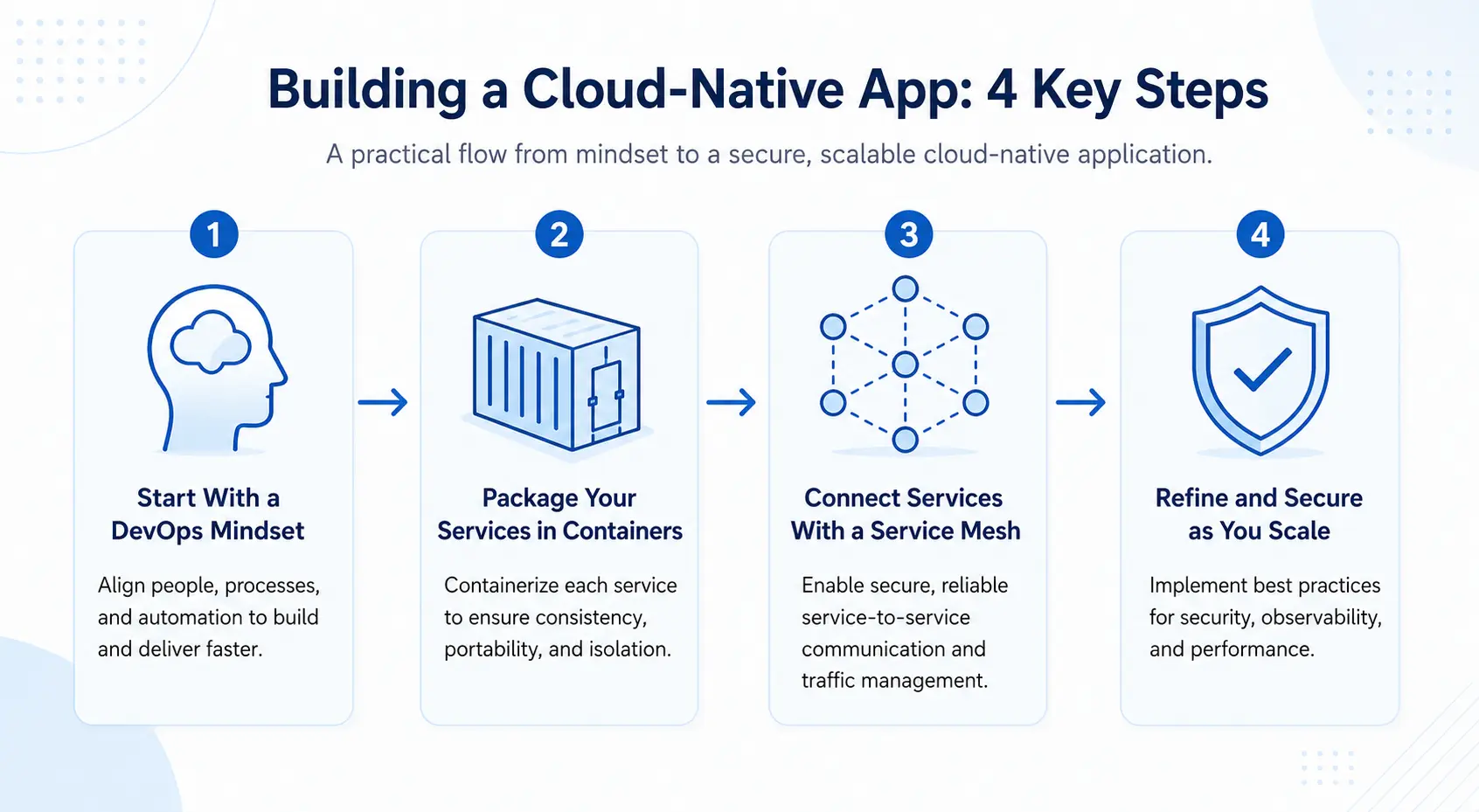
This is the practical, in-order path from an idea to a running cloud native app. It turns the four pillars above into a working service:
Step 1: Start With a DevOps Mindset
Align the team before any code gets written. Shared goals between the people building a service and the people running it matter more than any tool choice at this stage, because a cloud native rebuild fails less often on technology and more often on two teams pulling in different directions. Getting a shared definition of done, and a shared pager rotation, before development begins saves weeks of friction once services start shipping independently at speed.
Step 2: Package Your Services in Containers
Encapsulate each of these services into containers that have the same test, deployment, and scalability behavior across all environments from your local machine to production. The setup process takes about 2-3 weeks for new greenfield services and 6-12 weeks to move an existing service out of legacy code into a containerized environment based on its level of dependency. This is when you begin seeing the payoff from the use of containerization technology and Infrastructure as Code.
Step 3: Connect Services With a Service Mesh
After multiple services have been deployed, a service mesh helps control the interaction between those services and provides insights on how those interactions happen without changing any code in the application itself. It also does the job of handling retry, timeout, and routing between the services automatically. This becomes very important after the point where a number of components in the system increase beyond a few. Most organizations tend to underestimate the value of a service mesh.
Step 4: Refine and Secure as You Scale
As the app scales, tighten access controls between services and put cloud native data protection basics in place: Encrypting data at rest and in transit, and limiting exactly which service can reach which data. Most teams hit a wall around the six-month mark, often across a hybrid cloud architecture or a multi-clwoud setup that keeps some workloads on AWS services while newer ones run elsewhere under Kubernetes orchestration, once the next batch of services outpaces the last.
Best Practices for Cloud-Native Development
- Start small: Prove out one service before breaking apart the whole app.
- Map dependencies first: Know which services depend on which before decomposing further, so a rebuild doesn't stall on its own complexity.
- Design for failure: Assume a service will go down and keep the rest of the system working anyway.
- Follow a reference architecture: Build a cloud native reference architecture covering the gateway, services, pipeline, and monitoring, so every new service doesn't start from scratch.
- Don't over-automate too early: More automation isn't always the fix for a slow release process sequencing and clear ownership usually matter more than tooling.
- Apply the discipline everywhere: These practices hold for any cloud development effort, not just a rebuild.
How BuildNexTech Helps You Build Cloud-Native Applications
The real blocker most teams hit is not the idea. It is the weeks lost setting up containers, pipelines, and monitoring from scratch before a single feature reaches production, time that rarely shows up in the original plan. BuildNexTech works as a DevOps consulting services and solutions company, applying Artificial Intelligence through an AI-native engineering approach: Generative AI features, AI capabilities, and serverless functions built on a serverless computing architecture, extending existing cloud solutions instead of replacing them from the ground up.
The approach matches whatever stack a team already runs, whether that is a single cloud provider or a mix of them, without ripping anything out along the way. Across 150+ client engagements, teams standing up their first cloud native workflow through BuildNexTech go from idea to production-ready service in days, not months, with no forced rewrite of what already works well.
What a BuildNexTech Cloud-Native Implementation Looks Like
The process runs in three dated stages, closing with a service the team actually owns:
- Days 1 to 3: Discovery, mapping where a rebuild will actually move the needle for a specific team.
- Days 4 to 7: Integration with existing systems via API and app connectors, so nothing gets ripped out along the way.
- Week 2 onward: The team deploys the highest-value service first, with a human reviewer in the loop before anything goes fully live.
- At rollout: The team owns a running, observable service, not a demo.
Who This Is For
This methodology is well suited for teams working with a monolith that is slowing down every release, or developing a new product without over-building in the early stages. What these two scenarios have in common: Increasing numbers of code reviews, fragile deployments, and slipping roadmaps.
Conclusion
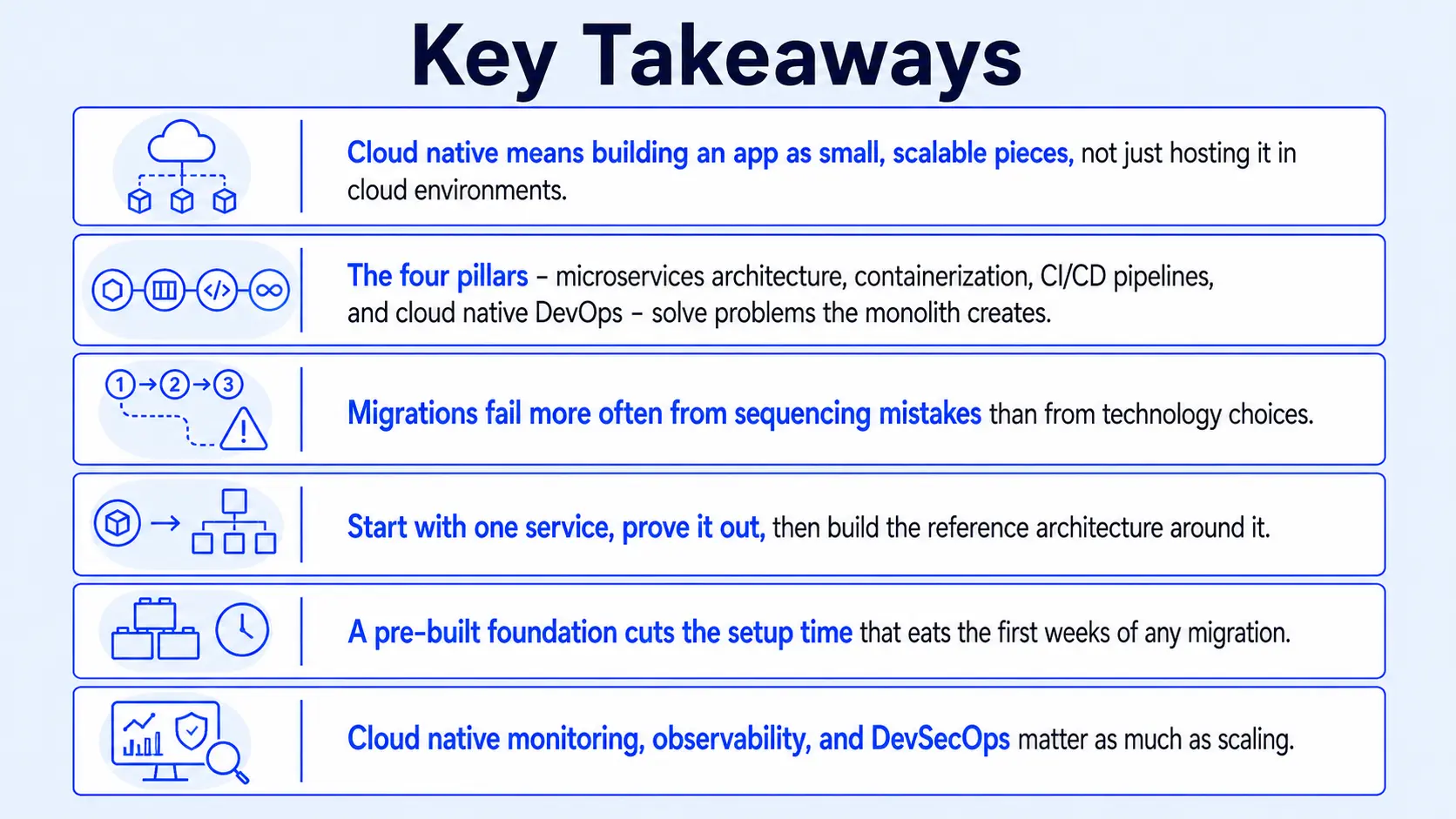
The term cloud native does not refer to where the application runs but rather to how the application is constructed. Small components that are loosely coupled with each other, containerization technologies that are the same everywhere, and a deployment pipeline that occurs without war rooms provide what a lift-and-shift approach falsely provides.
The gap between an app hosted in cloud environments and one genuinely built cloud native rarely closes on its own. It closes when a team picks one service, applies cloud native best practices, and rebuilds that piece first, proving the model before scaling further.
People Also Ask

What is FinOps, and how does it apply to cloud native environments?
FinOps tracks and optimises cloud spend across teams in real time, pairing cost controls with automated scaling so spending matches actual usage, not fixed capacity.
What's the difference between DevOps and DevSecOps in cloud native development?
DevOps means shared ownership between building and running software. DevSecOps, or what is DevSecOps in short, folds security checks into that pipeline from day one, not as a later step.
Is a multi-cloud strategy compatible with cloud native architecture?
Yes. Cloud native architecture runs anywhere, so multi-cloud works well as long as multi-cloud management tools keep configuration and monitoring consistent across providers.
Kubernetes vs Docker: What's the Difference?
Docker packages an app into a container. Kubernetes, or Kubernetes orchestration, manages many containers across machines, handling scaling and recovery once Docker has built the container.
How does observability differ from basic monitoring in cloud native systems?
Monitoring tracks known metrics like CPU or error rates. Observability goes further, letting teams ask new questions about unexpected failures using logs, traces, and metrics together.


.webp)
.webp)
.webp)

.webp)
.webp)



